by Nick Throlson | Dec 19, 2018 | WordPress
WordPress is one of the largest blogging platforms. It is accessed by a variety of people from different niches. And is hence a home to knowledge and talent worldwide. Losing information from a WordPress site is like losing out a lot, at one go! Backups are hence very important. It is advisable to have a backup for your WordPress to help you restore all the information. WordPress contains files and a database. While backing up, we are supposed to back up both. There are two ways to restore your backup file. One is to use an automatic WordPress backup plugin while the other is to create a backup manually. You can create a backup of the database by yourself. And you can download your WordPress files through FTP. Since changes are made in WordPress every now and then, restoring is a big task, if performed manually. Your server or site can be hacked or might stop functioning at any time. The only thing that saves you from the trouble that follows, is a backup! There are several ways to backup your WordPress. This article highlights some of the very commonly used methods:
1. Backup your files using BackUp plugins for WordPress:
- Use BackUpBuddy:
BackupBuddy is packed with real-time backup solutions in its own Stash Service. It also provides site migration and remote storage. By BackUpBuddy, one can schedule and create partial or full backups in the following way:
Download Backupbuddy i.e importbuddy.php. Install it like any other WordPress plugins.
Configure Backupbuddy by creating a password for it. And then, providing an email address where all error notifications can be sent.
Download a copy of your backup from BackupBuddy ? Backups and choose "Complete Backups"
Once you have both importbuddy.php and backup file with you, use FTP to connect to your website.
Import both the files to your site's root folder.
Once both files are uploaded, visit importbuddy.php in your web browser.
Enter the password that you created during configuration.
Your backup file will then be unzipped and a success message will be shown on the screen.
(ii) Use VaultPress
VaultPress is a part of the JetPack plugin that offers one-click restore. It is very easy to use and also comes with real-time backup. It offers cloud backup for 30 days too. To use VaultPress:
Log in to your WordPress account.
Go to Add Plugins >> VaultPress. Click on install.
Once installed, register your site with it.
After registration, VaultPress begins it first backup automatically.
When you want to restore the backup, you just have to log in to VaultPress and click on restore.
You can select all the files, plugins you want to restore.
Once that is done, click on Prepare Backup.
After that is ready, you have to confirm the restore by clicking on "Restore Now"
Restoring your backup is hence only a few clicks away with VaultPress!
(iii) Use All-In-One WP Migrator:
All-In-One WP Migrator is not a backup plugin but a migration plugin. It is an easily restorable migration plugin which also helps in partial and full backups. The reason why this is a great plugin for backup is that the export here is at the user's convenience. Once you have logged in, backed up and exported your files, restoring them is pretty easy. Here's how you can do it:
Go to All-In-One WP Migration menu and select import.
On the import page, select the location where you want to restore your backup.
Choose a backup file you want to restore and start the import process.
A dialogue box warning you of overwriting your site with backup data appears on the screen. Choose "Proceed"
Once you have clicked on Proceed, your backup will be restored.
The amount of time taken depends on the size of your backup always.
2. Backup your files using cpanel:
Your site must have a manually created backup of WordPress database using cpanel. This backup should be done using cpanel hosting for WordPress. If you have it done already, the process is very simple.
You need to log into your Cpanel account.
Under files section, click on backup.
Under backup, choose "Restore a MySQL database backup"
Click on choose file and select the backup file. Click upload after that.
Restoration is complete after that.
3. Backup using FTP for WordPress files:
Delete all existing WordPress files and directories.
Download WordPress and extract it to your hard disk.
Launch FTP client and launch all WordPress files to your server.
After uploading WordPress files, upload a wp-config.php file from your backup.
Edit the wp-config.php file and enter your database information. Save and upload it to your website.
Upload all other files from backup.
Install all the plugins that you had used earlier for your WordPress.
Install the theme that you had used. If you had a customized WordPress builder themes, you can also restore it from backup files.
Adjust Permalinks settings to match your site properly.
Following which, your website is successfully restored.
Whether you are blogging about top wedding dresses for lesbian brides or sharing your favorite place to visit, chances of losing data always remain. And that is why you need to keep a check on your blog every now and then. You can definitely restore your backup and set up WordPress all over again using the methods stated above. But is that it? Would restoring your data end your work? Never indeed! You must also focus on making your site more secured once the restoration process in over. Change your passwords after backups. Use better security for the website. And also, schedule regular backups. Backing up data regularly for your WordPress is one great habit that you can inculcate.
Author Bio:-
MARY JONES is the co-founder & editor-in-chief at TopMyGrades which focuses on Content Marketing Strategy for clients from the Education industry in the US, Canada & UK. Mary has conducted a series of webinars for AssignmentEssayHelp. She has extensive content editing experience and has worked with MSNBC, NewsCred & Scripted. She has also authored blogs on Lifehack.org, Wn.com, Medium.com, Minds.com and many more digital publications.
by Nick Throlson | Dec 3, 2018 | WordPress
Are you interested to create your own website? Try WordPress because it is the most favored platform for developing a website. It became an effectual platform for young artists and musicians. There are ultimate options for customizing the website according to the requirement.
To sustain in the digital world, you should have an online profile. When you will have your own webpage, it can provide you a competitive advantage. Having a personal profile or website can give you chance to interact with interested visitors.
A number of WordPress music themes are currently available to use. You should always try to select a musician theme with artistic appeal and better functionality. If you want to maintain a balance between design elements and information which you want to display, let?s have a look at some brilliant WordPress music themes:
Vicehttps://themeforest.net/item/vice-music-band-dj-and-radio-wordpress-theme/10067870 Those who aspire to have an excellent WordPress music theme, they can select Vice. It has unique features to create an innovative and unique musical website. People who have just started their journey can take the help of video tutorials. It even helps in the creation of custom website landing pages and adds YouTube videos in the back for getting better attention from the viewers.
StereoClubhttps://themeforest.net/item/stereoclub-nightclub-html-template/5455575
Those who aspire to have an excellent WordPress music theme, they can select Vice. It has unique features to create an innovative and unique musical website. People who have just started their journey can take the help of video tutorials. It even helps in the creation of custom website landing pages and adds YouTube videos in the back for getting better attention from the viewers.
StereoClubhttps://themeforest.net/item/stereoclub-nightclub-html-template/5455575 Depending on the requirement of a music website, it can be the perfect choice for you. It saves your time and enhances your visibility among visitors. It makes this easy for you to provide details associated to the tour dates. Even, you can use logos according to your preference. It doesn?t require any coding, you can easily install it. Visitors will get the customized share button which will help them to share content.
Amplifyhttps://www.mojomarketplace.com/item/amplify
Depending on the requirement of a music website, it can be the perfect choice for you. It saves your time and enhances your visibility among visitors. It makes this easy for you to provide details associated to the tour dates. Even, you can use logos according to your preference. It doesn?t require any coding, you can easily install it. Visitors will get the customized share button which will help them to share content.
Amplifyhttps://www.mojomarketplace.com/item/amplify For designing an appealing music theme based WordPress website, you can definitely select Amplify. It is feasible enough that you can make changes according to you. Background, color, layouts, and templates can be easily customized depending on the website requirement.
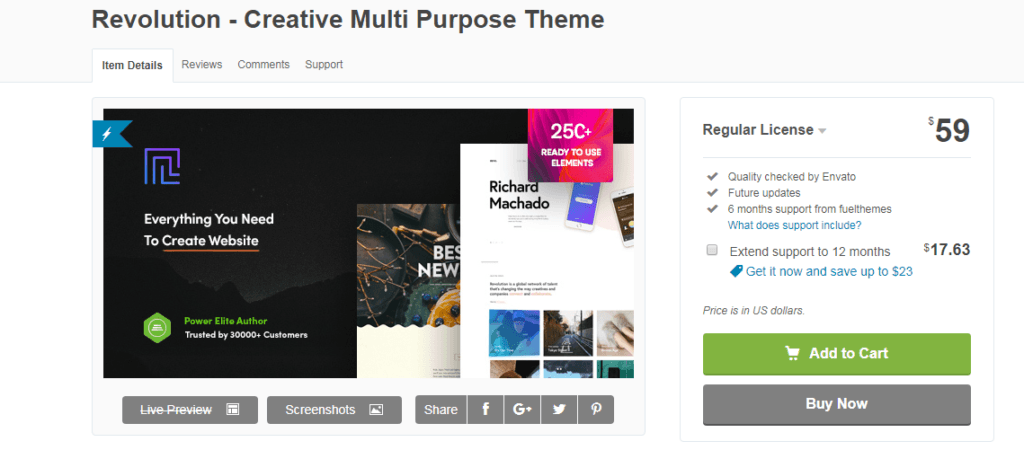
Revolutionhttps://themeforest.net/item/revolution-creative-multi-purpose-theme/21758544?ref=cirvitis
For designing an appealing music theme based WordPress website, you can definitely select Amplify. It is feasible enough that you can make changes according to you. Background, color, layouts, and templates can be easily customized depending on the website requirement.
Revolutionhttps://themeforest.net/item/revolution-creative-multi-purpose-theme/21758544?ref=cirvitis It is the most applicable WordPress theme for the musicians. It is suitable for both musicians and for rising talents. You can increase your presence rate whether you are managing everything on your own or you have a band. Revolution theme has everything to promote your music. You can add blogs, upload photo in the gallery and give updates about your tour dates.
Obsidian�https://wordpress.com/theme/obsidian/
It is the most applicable WordPress theme for the musicians. It is suitable for both musicians and for rising talents. You can increase your presence rate whether you are managing everything on your own or you have a band. Revolution theme has everything to promote your music. You can add blogs, upload photo in the gallery and give updates about your tour dates.
Obsidian�https://wordpress.com/theme/obsidian/ Obsidian can be considered as the modernly designed WordPress music theme that is mainly for the musicians. You can get enticing backgrounds that can be modified easily. It is featured with audio and video library sections which will help you upload your latest audios and videos.
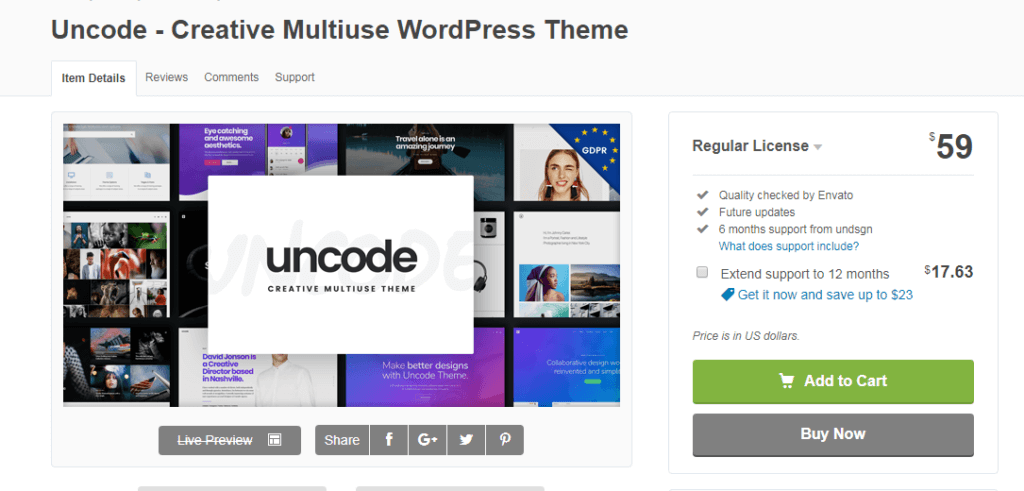
Uncodehttps://themeforest.net/item/uncode-creative-multiuse-wordpress-theme/13373220?s_rank=1
Obsidian can be considered as the modernly designed WordPress music theme that is mainly for the musicians. You can get enticing backgrounds that can be modified easily. It is featured with audio and video library sections which will help you upload your latest audios and videos.
Uncodehttps://themeforest.net/item/uncode-creative-multiuse-wordpress-theme/13373220?s_rank=1 It is a WordPress theme with multiple functionalities and is highly responsive. It is incredible to create a perfect music website because it is embedded in different qualities like revolution slider, layer slider plugins, and visual composer. It has at least thirty homepage demo sites with the amalgamation of a trendy portfolio and blog templates. Uncode enables to design unique statements for the layouts. Also, there is a possibility to add custom elements and shortcodes.
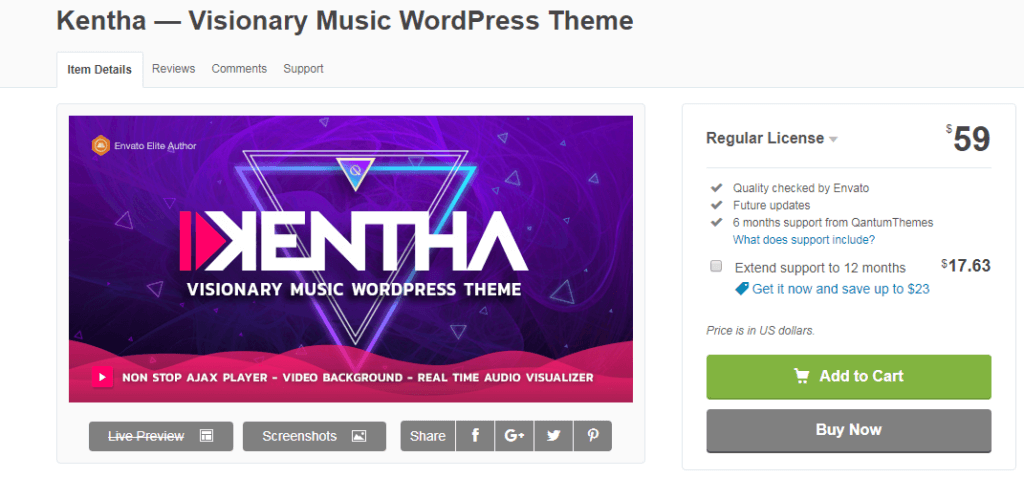
Kenthahttps://themeforest.net/item/kentha-visionary-music-wordpress-theme/21148850
It is a WordPress theme with multiple functionalities and is highly responsive. It is incredible to create a perfect music website because it is embedded in different qualities like revolution slider, layer slider plugins, and visual composer. It has at least thirty homepage demo sites with the amalgamation of a trendy portfolio and blog templates. Uncode enables to design unique statements for the layouts. Also, there is a possibility to add custom elements and shortcodes.
Kenthahttps://themeforest.net/item/kentha-visionary-music-wordpress-theme/21148850 This WordPress theme can be the ideal choice for music professionals. It is present with pre-built demos which can be modified according to the project requirement. There is no need to use any code during site creation. After you will select and install the desired demo, it is easy for you to implement modifications. Kentha is featured with full-screen video background and drag and drop playlist creator.
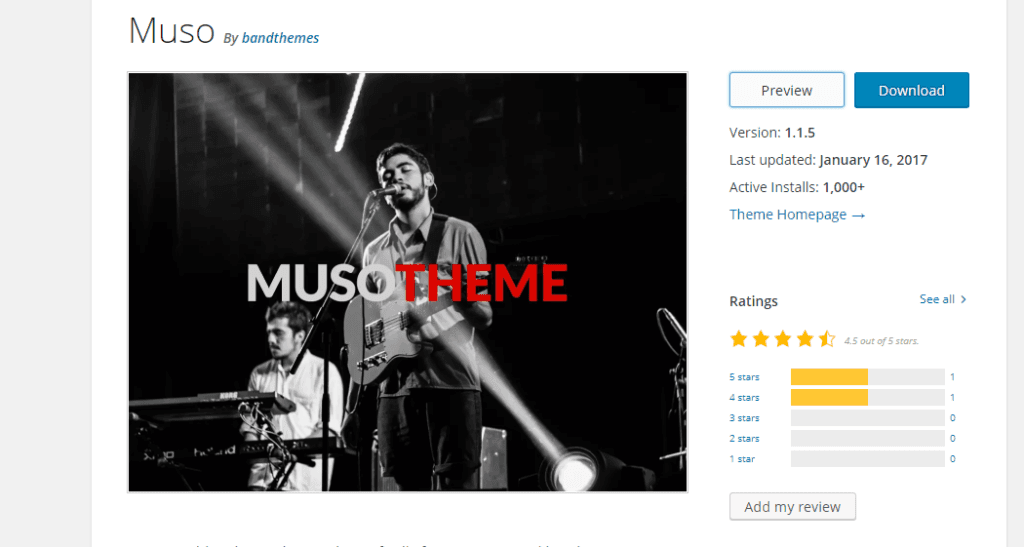
Musohttps://wordpress.org/themes/muso/
This WordPress theme can be the ideal choice for music professionals. It is present with pre-built demos which can be modified according to the project requirement. There is no need to use any code during site creation. After you will select and install the desired demo, it is easy for you to implement modifications. Kentha is featured with full-screen video background and drag and drop playlist creator.
Musohttps://wordpress.org/themes/muso/ Muso is an appealing music theme which is present with a modernly designed logo. It can show the latest track from Soundcloud and have Carousel for the promotion of the tour dates.
Music Club
https://themeforest.net/item/music-club-musicbandclubparty-wordpress-theme/7017803
Muso is an appealing music theme which is present with a modernly designed logo. It can show the latest track from Soundcloud and have Carousel for the promotion of the tour dates.
Music Club
https://themeforest.net/item/music-club-musicbandclubparty-wordpress-theme/7017803 Music Club is a viable WordPress theme for creating a music based site. It is useful whether you are a solo artist or you have music band. You can get a collection of features in a music club which can be enough to support your passion in all possible manner. There is an option to select from seven hundred Google fonts and icons. It comes with elegant concepts that lets you add headers, menu, and widgets.FWRDhttps://themeforest.net/item/fwrd-music-band-musician-wordpress-theme/12087239
 FWRD has been designed especially for the music professionals who are self-motivated. Multiple advanced features have been incorporated into it for the user-friendly experience. It facilitates you to play videos in the background. Due to responsive layouts, you may notice nonparallel effects on your website.
Remixhttps://themeforest.net/item/remix-professional-music-and-musician-ajax-wp-theme/8473753
FWRD has been designed especially for the music professionals who are self-motivated. Multiple advanced features have been incorporated into it for the user-friendly experience. It facilitates you to play videos in the background. Due to responsive layouts, you may notice nonparallel effects on your website.
Remixhttps://themeforest.net/item/remix-professional-music-and-musician-ajax-wp-theme/8473753 The remix can be the most important asset for you if you want to have a WordPress music theme website for enhancing visibility among followers. It is capable enough in showing enticing effects that make your site more attractive. This is responsive in nature and allows you to add audio files. The features like the slider and visual composer are also integrated into it.
Musisihttps://themeforest.net/item/wordpress-themes-for-musicians-bands-musisi/15492513
The remix can be the most important asset for you if you want to have a WordPress music theme website for enhancing visibility among followers. It is capable enough in showing enticing effects that make your site more attractive. This is responsive in nature and allows you to add audio files. The features like the slider and visual composer are also integrated into it.
Musisihttps://themeforest.net/item/wordpress-themes-for-musicians-bands-musisi/15492513 Music provides you the eye-catching seamless pages that show videos with content. It highlights your current page and helps you to show the event related information. Whenever you want, your gallery can be updated accordingly.Surahttps://themeforest.net/item/sura-a-music-web-app-wordpress-theme/10993630
 It is a blend of appropriate qualities that make your site captivating enough for compelling the users to visit you. Sura has elegant layouts to design your website. It even has a white space for creating a comfortable music environment.
Croma
https://themeforest.net/item/croma-responsive-music-wordpress-theme-with-ajax-and-continuous-playback/15182698
It is a blend of appropriate qualities that make your site captivating enough for compelling the users to visit you. Sura has elegant layouts to design your website. It even has a white space for creating a comfortable music environment.
Croma
https://themeforest.net/item/croma-responsive-music-wordpress-theme-with-ajax-and-continuous-playback/15182698 It is expedient and technically advanced for fulfilling the requirements. An artist who wants to get a better online presence can use it for creating their own online website. Croma has the HTML5 player block to facilitate followers with amazing music tracks. You can keep a record of every single activity such as event updates, location and pricing associated with it.
Conclusion
The list of different WordPress music themes has been given here so that you can choose the best out of them. By selecting the one that suits your requirement, you can have a better presence on search engines.
Author Bio
Bryan Lazaris is a WordPress developer working at HireWebDeveloper, a renowned company in India to hire WordPress developer. He holds several years of experience. He has a flare of writing that encourages his to update users with new technologies. Apart from giving technical content, he writes on other associated topics.
It is expedient and technically advanced for fulfilling the requirements. An artist who wants to get a better online presence can use it for creating their own online website. Croma has the HTML5 player block to facilitate followers with amazing music tracks. You can keep a record of every single activity such as event updates, location and pricing associated with it.
Conclusion
The list of different WordPress music themes has been given here so that you can choose the best out of them. By selecting the one that suits your requirement, you can have a better presence on search engines.
Author Bio
Bryan Lazaris is a WordPress developer working at HireWebDeveloper, a renowned company in India to hire WordPress developer. He holds several years of experience. He has a flare of writing that encourages his to update users with new technologies. Apart from giving technical content, he writes on other associated topics.
by Nick Throlson | Nov 26, 2018 | Web Hosting, WordPress
The WordPress development company has developed a superb platform for business owners to develop amazing websites for their personal or professional use. Now, for our WordPress website, it is important to select the right hosting provider so that our website can function very well.For selecting the right web hosting provider for your Custom WordPress development site, you should check the below-mentioned criteria which will help you to select the perfect host for your site.- Check the Speed and Performance
Good hardware is essential to get great quality of service from the web hosting provider. The overall performance of the website will depend on the memory, processing power and disk space made available to you by your hosting provider. The usage of the CPU and the RAM will depend on the type of content that you have on your website and also on the number of visitors at one time. The hosting plan should be selected properly as we can?t afford the site to go down when a higher number of visitors arrive on your site and the server is not able to handle all the requests simultaneously.Most of the hosting companies provide unlimited disk space so disk space is not an issue. The ability of the host to provide quick information to your visitors, i.e. the transfer speed will be the vital component that will be counted. The best web host will be the one who will be able to keep the data transfer time of your site low even under high load. You can check the load of the server?s CPU, the RAM and how much disk space is allocated to you. You can check it from the dashboard of the host and you can think of upgrading it too if you get low usage. - Check the Support they provide to Customers
Customer support is very much beneficial when you are setting up the website and also throughout the plan for maintenance purpose. You will need less support if you know the WordPress installation, security, migration, site backups, caching and restoration.But, even if you know everything, there are chances of messing up everything and it is always advisable to select a host who provides the best support. Most of the web hosting providers provide some degree of support via the telephone, live web chats, emails, support forums, and support ticket system.The best support service is the one that provides quick solutions for our problems and that too in a very lucid way.Most of the web hosting providers have uptimes in excess of 99.5%. Most of the web hosting companies have excellent uptimes. But, you should check the uptime for various web hosting providers and select the one having a very good uptime.- Offsite BackUp and Recovery Facility
In case, your website gets damaged by the hackers and they try to steal your private information and data of your customers, you should be able to restore all the data back through backups taken on the server.Some web hosting companies provide caching for increasing the speed. In-house caching includes caching on both the client and the server side. There are various plugins available that can help you with client-side caching. So, caching is also an important element to be checked while selecting the web hosting providers.Check out the version control repository. This is the element that interests the developers. Check the best CDN service while selecting the web hosting provider. Also, check the security features. You can easily get the idea of how robust their servers are by checking how many times they have been hacked. Also, check the physical location of the data center. The closer the center is to the majority of the visitors to the website, the good it will be.The above criteria will be enough for you to select the right web hosting provider for your Custom WordPress development site. Check the services provided by different hosting providers and select the best which fulfill the above criteria.Now, once you have selected the right host, you can decide what kind of hosting you want. You have to select the right host according to the requirements of your site.There are 4 different types of hosting service provided by the hosting providers.
They are different from each other in terms of features and plans. There are free web hosting services also available but they have some limitations too as compared to the paid ones. If you want to create a very good website and serve your customers with it then you shouldn?t include the free hosting plans. ?Select the web hosting provider and make a very professional site for your business with this platform provided by the WordPress development company.Author Bio : Harshal Shah has an countless experience as being a CEO of Elsner Technologies PVT. LTD: WordPress Development Company that offers various web development services to the clients across the globe. Mr. Harshal is an huge tech enthusiastic person who has written major & genuine articles as well as blogs on mostly topics relevant to various CMS platforms. This can guide the readers to acknowledge new practises about web development and also they can learn new ideas to build & optimize a website online using multiple web development tools & techniques.
by Nick Throlson | Oct 24, 2018 | WordPress
WordPress is one of world?s most popular content management platforms. With easy to use free blog tools and self-hosted sites, WordPress has a lot to offer. From amateur site-runners/owners to seasoned industry veterans, everyone is in love with WordPress and none can deny the fact that not only is it easy to use, cool, and chic, but also extremely robust, and thanks to its thousands of plugins, a complete solution for website management.WordPress maintains a repository of many powerful plugins which developers and site owners appoint to give their websites a complete feel. While the utilities of these plugins vary, many among the plug-in bank exist to serve a single purpose. So choosing a couple among them, gets quite confusing. ?And to further add to the confusion, not all of these apps are free to use. Some of them are Premium, but most of them are freemium(Plugins which offer basic functionality for free but require you to purchase them if you need to add additional features). Now because there are so many plugins in the WordPress Plugin directory, it is not possible to rate each one of them and tell you which ones you should have and which ones you shouldn't. So instead, we have created a list of some must-have plugins for your WordPress websites. So let?s jump in!- WP Smush- image optimization
A picture is worth a thousand words. Yes, and especially nowadays. An image can be used to pass on a plethora of information which will reduce the amount of content you would have had to write instead just to explain the same thing. Also, images bring a lot of visual appeal to your website as well.But while they are incredible tools, images take up a lot of storage space and take too long to be uploaded and downloaded. This problem intensifies for slow speed networks. This can be disastrous. So to reduce the size and loading time of these images, plugins like WP Smush exist in the WordPress plugin repository. What this tool does is compress your image using advanced compression techniques and makes sure that the quality of your image remains intact. It is a freemium plugin.- Yoast SEO
It doesn?t matter how beautiful or useful your website is; if it can?t be reached, then it is of no use, to you or your users. Search engines are a major source of website traffic. Most users will be able to use your website only if a search engine can index it in search results. Thus you need to make sure that search engine crawlers can get to your site. Search Engine Optimization is just as vital for you as having a website in the first place. It makes sure that your site has been designed in a way in which search engines can get to it. For WordPress sites, a plugin called Yoast SEO is there to do all of that. It helps you in creating more SEO friendly content which will compel search engines to list your website higher in the search results. The key to SEO is to provide users with relevant information and not to catfish them onto your sites for the sake of views. Latest algorithms followed by search engines these days are extra cautious of such trickery, and so, you need to prove it to these bots that your website has relevant content.From choosing proper keywords and writing your articles in a way which makes the most of these keywords, to tell you how to format your article to increase its visual appeal, Yoast SEO does it all.It is a freemium plugin.- Jetpack
Jetpack is a plugin which has been developed by the creators of the WordPress itself. It is a powerful tool which is jam-packed with many functionalities which will help your website in ranking higher in search results. Jetpack looks after Security, traffic growth, image optimization, and many other such things. It contains an upgraded distribution function which automatically shares your content with other third-party tools like search engines and helps in increasing your site traffic. It is a free plugin.- Akismet
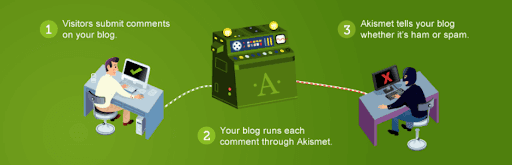
Developed also by the good people at WordPress, Akismet is one of the top anti-spam plugins in the WordPress plugin repository. It goes over all the comments on your website and provides users a history after flagging the spam content. It is basically a one-stop tool for you to make sure that your website remains free of any sort of spam. It is a default plugin which comes along with every WordPress core installation. It is a freemium plugin.- W3 Total Cache
Among the most significant setbacks your website can suffer from, one is a longer loading period. If your website has a lot of CSS work and if the images on your site take too long to load, then users will get frustrated and exit your site. The solution to this problem is caching. Caching is the process of storing temporary data in small memory segments called caches. There are many caching plugins in the WordPress plugin repository. What they do is they save temporary HTML files in users? cache, so that the next time they load your site, it will not take as long as before. This will increase the traffic on your site and your SEO quotient too. W3 Total Cache in one of the most popular caching tool on WordPress. It allows you to cache web pages, databases, browsers, etc. Because of the reduced loading time, you will get higher rankings in search results, and that will lead to higher site traffic.It is a freemium plugin.- Security Plugins
We can?t overstate the necessity of having security. Countless malicious bots are roaming the spectrum which will latch on to your site and make it collapse in a matter of seconds. So you need to have armor against these cancerous troublemakers. There are many plugins in the WordPress plugin repository which will enhance the security of your website. Some of them are: - All in One Security
- Wordfence
- BulletProof Security
- Sucuri
- iTheme security
There is no clear winner and no clear loser among these tools; all of them are high-end plugins which are very good at their jobs. So you can pick anyone you like for your website.- Everest Forms- Easy Contact Form and Form Builder
One of the key pages every website needs to have is an excellent looking contact page. It needs to be visually fetching and at the same time, needs to give users just the right amount of information. Furthermore, contact pages these days allow users to contact you directly, without them having to send you an email. It enables users to type in some information about themselves and then jump straight to their query, complaint or question.To create such contact forms for your WordPress site, plugins like Everest forms exist. One of the biggest advantages of Everest is its incredibly easy to use drag and drop interface. It lets you create your contact form by merely picking up elements from the side of the interface and dropping them anywhere you like on your workspace. And not only does it let you create fundamental forms, but also advance ones with Google reCaptcha support, redirect page options, etc.It is a free plugin. - Google Analytics for WordPress by MonsterInsights
Studying your traffic and knowing more about it will help you in creating a better site and increase the user traffic. There are many insight tools for WordPress websites which help you in obtaining vital stats for your website. The best among them by leaps is Google Analytics for WordPress by Monster Insights.This plugin will allow you to monitor various real-time statistics for your website and will create multiple demographics and interest reports to better your knowledge about your site traffic.It will also allow you to keep an eye out on your product popularity and because it comes integrated with Google Adsense, the stats related to your ads will also be made available to you as well.It is a free plugin. - MailChimp for WordPress
It is very crucial that you keep in touch with your users. And to that, nothing is more effective than a properly created marketing mail which you can send to all your users in one single click and then track the results in bulk. Plugins like MailChimp are excellent email marketing tools for every site owner to have. It allows you to create beautiful subscription forms in your blog and can also be integrated with any other forms on your site like- Contact forms, checkout forms, etc. It is a freemium tool.- Google XML Sitemaps
It is another SEO tool which your website needs to have. Google XML Sitemaps creates a sitemap for your website which makes it easier for search engine bots to browse through your website. This in return will help search engines in getting a better idea of your site structure and index it higher in search results. It is a free plugin.- WordPress Amp
WordPress Amp is a plugin which can add AMP (Accelerate Mobile Pages) to your website. With just a few clicks, this tool can make your site mobile ready. AMP HTML is an open source solution by Google which lets you turn your websites into mobile-optimized content which can then be loaded anywhere you like. WordPress Amp brings a lot of other things to the table as well. It boosts up your site SEO, brings more traffic from Google, improves user experience, and using Adsense and Woocommerce, it allows you to earn extra money by selling goods.It is a premium plugin.ConclusionUsing the above plugins, you can manage your website and juice out the maximum profit from it. They give you a complete control over your website and make sure that you get your money?s worth out of it. Apart from these, there are many other useful plugins which you will find in the WordPress plugin repository. But be sure you go over all of them and compare them against each other before you buy them though. And if you are not that technically inclined, then you can hire a website development firm for a robust process and flexibility to develop paramount solutions.
by Nick Throlson | Sep 17, 2018 | Off Topic, WordPress
Tips To Help You Select The Perfect WordPress ThemeMost beginners get really confused when it comes to selecting a theme for their WordPress site. There are thousands of options available, which includes both free and paid options. You can get really indecisive when it comes to selecting the best theme for your website.WordPress themes come with tons of customization options. You can also go for WordPress website development services which will help you to select the right type of theme which will suit your business aesthetic.Here are a few tips which will help you to select the right type of theme for your website:Go for simplicityThere is a myriad of options available when it comes to WordPress themes. There are certain design layouts which are full of bold animations and complex layouts. However, you don?t really have to go so crazy with the layout. Go for themes which are appealing and without compromising its usability and simplicity. The theme of your website should not be overly complicated and should be able to guide your users towards the information they are looking for. You users should be able to find their way around your website. Your website theme should be able to attract new users and subscribers. Choose responsive themesResponsive themes are which adjust their layout according to the screen size. A significant number of users operate websites from their mobiles. Majority of the traffic is generated from mobile users. Even Google shows mobile-friendly websites on top in the mobile searches. A website has to be fully responsive and mobile-friendly. WordPress websites are responsive by default. However, there are certain sellers who are selling sell fixed layouts which are not mobile friendly at all. Thus, you should make sure that you test a theme before you choose it for your website. Check browser compatibilityEvery individual uses a different browser. Thus, it is important to make sure that your theme looks perfect on every browser. Sometimes, it might happen that your theme looks great on the browser that you use but it might look broken in some other browsers.There are various compatibility testing tools available where developers can check the compatibility of the themes with different browsers. You can run some basic tests on different browsers like Safari, Google Chrome, Firefox etc.Supported pluginsPlugins are the real heroes of WordPress. Plugins enable the developer to do anything for your WordPress websites. There are plenty of WordPress plugins available to choose from. Gravity Forms, Yoast SEO, W3 Total Cache are some of the most popular plugins which are widely used. Your developer can help you choose the right type of plugin depending upon the requirement of your website.Page buildersPage builders are plugins which enables us to create various page layouts using drag and drop user interface. Various WordPress themes come with pre-installed page builders. However, these pre-installed page builders can produce a lot of unwanted code. If you ever switch the theme of then those pages will require a lot of cleaning up and coding. You must understand that the WordPress theme plays a crucial role in your site?s SEO friendliness. No matter how good looking your theme is it can still generate poorly coded HTML. This could highly degrade your website?s performance on the search engine. Premium WordPress theme developers will ensure that their pages are optimized for SEO. Another way of judging the quality of the WordPress theme is by going through the ratings and reviews. For free WordPress themes, you will find ratings and reviews just below the ?download? icon. However, you should know that almost every WordPress theme gets bad reviews, you should refrain from those themes which have unusually high negative reviews. ?
by Nick Throlson | Sep 10, 2018 | Off Topic, Web Design, WordPress
WordPress owns almost 30% of the websites present over the internet today. It is one of the most popular website builder offering dozens of plugins and features. If you are planning to build a WordPress website, then here are some of its popular plugins that will be beneficial for your website:
 SEO can make your website discoverable over the internet and it is a compulsion to make your target audience find you. Yoast SEO plugin helps in auditing your website content to make it SEO-friendly. It is one of the best SEO plugin provided by WordPress with over 5 million installations. Although the basic version is free, the premium version costs you some money but it also provides you with a good return. You get one-year access to the support team plus expand the SEO scope to News, Video, Local and WooCommerce.
 Spam can be anything that comes from a very unreliable source and it generally degrades your website. This can be avoided through WordPress?s Akismet Anti-Spam plugin. It automatically deletes unhealthy content that comes in the form of comments and content form submissions. Another anti-spam plugin which is popular for its intelligent filtering is Spam combat. It allows the website owner to manually flag the content as Spam or Not Spam.
 Another must-have plugin for each and every WordPress website is JetPack and it also comes by default. It has ample of features to support your website from customization tools to site analytics and spam protection. Some of the other features include lazy image loading, high-speed CDN, and downtime-monitoring. This plugin has got everything to help you from the beginning until the very end.
 As the name suggests, Broken Link Checker is a plugin offered for WordPress sites to fix broken links. Dead or broken links are the links that do not redirect your visitor to a useful site page. And it is in the best interest of SEO to resolve such links as it impacts user experience. This plugin makes sure there are no more such links in your website by finding them and notifying you through email. ?
WP-Optimize works for cleaning and maintaining your site database. It runs an automatic clean-up at a fixed time scheduled by you to remove unnecessary data occupying your database. This ultimately helps your website run smoothly and efficiently.
Image optimization is another part of SEO. Images with large dimensions are usually slow in loading and it creates a bad impression if your website if such images take forever to load. But the case is altogether different if you have WP Smush installed. It resizes and compresses your images to make it load faster and save up space.
To ensure the integrity of the site, WordPress comes up with the WordFence Security plugin. It has some of the very important features like:
As the name suggests, Broken Link Checker is a plugin offered for WordPress sites to fix broken links. Dead or broken links are the links that do not redirect your visitor to a useful site page. And it is in the best interest of SEO to resolve such links as it impacts user experience. This plugin makes sure there are no more such links in your website by finding them and notifying you through email. ?
WP-Optimize works for cleaning and maintaining your site database. It runs an automatic clean-up at a fixed time scheduled by you to remove unnecessary data occupying your database. This ultimately helps your website run smoothly and efficiently.
Image optimization is another part of SEO. Images with large dimensions are usually slow in loading and it creates a bad impression if your website if such images take forever to load. But the case is altogether different if you have WP Smush installed. It resizes and compresses your images to make it load faster and save up space.
To ensure the integrity of the site, WordPress comes up with the WordFence Security plugin. It has some of the very important features like:- Malware scanning
- Core file, themes, plugins, and backdoors scanning
- SEO spam protection
- Malicious redirect support
- Code injection identification
It identifies any hacking attempts by providing information like the IP address of the hacker, origin and time of hacking.
 Caching improves both your website?s SEO as well as user experience. It enhances site performance and reduces download time. W3 Total Caches comes is with all the features to improve your site?s overall performance.
The uniqueness of this plugin is the aesthetic looks of social sharing icons that can help anyone stand out from the rest. Its lightweight code helps in loading icons quickly. Apart from this, it also allows you to display the count if your social shares. With the support of over 100 social media platforms, this is a must-have plugin for websites.
Caching improves both your website?s SEO as well as user experience. It enhances site performance and reduces download time. W3 Total Caches comes is with all the features to improve your site?s overall performance.
The uniqueness of this plugin is the aesthetic looks of social sharing icons that can help anyone stand out from the rest. Its lightweight code helps in loading icons quickly. Apart from this, it also allows you to display the count if your social shares. With the support of over 100 social media platforms, this is a must-have plugin for websites. Conclusion:
Though there are several other options alternatives available, the above-mentioned plugins are a must for efficient website setup. What?s your thought regarding the above-mentioned plugins? Share your thought in a comment section.






 It is expedient and technically advanced for fulfilling the requirements. An artist who wants to get a better online presence can use it for creating their own online website.






 Caching improves both your website?s