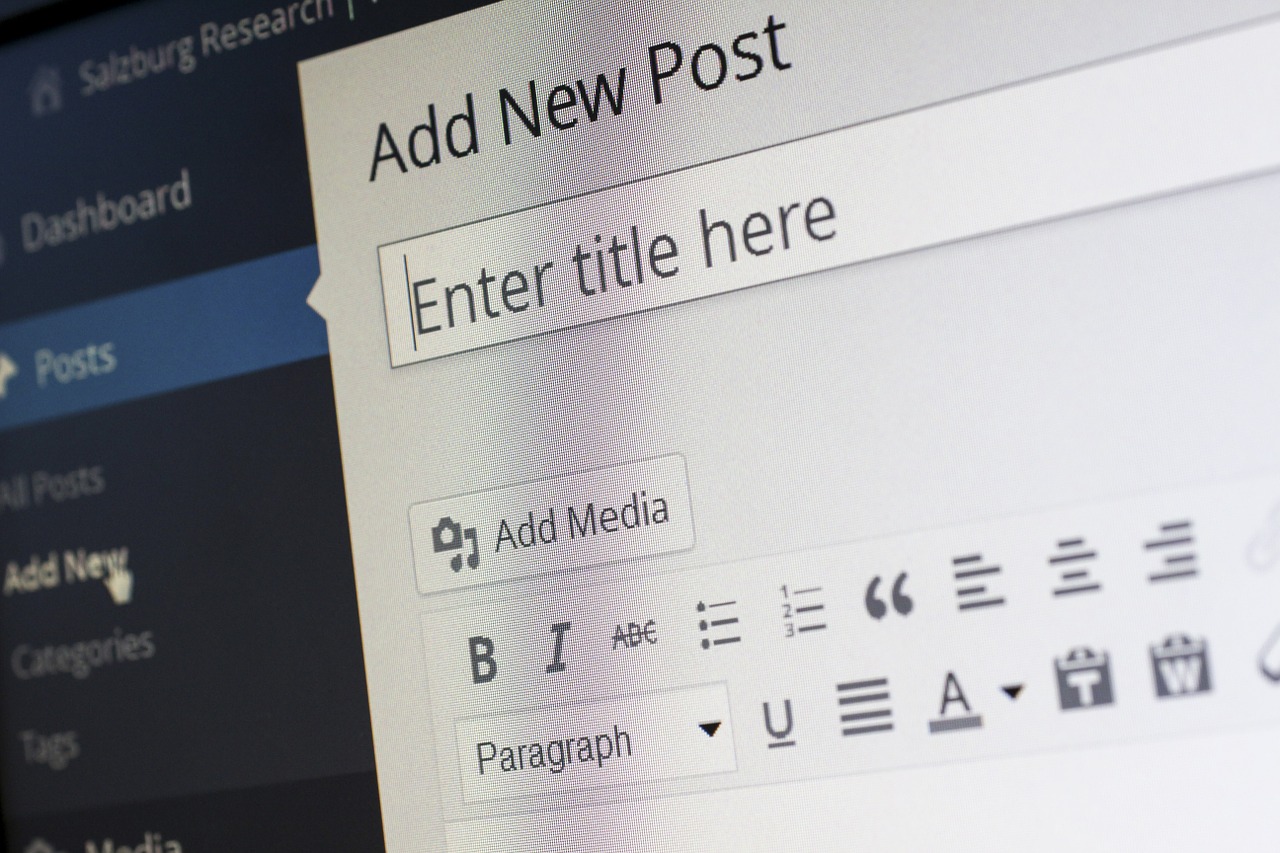
In the past few years, security has become a foremost concern on the web. The websites have become a soft target for the hackers and they have always been around to keep you on your toes, specifically if you are running your online business using WordPress.
Be it a Brute-force login attempt, cross-site scripting or denial of service, WordPress has always suffered from the security vulnerabilities. According to one survey from WpWhiteSecurity.com, 73.2% of the most popular WordPress installations are vulnerable, which can be detected using free automated tools.
There is no denying that WordPress Development Services bring tons of benefits for your online business but when it comes to the security, it is something you must consider a do or die situation. If we talk about WordPress security, it is often referred to as hardening and even it makes sense too! No matter how hard you put the efforts by putting various reinforcements and checks, it can always find itself in harm’s way.
Do you feel your WordPress site is under threat? You have taken help from the WordPress development company, but still, you don’t have WordPress security in place? This post will help you understand 5 ways you can secure and protect your WordPress site at your own.
Get the Username and Passwords Improve
One of the very first and basic steps is to take care of what username and password you are using to login into WordPress. Many of us are least bothered about the username and keep the default admin as the username. Try to use a different and unique username, which is hard to break.
On the other hand, ensure to use the passwords that are complex and comprised of different letters, characters, and number. Avoid using a password that is matching to the username. Also, you should not use common words that are easy to crack.
Think about SSL Certificate
Another mistake that many website owners make is to overlook the importance of SSL certificate. It is important to understand that HTTPS will allow your browser or application to connect securely with a website. Installing SSL certificate will bring plenty of benefits including trust, credibility, improved SEO results, better performance and more. You can hire WordPress developer or a Professional WordPress Development Company to get it done for you.
Say NO to Third-Party Code
One of the main culprits for the security vulnerabilities in WordPress is 3rd party code. They are also the hardest part to crack when it comes to securing your website. Check if your website is still using plugins, themes and outdated version of WordPress or not. If you are getting help from the WordPress Development Services, asks the provider to help you understand whether the plugin is actually needed for your business or not.
You can ask the team to validate the code of any third party theme or plugin in order to ensure it contains proper sanitation and escaping. If you want to validate at your end, then you can simply search for the below strings:
esc_attr
esc_html
wp_nonce_field
wp_nonce_url
sanitize_text_field
$wpdb->prepare
If you find any of these strings available in the plugin, you are good to go ahead.
Don’t forget to tweak wp-config.pho file!
When we talk about WordPress, wp-config.php file is the core of it. It is the most crucial part of your WordPress website when it comes to security. Starting from the database login information to the security keys, it contains all the critical information.
Ensure that you move it any non-accessible directories instead of the default root directory. All you need to do is to copy everything from wp-config.php into a different file and put the below snippet in it, which redirects the path of your other file.
<?php
include('/home/yourname/wp-config.php');
You also need to change the security keys and update the permissions for the root directory.
Update WordPress site on a regular interval
It is one of the easiest yet essentials steps for securing the WordPress site. Version updates from WordPress bring a lot of security enhancements and bug fixes. Therefore, it is always a great idea to get your site on the latest version. You also need to pay attention to updating WordPress themes, plugins and passwords on a regular interval to avoid any issues at a later stage.
With these 5 basic security tips, you can be sure on a way to improve WordPress security. The list we discussed is not exhaustive, but it will surely be a great help for the site owners having no technical knowledge to keep the site safer until they get help from the WordPress Development Company. Want to hire WordPress developer to improve the security of your site? Want to share other best practices for better security? Hit the comment now!
Author Bio: Nishant Desai – Digital Marketing Strategist at Pixlogix Infotech Pvt. Ltd. I love to write about the latest trending updates, WordPress, Web Design, SEO and other interesting information. I believe in Learning, Sharing and keep growing together.
WordPress is one of the best CMS platforms in terms of flexibility. It is a platform that allows web designers and developers more than enough room to be creative. In fact, some of the best-designed websites today are actually powered by WordPress. The CMS platform can be used to construct anything from a personal blog to a complex community portal.
However, good design alone is not enough. While it is important for a website to be visually pleasing, the real king of the site is its content. The content must be displayed in a way that allows visitors to garner the most value from it, and do so in a pleasant way.
Traffic is only the beginning. The real metric to optimize for is user engagement. Users who find value and a pleasant user experience are more likely to engage with your content. So, how can you optimize your WordPress site for user engagement? There are a few tips you can use right out of the box, and we are going to review them in this article.
Know Your Audience
The biggest challenge, and the most important first step, is getting to know the audience. What works for a particular audience group may not work for the others. You can define your target audience depending on the content you want to convey. Once you have a target audience, spend some time getting to know them on a deeper level.
You now have plenty of tools to use when it comes to getting to know your audience. You can analyze your existing traffic with the help of Google Analytics. You can use tools like Brand24 to see conversations around your website or your brand. You can also utilize tools like Moz to help you figure out what users are searching for the most.
The more you know the audience, the better you will be at fine-tuning both your content and the user experience of your site. As mentioned before, different target users expect different things from a WordPress site, and the only way you can give users what they want is by getting to know them really well.
Make It Personal
Everyone can write good content, but only a few can write in a personalized way. That personalization – the extra elements you add to your content to make it really yours – is what will separate your site from the rest. It is also the element that ignites user engagement the most; visitors will feel more personally connected when you treat them in a personalized way.
Telling personal stories, producing content from a personalized point of view, and adding other touches to the content makes all the difference. For example, you can connect with users who are looking for information on online universities and pursuing a degree online by speaking from experience.
In fact, your whole journey of completing an online engineering management program from a reputable university like Kettering University Online can become a series of content that really engages the audience. They will look forward to the next part of your journey as you pursue a master’s degree in engineering management online.
Aim for Performance
User experience is an equally important part of boosting user engagement, and the first task you need to tackle when trying to improve your site’s UX is improving its performance. You want the site to load quickly and prioritize content that is seen as valuable from a user’s standpoint.
Aiming for performance is a necessity rather than an option. Users are more likely to switch to another website if yours isn’t loading quickly enough. Fortunately, you now have more resources to help you optimize your site. Google PageSpeed, for example, can help analyze your website and recommend new ways to improve it.
Site performance is also about finding balance between loading time and visual elements. Thanks to tools like JPEGOptim, you now have the option to create a truly stunning site visually, all while keeping your site’s performance top notch. You can even use CSS and CSS-based animations to substitute visual files and scripts.
Use Internal Linking
It is also worth noting that UX can be reviewed from the time users spend on your site. The longer they browse your site, the higher your user engagement will be. Using internal linking, you can help users navigate your site and get to the content they value the most quickly.
A good example is the Related Posts that WordPress normally display at the bottom of the page. By fine-tuning the way related posts are displayed, you can increase the user’s interest to browse more articles. Rather than relying on WordPress’s search for tags and categories, for instance, you can program the related posts section to display posts based on a user’s interests.
Another great way to utilize internal linking is recommending other articles inside a post that users read. This is now seen as the better way to go – compared to waiting until users finish the entire article before displaying related posts – because user attention span is relatively shorter nowadays.
Improve Search
How well visitors interact with your site depends on how quickly they can get to the content they want. Using conventional search tools that only search for specific keywords rather than relevant information is also a thing of the past. Today, you can use plugins like Better Search or Search by Algolia to further optimize your search tool.
When users can find the content that they are looking for quickly, they are more likely to share that content. At the same time, users are more compelled to leave comments and interact with the content further when the entire user experience, up to the point where they consume the content, has been pleasant.
Now that you have the tips and tricks we covered in this article in mind, optimizing your site for better user engagement will not be difficult. Start making tweaks and review your analytics after each one. Evaluate the results to see how your users react to the changes you make, and continue making adjustments accordingly.
E-Commerce accounts for about 11.9% of all the retail sales worldwide of which fashion e-commerce is valued at a cap of $481.2 billion in 2018 which is expected to skyrocket to $712.9 billion in 2022, but businesses involved in e-commerce still require a platform to showcase their products to sellers.
Unavailability of such platforms has made it difficult for sellers to reach out to their customers due to the operating cost, generation of targeted traffic, retaining customers, customer satisfaction & feedback. Attracting customers to the website and ensuring customers return to use the services again as well as charging of extra cost by websites to the seller in the event of increased traffic which cuts into their profits.
There will be a requirement in terms of functionalities & rendering of a virtual store. Following are the criteria while choosing a platform for fashion e-commerce site: -
Use of High-Quality images with the ability to zoom in & out, search algorithms, filter criteria is a part of visual merchandising which cannot be compromised.
Social Integration is a must for a fashion shopper to flaunt their fashion sense on social channels like Facebook, Twitter &, etc.
An appropriate theme will be required to make it appealing to the customers.
The Platform should be SEO Friendly for online visibility placing the website on the top of search ranking.
A store catalog would be required to showcase a large number of products to the customers.
Inventory management would be required to take account of all the items sold, items at hand or the items that need to be ordered & stocked at the e-commerce platform.
Customization is important to establish a fashion e-commerce site as brand-centric & the ability to access these sites using tablets, mobile phone &, etc.
A novice accessing the platform should be provided with graphical illustration to operate the store’s functionalities.
The Platform should provide security to the customer's sensitive data such as Credit & debit card number, address, pin &, etc. to avoid any theft by hackers
What better platform than WordPress, also known for its blogging platform that can bridge that gap between the fashion e-commerce website & a seller due to the following features that WordPress offers: -
It does not cost a penny while operating WordPress as an e-commerce platform regardless of the traffic that is anticipated nor does it charge any extra cost even when the traffic increases.
A Search engine like Google is known to rank websites lower on the search results if these websites cannot be accessed using mobiles that’s where WordPress provides access on tablets & smartphones to these sites.
WordPress is SEO friendly making popular search engines like google, bing &, etc. to rank these websites higher than those who don't use WordPress due to the CMS framework
Customized themes for websites are provided by WordPress themes that are obtained from third parties in which the addition & extension of certain features make the website function.
WordPress is adaptable to the ever-changing cyberspace work area due to its flexibility to accommodate various extensions & plugins making it preferable for businesses.
Use of WordPress by Big-Brand companies like Nasa, Mashable, Mozilla, Wall Street Journal &, etc. makes it famous for business website solution.
.
Conclusion
WordPress is a powerful content management system used by industry leaders like Vogue, Bata, In-style news adding to its reputation in the global cyberspace market. If you aren't using WordPress already, these reasons should be more than enough to make you switch to WordPress should you decide to run a fashion E-commerce business in the coming future.
About The Author
Merry waran is a Marketing Manager at AIS Technolabs which is Web design and Development Company, helping global businesses to grow by Custom WordPress Development Services. I would love to share thoughts on Social Media Marketing Services and Game Design Development etc.
WordPress has been the best blogging content management system around the globe. Since it is easy to customize, WordPress has become a favorite of bloggers and web designers. At the same time, it is getting more attention from hackers and spammers. Securing your WordPress blog is the most crucial thing because if your website gets infected with malware, your search engine rankings will also be affected.
Here are some simple ways that can be used to secure your WordPress blog.
1. Update your website with Latest Versions
Updating your WordPress website with latest versions helps in enhancing the security of your website. When you login with your WordPress account, you are notified with a message on your Dashboard that a latest version is available. Follow the instructions to upgrade the software. If you are sticking to an old version then it is time to get it upgraded now or else you will be inviting hackers to your site.
2. Set a Strong and Unique Password
Simple is not always better when it comes to setting a WordPress password ? especially if it?s easy for cyber criminals to crack it. The next question is how to protect your password. First of all, you should set a strong and unique password. Always use a combination of upper case and lowercase letters, digits and special characters in your password. For example ?K@20&13h? is a strong password. Having set such passwords will make it difficult for potential hackers to guess.
Another important thing is never share your password with anyone. Also, avoid logging in to your WordPress admin account at public places like cyber caf?, institutions etc. Keep changing your password at least once in three months.
3. Remove Default Admin Users
An admin account is a default user account that WordPress installation creates. Many people forget to change their username from the WordPress default of ?admin.? If you don?t remove this user, you are making way for hackers to guess the administrative user name for your WordPress blog. All they have to do is crack your password and access your account.
You should change default username of admin account and give yourself the role of an admininstrator so you have the access to make any necessary changes on your website. Next you have to delete ?admin? account form your WordPress installation.
4. Implement Captcha Code for Login Screen
If you really want to make accessing your wordPress account even harder, add a captcha code on your WordPress login screen. By using captcha code, it will be difficult for hackers to login using scripted methods. You can install Captcha Code WordPress plugin for this purpose.
5. Limit login attempts to your website
Hackers can easily guess your login password by making several attempts to login using different username and password combinations repeatedly. They could try this method hundred times if not thousands consuming your resources and putting your website at risk. To prevent that from happening, you can install a free WordPress plugin called Limit Login Attempts. This plugin records the internet address of every failed WordPress login attempt. After a specified number of failed attempts are reached, this plugin will disable the login function for all requests from that IP address.
6. Hide your plugins folder
Most of the hackers use plugins to access your blog. They can easily get the list of plugins that you are using for your blog with the aid of http://yourwebsite.com/wp-content/plugins/. To fix this problem you should upload a blank index.html file to the plugin directory.
7. Perform a regular scan
You can use the wp-security-scan plugin to do a regular scan of your blog setting for any security loopholes. The same plugin can also be used to change your database prefix from wp_ to a custom prefix.
8. Backup your WordPress Database
No matter how secure your blog is, you still need to backup your database. WordPress has made the backup process easy with both free and paid plugins. According to Wil Thomas, bloggers should always make backups of all their WordPress site documents. You can use the wp-database backup plugin to backup your database every day.
9. Use Copyscape
Use copyscape to find out where your content has been copied. Simply enter your website URL and Copyscape tool will detect online plagiarism. This way you can easily enhance your blog security and ensure that your content is not plagiarized.
As a blogger it is important to follow the above tips and stay alert while on the internet. Using the protective ways enlisted here will make you the smart one out there and help you to secure your blog from hackers and spammers.
Author Bio.:- Priya is a Technical SEO at Hopinfirst, a leadingmobile app development company which provide best ios app development and Android app development Services.
Monetizing your blog is something that a lot of people are looking to do, but everyone is capable of achieving. Before we get started taking a look at how you can go about making your blog profitable, it is important to note that this won?t be an overnight process. Your blog is much like a small business in that it will take time to build up a based on regular users and regular income streams. However, there are ways to get started and we are going to look at those now.
Digital Marketing
First of all, as mentioned above the process of making money through your blog requires building up a readership. One of the best ways to do that is by utilizing digital marketing tools to attract people. We are going to look at methods that require little financial input from you, but there are alternative options that you might want to look into that can help you if you want to speculate to accumulate.
Search engine optimization (SEO) is something that all websites should be making the most of and is the practice of making your site have greater visibility online, particularly in organic search results. Organic in this case means unpaid listings on the result pages of Google and co. Some SEO plans can be incredibly intricate, but to get you started we are going to look at just the basics.
One of these methods is by making the most of keywords. These are the words and phrases that search engines will look for on your website or blog when someone searches terms related to your content. You can use free keyword planner tools to help you understand what you need to include on your site. One word of advice is to avoid using too many keywords because this can be seen as spamming by the ?crawlers? search engines send out and thus be counterproductive.
Photo by pixelcreatures from Pixabay
Making Money
Turning your blog into a profit making website is going to be tricky, but so long as you persevere then there are plenty of opportunities open to you. It is possible to turn a humble blog into a website that hires staff and generates significant income, but that won?t be the dream for everyone starting out on this journey.
It?s a little bit like if you are someone interested in investments. The average personal trader is going to make small investments and gradually build up a portfolio. However, a larger business is going to want to use algorithmic trading to make much larger trades and bigger profit margins. In the same way, someone who just likes to blog about film as a hobby can make a small amount of money that will be a bonus, whereas others will be interested in taking their passion and turning it into a business with greater income that allows them to grow.
So consider investing small in your blog to start off with before building yourself up to the demands of trading your words for high sums.
A diverse range of WordPress themes are on offer and they include both free and premium categories. Whatever be the type or class of the theme, it should be tested throughout to ensure that no bugs are present. The most popular and the most intelligent process to get a bug-free WordPress theme is to simulate a development environment that helps to nip most of the bugs in their buds. Other than that, there are several other ways in which one can achieve a bug-free WordPress theme. To better understand the procedures and their application areas, it is immensely important to classify the entire development of the WordPress theme into distinct phases. It will help in focussing upon the components more discreetly and also will help to avoid confusion. These phases are as follows
Initial Setting up of the theme
Core Development Phase
Testing and monitoring the final product
Initial Set Up
The initial setting up can be devised and designed in such a way that it reduces the chances of error or bugs to the lowest possible level. Following are some of the things that can be done to ensure that this phase is compact
#1. Use a network (WordPress Multisite)
Developing a network installation might pose some methodological challenges but it is still useful to do so as to insure from the very beginning that the themes work well.
#2. Custom Table Prefix
Apart from equipping the WordPress theme with an extra level of security, what the custom table prefix also does well is that it makes sure that one is not required to hard code database queries. Every coder involved in this processes are so aware of default prefixes such as wp_ that these prefixes can also be looked upon or considered as a de-facto mini password for the database.
#3. Make the debugging information active
What this simply means is an instruction that ?don?t leave your variables undefined?. Keeping these types of undefined variables spread all around might not act as an immediate challenge but will definitely crop up ass problems for future development.
#4. Disable WordPress script concatenation
Handle this feature well and keep an eye on whether your scripts are pulled in separately or not.
#5. Advanced query analysis
The save queries command needs to be set constant so that WordPress saves all the queries performed in a variable and they can be further accessed by printing them whenever it is required.
The setting up phase will have a very less probability of being prone to bugs if the above instructions are followed carefully, and apart from the above one can also follow the following two features so that the phase is complete in terms of checking.
Core Development & Final Testing Phase
This is the phase that a coder enjoys the most and at the same time bears the highest possible risk for errors and bugs to creep in. But all that can be tackled efficiently, if one follows some basic operating principles from the very beginning of the phase, and these principles are as follows:
#6. Don?t keep things pending
Not only starters, but seasoned coders as well often concentrate more on the bigger picture and take a bird?s eye view to the content intricacies. For a WordPress theme coder, undoubtedly the development of the form is of prior importance, but that should not lead to overlooking staff that are vital for successful running of the theme. Therefore coders who are affected by the touch-up syndrome, which means doing the bigger things first and then covering up for the smaller components, should be more careful about doing things as per a well chalked out road map, that incorporates every milestone inside it in a chronology of time rather than ranking it in its relative importance.
#7. Follow a modular approach
It?s very important that an object oriented PHP or the generic philosophy of an object oriented language is used from the beginning. Following this approach will give birth to simple patterns that can act as a back-end for a widget which ensures that the data is saved properly and with the provision of front end code to be added that can work anywhere anytime.
The Modular approach can also be successfully used in writing codes. These code writing mechanisms make the codes clean, easy to trace and maintain in a systematic way.
#8. Using the appropriate tools
This is again a very important thing to consider as the proper choice of tools can always lead to a faster progress, these tools are like Less, Code kit, Snippets, Thumbnail Regeneration, Template hierarchy, Browser development tools and other WordPress knowledge tools.
#9. Testing and follow up
WordPress itself comes with an application called WordPress theme check that is an extremely useful tool to make it sure that the themes developed are as per specifications. It can be applied successfully for following up on parameters like legacy functions, incorrect text domains, hidden files and other required functions and attributes.
Apart from the above checking the following can be applied as and when required
#10. Using Cloud app and Fluffy app
These are so useful to comfortably upload files and to play around with the screenshots. To do the same preparation and playing around with screenshots fluffy app can be used if you are working on the windows.
Bonus Tip ? Keeping a Bug Management workflow in place
Preparing a bug management work flow might seem difficult but can be effectively used as tools of bug management are available all around. You just need to select the proper one.
Apart from all that has been said above it is also important that a version control methodology is put in place with proper documentation of processes followed. Generating the maximum possible viewership for testing and allocation of ample time always prove to be useful as far as testing the final theme is concerned.
Author Bio. :- Priya is a Technical SEO at Hopinfirst, a Real Estate app development company, having a team of best app developers who delivers best Real Estate app solutions mainly on Android and iOS platform. She regularly contributes his knowledge on the blogging sites.
We use cookies to improve your experience on our site. By using our site, you consent to cookies.
Cookie Preferences
Manage your cookie preferences below:
Essential cookies enable basic functions and are necessary for the proper function of the website.
Name
Description
Duration
Cookie Preferences
This cookie is used to store the user's cookie consent preferences.
30 days
These cookies are needed for adding comments on this website.
Name
Description
Duration
comment_author
Used to track the user across multiple sessions.
Session
comment_author_email
Used to track the user across multiple sessions.
Session
comment_author_url
Used to track the user across multiple sessions.
Session
Google reCAPTCHA helps protect websites from spam and abuse by verifying user interactions through challenges.
Name
Description
Duration
_GRECAPTCHA
Google reCAPTCHA sets a necessary cookie (_GRECAPTCHA) when executed for the purpose of providing its risk analysis.
179 days
Google Tag Manager simplifies the management of marketing tags on your website without code changes.
Name
Description
Duration
cookiePreferences
Registers cookie preferences of a user
2 years
td
Registers statistical data on users' behaviour on the website. Used for internal analytics by the website operator.
session
Statistics cookies collect information anonymously. This information helps us understand how visitors use our website.
Jetpack's built-in visitor analytics. It records page views, referring sites, search terms, and outbound link clicks, and also carries the shared visitor-tracking library used by Jetpack Instant Search and WooCommerce Analytics.