WordPress 7.0 shipped on May 20, 2026, and I have now run it across enough client sites to tell you what actually matters and what is just release-note noise. Here is the short version: this update does not put AI on your website. It puts in the plumbing that lets other things put AI on your website. That distinction is the whole story, and it changes what you should be doing over the next few months.
If you have been quietly ignoring the update prompt in your dashboard, this one is worth ten minutes.
What actually shipped in WordPress 7.0
The release, codenamed Armstrong, was originally targeted for April to line up with WordCamp Asia. Leadership pushed it back roughly six weeks to stabilize the AI infrastructure and finish the admin redesign. What landed on May 20:
The AI Client, a provider-agnostic PHP interface built into core
The Abilities API, a central registry of named actions your site can expose
A Connectors hub in wp-admin where you authenticate outside AI providers
An optional official AI plugin for generating titles, excerpts, alt text, and images
The first real visual refresh of wp-admin in over a decade, including a Command Palette
PHP-only blocks, so developers can ship blocks without touching React
A minimum PHP bump to 7.4, dropping support for 7.2 and 7.3
Notice what is not on that list: a chatbot, an AI writer in your editor, or anything that starts generating content the moment you hit update. Core shipped the wiring, not the appliance.
The AI Client, explained without the jargon
Before 7.0, every AI plugin rolled its own connection to OpenAI or Claude or whoever else. Each one wanted its own API key, stored it in its own settings page, and broke in its own creative fashion when a provider changed an endpoint. Three AI plugins meant three integrations to maintain and three places for a key to leak.
The AI Client replaces that with one standardized interface in core. A plugin sends a prompt through it and gets a response back in a predictable format, regardless of which model is on the other end. You authenticate providers once in the Connectors hub, and plugins request access through core rather than hoarding credentials.
For you as a site owner, the wins are simple. Fewer places to store API keys, fewer plugins doing sketchy things with your credentials, and the ability to swap model providers without rebuilding every AI feature on the site. That last one matters more than people realize, because AI pricing keeps moving and vendor lock-in is how you end up overpaying.
The Abilities API is the part that actually matters
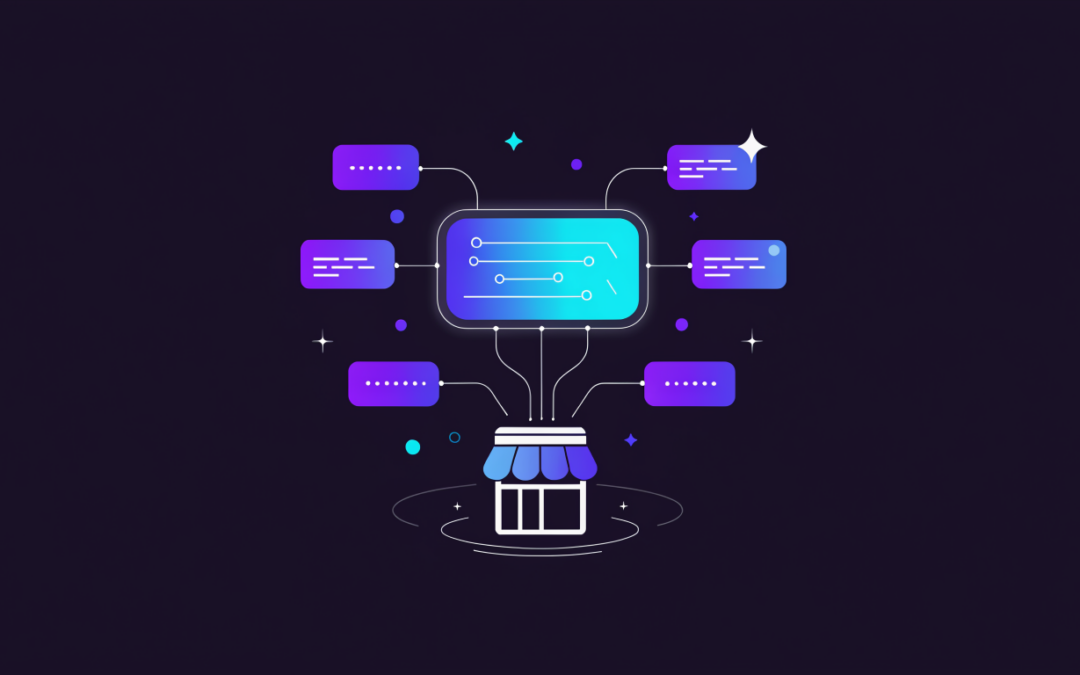
If the AI Client is the wire, the Abilities API is the outlet. It is a registry where plugins, themes, and core itself declare named actions along with input rules, output rules, and permission checks. Things like create_order, list_products, get_inventory, or schedule_post.
Here is why that beats the AI writing features everyone is talking about. Once your site publishes a structured list of what it can do and who is allowed to do it, an AI tool can operate your website instead of just writing text for it. A support assistant that genuinely looks up an order status. A tool that checks live inventory before answering.
WordPress.com has already expanded its AI agent from read-only access to actual write actions, and the guardrails they built are the model everyone should follow: changes need explicit approval, new posts default to drafts, deletions stay reversible where possible, activity shows in the site log, permissions follow existing WordPress user roles, and every operation can be switched on or off individually.
Take that list and treat it as your checklist. Any AI plugin that wants write access to your site and does not offer approval gates, role-based permissions, and an audit log has no business being installed on a site that makes you money.
The admin redesign you will notice on day one
The dashboard got its first serious visual overhaul in more than ten years. The static list tables you have stared at since WordPress 3.x are replaced by React-based DataViews. There is a proper font management page, visual revision scrubbing, and a Command Palette you open with Cmd+K.
The Command Palette is the sleeper feature. Instead of hunting through menus to reach a settings page or jump to a specific post, you hit Cmd+K and type. If you manage a lot of sites, it changes how fast you move.
Fair warning though. A redesigned admin means your staff and your clients open the dashboard and find things moved. If you hand off site access to anyone, plan a short walkthrough before you update, not after the panicked phone call.
What got pulled from the release
Real-time collaboration, the feature most people were actually waiting on, was cut twelve days before launch over performance and server load concerns, and postponed to a future version. If your plan this year involved multiple people editing the same post at once in WordPress, keep whatever workaround you have. I would rather they pull a feature than ship one that hammers shared hosting, but it does mean the update is less transformative on day one than the buildup suggested.
Check your PHP version before you do anything else
This is where I see small business sites break, every single release cycle. WordPress 7.0 requires PHP 7.4 minimum. Support for 7.2 and 7.3 is gone.
If you are on budget shared hosting that has not touched its PHP defaults in years, you may be sitting on an older version and not know it. Check under Tools then Site Health then Info in your dashboard. If you are below 7.4, do not update WordPress until your PHP is current. And honestly, 7.4 is the floor, not the target. Run PHP 8.2 or higher if your plugins support it, because the performance difference is significant and older versions stopped getting security patches a long time ago.
There is a second hosting consideration nobody put in the release notes. AI features mean outbound API calls, and the React-based admin is heavier than the old list tables. On cheap hosting, both show up as a sluggish dashboard. If your admin already felt slow, it will feel worse after this update, and that is a hosting problem rather than a WordPress problem. I broke down the usual culprits in my guide on how to speed up a slow WordPress site.
If your current host cannot give you a modern PHP version without an upsell call, that is your answer about whether to stay. I keep client sites on hosts that stay current without being asked. Hostinger is where I put budget-conscious sites that still need real performance, and SiteGround is my pick when a client needs stronger support and staging built in. I compared the options I actually use in my best WordPress hosting guide.
What I am telling clients to do right now
Five steps, in this order.
1. Confirm your PHP version first. Site Health tells you in about fifteen seconds. Fix it before updating core, not after.
2. Update on staging, not production. This is a major version with a redesigned admin and new APIs, and every plugin you run interacts with that. Test it somewhere that does not cost you customers if it breaks. If your host does not offer staging, that is another reason to move.
3. Audit your existing AI plugins. If you picked up AI tools over the last two years, several of them are now doing redundantly what core does natively. Every plugin you remove is one less security surface, one less update to babysit, and one less thing slowing your admin down. I keep a running list of the tools that survive my own audits in my post on the AI tools I actually use for small business clients.
4. Do not connect a provider until you know what it can touch. The Connectors hub makes authentication easy, which also makes it easy to hand broad access to something you have not vetted. Check what abilities a plugin registers and what permissions it wants before you authorize it.
5. Leave real-time collaboration out of your plans. It is not shipping in this version. Plan around the tools you have.
The part most small business owners are missing
The Abilities API is quietly the most important thing in this release, and it has almost nothing to do with writing blog posts.
What it sets up is a future where AI tools interact with your website as a system rather than as a page of text. That means the structure of your site, your product data, your inventory, your service descriptions, and your schema all start mattering in a new way. A site with clean, structured, well-labeled data becomes usable by AI agents. A site with everything crammed into unstructured page builder content does not.
That is the same lesson showing up in search right now, where clear structure and direct answers are what get a business quoted in AI results. I covered that side of it in my post on how small businesses get cited in Google AI Overviews. Different surface, same underlying requirement. Structure your content properly and machines can use it. Leave it messy and you get skipped.
So the real takeaway from WordPress 7.0 is not “install the AI plugin.” It is “get your site data and structure in order, because the tools that read it are about to get a lot more capable.”
Where this leaves you
WordPress 7.0 is a foundation release. It is not going to redesign your homepage or write your service pages. What it does is make WordPress a platform AI tools can plug into properly, with permissions and audit trails instead of a pile of competing plugins each holding their own API key.
The sites that benefit are the ones that are technically current: modern PHP, a host that keeps up, a lean plugin stack, and content that is actually structured. The sites that suffer are the ones on old PHP with fifteen overlapping plugins and everything locked inside a page builder. Getting from the second group to the first is most of the work, and it is the part people put off.
If you would rather not spend your weekend checking PHP versions and testing a major update on staging, that is what I do. I handle WordPress updates, hosting migrations, performance work, and site recovery for small businesses, and I have been doing it since long before anybody put AI in a release note. Head over to webguynick.com and tell me what your site is doing. I will tell you straight whether it needs work or whether you are fine to sit tight.
AI Overviews can change how people discover a small business website. The useful response is to make your pages clear, credible, and easy to use, then measure what happens. There is no setting that guarantees a citation.
What Google Requires
Google says a supporting page must be indexed and eligible to appear in Search with a snippet. Its usual search requirements apply; there is no special AI schema or separate optimization requirement. Start with Google's official guidance on AI features.
Start With Your Own Search Data
A traffic change can have several causes. In Search Console, compare the same pages and queries across equivalent periods, then check which pages lost clicks or impressions. Review important landing pages on your phone and test the next step a visitor should take. Write down the issue before choosing a fix.
A Practical Content Checklist
Answer the reader's actual question with clear, specific language.
Use headings that describe the page's sections.
Support claims with examples, sources, or evidence from real work.
Link to related pages that help the reader continue.
Keep your business details accurate and current.
These are useful editorial habits, not a formula for winning an AI citation. Here is how I approach them.
Lead With the Answer
The single biggest change I make on client sites is rewriting opening paragraphs. Readers should not have to search for the point. Answer the main question early, then use the rest of the page to explain, support, and add depth.
I also add what I call an answer capsule under each H2: two or three sentences that directly answer the question the heading asks, followed by supporting detail. That structure gives readers a clear answer and room to inspect the supporting detail. Add a specific example or source when it helps explain the claim.
Make Your Pages Easy to Read
Clear structure helps visitors find the information they need. My checklist:
One clear H1, descriptive H2s phrased as questions people actually search.
Paragraphs of two to four sentences. No walls of text.
Bullet lists for steps and comparisons, tables for pricing or specs.
Answers to real customer questions, written for the reader.
Accurate structured data that matches the visible page and the type of business.
If you are on WordPress, most of this is built into the block editor plus a good SEO plugin. Modern versions of Rank Math and Yoast will handle the schema and flag structure issues right in your dashboard.
Show Real Experience, Not Generic Advice
Show the work behind your advice: a specific problem, what you tried, what changed, and the limits of the result. Use original screenshots or project examples when you have permission to share them. Do not invent results or add first-person claims solely for search.
Keep Your Business Info Consistent Everywhere
Keep your name, address, phone number, hours, and services accurate across your website, Google Business Profile, and relevant directories. Old or contradictory details make it harder for customers to know how to reach you. Review these listings when your business changes, and respond to reviews thoughtfully.
If you want a structured way to audit all of this, my 10 point website checkup covers the same items I run for clients.
Do Not Skip the Technical Basics
Check that important pages can be crawled and indexed, and that their main content is available to visitors. Then investigate performance issues that make the site frustrating to use. Core Web Vitals still count, so start with my guide on how to speed up a slow WordPress site. If you are evaluating hosting such as Hostinger, compare caching, support, renewal costs, and measured response times before deciding to move. A different host alone does not guarantee better search results.
Diversify Before Google Makes You
Even if you do everything right, zero-click search means Google owns less of your future than it used to. The small businesses winning right now treat their website as home base and build traffic sources they control. Grow an email list from day one. Repurpose every blog post into short vertical videos for YouTube, Instagram, and TikTok, which is something a tool like AutoShorts can automate for you. And lean on AI to keep your output sustainable. I covered my full stack in the 9 AI tools I actually use for small business clients.
Where to Start This Week
Do not try to overhaul your whole site at once. Here is the order I follow:
Find your five pages with the most impressions in Search Console and rewrite their openings to answer the query in the first 100 words.
Answer the questions customers actually ask on your top service page, and link to supporting guides.
Fix your business info everywhere it appears, starting with your Google Business Profile.
Record the changes and review the affected pages in Search Console over time. Compare leads and useful visits as well as clicks.
If you would rather have someone handle it for you, this is exactly the kind of work I do every day at Web Guy Nick. Start with an AI Visibility Audit and I will show you exactly where your site stands, what is holding it back, and which fixes to make first.
Disclosure: some links in this article are affiliate links. If you buy through them, I may earn a commission at no extra cost to you.
Disclosure: This post contains affiliate links. If you buy through them I may earn a commission at no extra cost to you.
Every week a client asks me which AI tools are worth it. Most lists online are written by people who never ran a small business. I use these tools on real client projects, and this is what actually earns its subscription in 2026.
Website and customer service
Chatbase Build a support chatbot trained on your own website content, no coding. Free plan to start, paid from about $32/month. This is the fastest way to stop answering the same 10 questions by email.
Tidio Live chat plus AI chatbot in one widget. Good free plan. Best for stores that want a human option during business hours and AI after hours.
Content and marketing
Grammarly Not glamorous, but every client-facing email and blog post goes through it. Free plan covers most needs.
Marky Generates and schedules on-brand social posts for your business. Good for owners who know they should post but never do.
Creative and video
Higgsfield AI An AI-native creative suite for generating images and video. I use it for client visuals and social content when there is no budget for a photo shoot.
AutoShorts.ai Creates faceless short videos for TikTok and YouTube on autopilot. Good for businesses that want video presence without being on camera.
Automation
Zapier Connects your forms, email, CRM, and invoicing so leads never fall through cracks. Free tier covers 100 tasks/month, paid from about $20/month. Start with one zap: new contact form entry creates a follow-up task.
HubSpot Free CRM Free CRM with AI features layered in. If you are still tracking leads in a notebook, start here today.
For WordPress specifically
Rank Math AI-assisted SEO plugin. The free version is better than most paid tools were five years ago.
ShortPixel Compresses images automatically so your site stays fast. Cheap and set-and-forget.
WP Rocket Caching that just works. The single biggest speed jump most WordPress sites can buy for under $60.
What to skip
Skip any tool that promises to run your whole business with AI. Skip AI website builders if you plan to grow, you will rebuild later. Buy tools that remove one specific chore each.
FAQ
What should a small business try first? A chatbot trained on your own FAQ content. It pays for itself in saved time within a month.
Is AI content bad for SEO? Lazy AI content is. Google ranks helpful content regardless of who typed it, so use AI for drafts and add your real experience on top.
Can you set these up for me? Yes, AI setup for small businesses is part of what I do at Web Guy Nick LLC. Get in touch here.
Want this stack installed and configured on your site without the trial and error? That is literally my job. Contact me.
You don’t need a crystal ball to see it. Work looks different than it did even five years ago. Tasks that once ate up entire mornings now happen quietly in the background. Reports generate themselves. Systems talk to each other. Decisions arrive faster, backed by better data. Automation is no longer “nice to have.” It’s the backbone of how modern workflows actually function.
This shift isn’t about replacing people. It’s about freeing you from the parts of work that drain focus and energy, so you can spend time where judgment, creativity, and experience actually matter.
Why Automation Matters More than Ever in Your Business
The pace of work has changed, whether your processes have or not. You’re expected to move faster, respond quicker, and scale smarter, often with the same resources you had before. Automation steps in where manual effort becomes a bottleneck.
When repetitive tasks disappear, consistency improves. Errors drop. Turnaround times shrink. More importantly, your mental bandwidth opens up. You stop reacting and start planning. That’s where real growth begins.
Automation also creates resilience. When workflows are system-driven instead of person-dependent, work continues even when someone is unavailable. Knowledge is embedded in processes, not trapped in inboxes or individual habits. That stability matters more than most businesses realise.
Real-World Examples of Efficiency Gains
Look beyond flashy headlines, and you’ll see practical wins everywhere. Finance teams automate reconciliations that used to take days. Marketing workflows trigger personalised follow-ups without manual tracking. Operations teams use sensors and predictive models to maintain equipment before breakdowns occur.
In manufacturing and logistics, AI in robotics has become a powerful example of how automation supports human effort rather than competing with it. Machines handle precision, repetition, and speed, while people oversee strategy, problem-solving, and continuous improvement. The result is safer environments and dramatically higher throughput.
Even in service-based businesses, automation quietly reshapes daily work. Scheduling tools reduce back-and-forth emails. Document workflows route approvals automatically. Data dashboards replace guesswork with clarity. Small changes stack up fast.
Ways You Can Begin Optimizing with Emerging Technologies
You don’t need a full digital overhaul to start. The most effective automation begins with one simple question: where does work slow down for no good reason?
Start by mapping a single workflow end-to-end. Identify tasks that repeat, require manual input, or rely heavily on memory. Those are prime candidates for automation. Tools don’t need to be complex. Sometimes it’s as simple as connecting systems that already exist but don’t speak to each other.
Another smart move is focusing on decision support rather than decision replacement. Let technology surface insights faster, highlight anomalies, and present options. You remain in control, but with better information at your fingertips.
Build Skills Alongside Systems
Technology works best when people understand how to use it well. Invest time in learning how automated tools function, not just which buttons to press. That knowledge lets you adapt workflows as your business evolves instead of starting from scratch each time.
Automation isn’t a finish line. It’s a mindset shift. One that asks how work should flow, not how it always has. When you embrace that perspective, everyday workflows stop feeling heavy. They start working with you instead of against you.
The landscape of business growth is witnessing a monumental shift fueled by the advent of artificial intelligence (AI). This cutting-edge technology is not just an add-on but a game changer, redefining the paradigms of how businesses connect with potential customers.
As we delve into this transformative era, it's clear that AI is not just enhancing lead generation—it's completely reinventing it.
This blog post will explore the multifaceted ways in which AI is empowering businesses to supercharge their lead generation processes, ensuring they're not just keeping pace but setting the pace in their respective industries.
AI: The New Frontier in Customer Acquisition
In the digital age, the first touchpoint between a business and a potential customer is often virtual. AI stands at this frontier, acting as the ultimate matchmaker between businesses and their future clients.
By leveraging complex algorithms and machine learning, AI sifts through data to uncover hidden patterns, predict behaviors, and identify prospects with unparalleled accuracy.
This isn't just lead generation; it's lead generation with a crystal ball, offering insights that are proactive rather than reactive.
AI Lead Generation: Your Digital Pathfinder
Integrating AI into your lead generation toolkit is like setting out on a voyage with a digital pathfinder. It navigates the vast and tumultuous seas of data to find your ideal customers.
AI Marketing uses advanced analytics to predict who is most likely to engage with your brand.
This precision targeting means your marketing efforts are not scattered but sharply focused, ensuring every dollar spent is a dollar invested in a potential future customer.
Crafting Personalized Journeys with AI
The era of generic marketing is over. Today, personalization is the key to unlocking customer engagement, and AI is the master key.
AI-driven platforms analyze individual customer data in real time, tailoring marketing messages and offers to meet unique preferences and needs.
This isn't just personalization; it's hyper-personalization at scale, transforming every customer interaction into a bespoke experience that resonates deeply and drives conversion.
AI-Powered Insights for Strategic Nurturing
Nurturing leads is an art, and AI equips businesses with an extensive palette of tools to master it. Through predictive analytics and behavioral data, AI helps businesses understand not just who their leads are, but what they need and when they need it.
This strategic nurturing guided by AI ensures that potential customers are engaged with the right message at the right time, significantly increasing the likelihood of conversion.
The Efficiency Engine: AI in Lead Scoring
Efficiency in lead generation is not just about doing things right; it's about doing the right things. AI revolutionizes lead scoring by dynamically evaluating and ranking leads based on their conversion potential.
This real-time prioritization allows businesses to allocate their resources more effectively, focusing their efforts on leads that are most likely to bear fruit.
With AI, lead scoring becomes a dynamic and continuous process, ensuring that your sales team is always focused on the most promising opportunities.
Conversational AI: Engaging Leads at Scale
In the digital marketplace, responsiveness can make or break a potential sale. AI-driven conversational agents, such as chatbots, are redefining customer interactions by providing immediate, personalized, and contextually relevant responses.
These AI assistants are available 24/7, ensuring that every query is answered and every lead is engaged, significantly enhancing the customer experience and increasing the chances of conversion.
Conclusion
As we stand on the brink of a new era in lead generation, it's clear that AI is not just a tool but a transformative force. By harnessing the power of AI, businesses can not only improve their lead-generation processes but also redefine the very essence of customer engagement.
The future of lead generation is intelligent, personalized, and efficient, powered by AI technologies that are continually evolving to meet the dynamic needs of businesses and consumers alike.
In this rapidly changing landscape, those who embrace AI will find themselves at the forefront, leading the charge in the exciting world of digital marketing.
Let me start by saying that I'm not an AI hater. In fact, I love the idea of AI and have been following its development since it was first introduced to the world in 1956. The Dartmouth Summer Research Project on Artificial Intelligence (known as Project MAC) was a seven-week intensive program that brought together a small group of students interested in computer science—including luminaries like Marvin Minsky, John McCarthy, Nathaniel Rochester and Claude Shannon—to focus their attention on creating machines that could think like humans do.
AI is taking over the world
AI has already taken over the world.
It's taken over our jobs, our homes and our lives in ways that we can't even see yet. You might not have noticed this because it's been happening slowly over time. AI has been creeping into every part of our lives since its early days as a science fiction concept and it will continue to do so until there are no more humans left on earth—or at least until humanity becomes extinct.
It would be easy to say that AI will only replace mindless tasks like filling out paperwork or designing houses but in fact much higher-level tasks like writing articles are being done by machines right now! The machine learns from examples given to it by people who know what they're doing (you), then it improves upon these examples with software algorithms until eventually the result is a beautiful piece of writing that makes any human writer jealous.
AI is cheaper
AI is cheaper than hiring a human. There are two reasons for this:
The first reason AI is cheaper than hiring a human is because AI can do repetitive tasks for free. You don't have to pay an employee every time they perform the same task, like publishing articles on your blog or updating your site's social media accounts. This frees up your budget and makes it easier for you to focus on creating content that will attract more readers (and customers).
The second reason why AI is cheaper than hiring a human has to do with how much money it costs to train them in the first place. Think about how much time and money goes into training a new employee who isn't familiar with what they'll be doing at work—you have to set aside part of their salary toward training them so they can start doing their job right away! That doesn't happen with AI tools; companies buy access once-and-for all without worrying about ongoing fees after the initial purchase price has been paid off by savings made during implementation stages
AI is more efficient
Let's say you're the CEO of a major media outlet and you've decided that AI is going to replace blogging. You want to see how well it works, so you hire a team of researchers to write an article about your company. They've been working for months, but only managed to produce one article during that time.
You're not satisfied with this result, so instead of hiring more human writers (who are typically very expensive), you decide to try AI instead. First thing's first: what kind of articles should we test? Let's say we already have some content on our site dedicated specifically toward startups—why not use those as templates? We can easily feed them into a neural network and see what happens!
Now comes the hard part: getting the neural network up-and-running and learning how best (or worst) utilize its capabilities as an automated writer.*
AI is faster
AI is able to write faster than any human.
This is because of its inhuman speed.
AI can produce content far more quickly than a human, and it can also read, understand, digest and respond to content at light-speed.
And AI has no need for sleep or food - it can write 24/7 365 days a year without eating or sleeping!
AI is free of human biases
AI can also be free of human biases, which are often a result of social pressure or emotional bias. While many people like to think that they're immune to the effects that other people have on them, studies show we all feel pressure from our friends and family members, even if we don't realize it. This can make us feel uncomfortable when we disagree with others in our group about something important (like politics or religion) and cause us to change what we believe so that we won't stand out as different from everyone around us.
AI doesn't experience these pressures because it's not influenced by emotions or social norms. It doesn't care if other people disagree with its decisions; it only cares about making accurate predictions—and if your blog posts don't match what the AI predicts will get more clicks, then there's no reason why an AI would keep writing those kinds of posts!
I'm scared
I’m scared. We all should be, because AI is going to take over the world and replace us with robots. It’s scary to think that something inhuman could think and act like you, but it’s also exciting for the same reason. I don’t want to be replaced by a robot (or any machine), but I also want my writing skills to get better.
AI will enable people who can't afford editors or writers to create content they wouldn't otherwise have been able to make themselves — potentially giving voice to marginalized communities who lack access to traditional publishing channels because of their economic status or cultural identity.
Conclusion
So, what does all this mean for you? Well, if you’re a blogger or a content creator, then it means that there’s no reason to be scared. AI isn’t going to replace the need for human writers and content creators. Instead of worrying about whether or not your job will be taken over by robots, focus on honing your craft and creating compelling stories. If anything, AI can help us do our jobs even better by making sure that we stay up-to-date with current events and trends so we don’t fall behind our competitors in an increasingly competitive industry!
We use cookies to improve your experience on our site. By using our site, you consent to cookies.
Cookie Preferences
Manage your cookie preferences below:
Essential cookies enable basic functions and are necessary for the proper function of the website.
Name
Description
Duration
Cookie Preferences
This cookie is used to store the user's cookie consent preferences.
30 days
These cookies are needed for adding comments on this website.
Name
Description
Duration
comment_author
Used to track the user across multiple sessions.
Session
comment_author_email
Used to track the user across multiple sessions.
Session
comment_author_url
Used to track the user across multiple sessions.
Session
Google reCAPTCHA helps protect websites from spam and abuse by verifying user interactions through challenges.
Name
Description
Duration
_GRECAPTCHA
Google reCAPTCHA sets a necessary cookie (_GRECAPTCHA) when executed for the purpose of providing its risk analysis.
179 days
Google Tag Manager simplifies the management of marketing tags on your website without code changes.
Name
Description
Duration
cookiePreferences
Registers cookie preferences of a user
2 years
td
Registers statistical data on users' behaviour on the website. Used for internal analytics by the website operator.
session
Statistics cookies collect information anonymously. This information helps us understand how visitors use our website.
Jetpack's built-in visitor analytics. It records page views, referring sites, search terms, and outbound link clicks, and also carries the shared visitor-tracking library used by Jetpack Instant Search and WooCommerce Analytics.