Making a success of yourself as an entrepreneur takes a good deal of work. Not only do you have to identify your niche with great precision, and then work on optimising your product or service according to the demands of the client or customer, but you?ve also got to manage the various ?small pieces? that keep the whole thing together and ticking along.
Although it may be frustrating, making a success of yourself as an entrepreneur requires a lot of technical sophistication that doesn?t necessarily have much ? if anything ? to do with the particular service you offer.
Rarely is this as true, as when it comes to your website. Being a successful entrepreneur in 2019, requires that you have a slick, sophisticated, easily accessible, and visually appealing website. This is as true if you are a furniture restoration expert, as if you are a web-based SEO guru.
Since your website is such an essential part of your professional life as an entrepreneur of any type ? here are some basic tips for getting an effective website up and running.
Understand the purpose of your website, from the get go
Your website is ? first and foremost ? a tool designed to effectively communicate your services and products to prospective clients. Of course, you also want to communicate those services and products in a way that increases the odds of people deciding to spend some money with you.
To communicate anything effectively, efficiently, and appealingly, you have to first have a very clear idea of what it is you are trying to communicate.
The websites of many entrepreneurs end up becoming rambling catalogues of just about anything, and everything that the entrepreneur in question finds interesting about his or her life and work.
But spare your prospective clients the three-page rundown of your entire back story, the list of things you like to do on weekends, and all your professional experience in areas not directly relevant to your current business venture.
Instead, focus everything around the subject of what it is you?re trying to convey and sell with your current business. Keep in mind; you should not just think about ways of describing the services you offer or the things you do, either.
First and foremost, you should be clearly conveying the ways you in which you can help your clients resolve a particular problem that he or she might be facing. If, for example, you have an in-depth knowledge of software development life cycle, explain explicitly how this knowledge can be used to make your client's life easier, or more fulfilling.
Include professional headshots of yourself
New entrepreneurs are often so excited to get ?cracking? with their projects and business ideas, that they allow their haste to cause them to become sloppy in certain areas.
Often, photographs on newly minted websites, are extremely lacklustre due to this very reason. But understand that the photos you display on your website are not just there to let everyone know what you look like, or to present your best side.
Instead, the photographs you display on your website are meant to underline the fact that you are a real (read: accountable) person, as well as a professional. In order to get the ?professional? part across, it is imperative that you do not use a photo from your Instagram feed in order to sell yourself and your business.
Instead, any photos that you include on your website should be professional headshots, that ? at the very least ? convey the sense that you are professionallysavvy, and successful enough, to warrant having your photo taken by an expert photographer.
This may seem ?shallow? in some regard, but keep in mind that your prospective clients will not know anything about you when you first burst upon the scene. Therefore, they will seek to protect themselves by avoiding anyone whose web presentation looks overtly amateurish.
Go for a sleek, reactive, clean and professional look with your site
Carrying on from the point of ?professionalism? mentioned under the previous subheading ? having a sleek, reactive, clean and professional looking site will certainly go a long way to ensuring that you look like a consummate professional.
The best part about that, is that with the myriad number of tools and services available online, you can easily get a website professionally done up to look as good as that of a much larger company ? at a fraction of the price.
Other than just helping to safeguard your professional appearance, though, having a sleek, reactive, clean and professional site will also make the visitors experience that much more pleasurable, and effortless.
Research indicates that people do not have much patience when scanning websites, or simply when surfing the web, in general. Any mild form of resistance they encounter, is likely to send them in the opposite direction. ?Bounce rate? is one of the key analytics measured by businesses who are attempting to improve their SEO and site engagement. It refers to the amount of time that the average visitor spends on a given page.
It is not at all uncommon for the ?bounce rate? for a page to be no more than a couple of seconds.
Try and reduce, if not eliminate, as much potential frustration as you can from your prospective client's experience of visiting your website. Make sure that the site can be easily and comfortably viewed from a smartphone. Don?t have obnoxious video ads that pop up, unsolicited, and start auto-playing. Keep things balanced.
Touch on your USPs in your web writing
?USPs? are your ?Unique Selling Points? ? and refer to those things that differentiate you from your competition (in a positive sense).
No matter how able you are to paint a picture of successfully addressing a client need, the likelihood is that there will be various competitor companies in your industry who can make the same claims.
Prospective clients and customers are often mindful of this fact, and will look out for factors that can sway the balance in favour of one company, rather than another.
The better able you are to identify, and reference your USPs in your web writing, the more likely you are to convince the client that you?re the company to go for.
Web design in technical terms refers to different skills in the production as well as the maintenance of a website. This includes the search engine optimization the art to design the code in order for it to work with maximum optimization, graphic design, security setups and many more. A web designer is the one who does this work. A web designer is focused on the web design but apart from that, he must stay in constant touch with the informative articles and blogs so as to keep themselves updated with the current market demands and trends. Reading helps one to get out of their cocoon and learn new techniques and new developing tools have been recently launched in the market. Blogs are a great source of information and learning for both the beginners and the advanced designers.
Why go for blogs?
In today?s world, you can Google whatever you want and there will thousands of results corresponding to that search. But it leads to great confusion and in the end, most of the people quit. But reading blogs and articles is beneficial because there you get very limited and pr?cised data. These blogs and articles are a great source of inspiration.
Here we present to you the top 5 amazing web design blogs that all the budding, as well as pro web designers definitely, should go for in 2019:
1. Smashing magazine: smashing magazine is the king of web design blogs with an incredible reach of 1 million Twitter followers, followed by 30k people on Facebook and a view of 5 million pages per month. Started in 2006, it has been always helping and making a contribution to enhance the web design services. The blogs and articles provided by smashing magazine always help web designers with innovative information. Not just web design, it has articles on graphic design and experience of the users that helps a lot for the reference.
2. Web designer Depot: Web designer depot found by Walter Apai, a Vancouver, and Canada based web designer. With a crowd of 1.1 million newsletter subscribers, and followed by 740 thousand people on Twitter, web designer depot has always been a heart of web design field. It isn't only a blog however a community. It has proved to be of great help in the web design industry by providing insights on user experience and web design. It covers the kind of exclusive content that you will not find anywhere else easily.
3. Mockplus Blog: Mockplus blog consists of very thorough details and the content for web design. Not just the web design, they give a comprehensive insight of graphic design, UI/ UX design, and prototyping design. It also enhances your knowledge about the current design trends and newly developed design tools launched in the market or the ones that have been trending recently. The blogs introduce you to popular prototyping tools. If you are a web designer then Mockplus Blog is a must visit because of the premium quality content that it offers helping the budding as well as the advanced or pro level designers.
4. Hacking UI: hacking UI is a great magazine for passionate developers, designers, and budding entrepreneurs. It was founded by the Sagi Shrieber, the designer and David Tintner, the developer. Like the name suggests hacker UI majorly focus on the interaction design. It is important and innovative because nowadays interaction design is been used in web designs a lot. The interaction design refers to the design that focuses on the interaction of the product and the user. If you want to become an excellent interaction designer, then Hacking UI is the place where you belong.
5. Design Instruct: design instruct is a web magazine for the designers and developers. It provides tutorials and great content for the designing from which you can learn a lot. It is quite informative and helpful if you are working in a field of designing. They inspire users to get motivated by their own work and help them learn new techniques in web design, graphic design as well as photography. It is the premier venue for learning digital art and instructs design trends.
In today?s world, everything is dynamic, nothing stays the same. In a drop of a hat, new technologies are discovered; new tools are invented. To catch up with the pace of this ever-growing world, one must stay updated and never stop learning. In this digital era especially, to be distinguished from the crowd you need to carry special skill set. If you are a web designer reading blog sites must be in your routine. Above all, the blog sites provide you with the great platform in order to accomplish your passion for design.
Apart from making an outstanding website, there are many other things that a designer needs to focus on. Being a web designer you need to be updated with the current market trends. To learn new techniques and popular designs, one must be a regular reader. The web design blogs provide the great insight of what is needed to be done apart from designing great websites.
About The Author
Sunny Chawla is a Marketing Manager at AIS Technolabs which is Web design and Development Company, helping global businesses to grow by Web Design Services Services . I would love to share thoughts on Social Media Marketing Services and Game Design Development etc.
Selecting the right email marketing tool is essential to the success of your business. Aweber has been an industry standard for years, but Aweber alternatives are popping up everywhere. Many are proving to be more and more beneficial to the consumer.
Ecommerce business owners are discovering that they may have outgrown Aweber. They are now searching for aweber alternatives that provide a more comprehensive solution.
Email service providers are now including the following functions:
SMS Campaigns
Email Campaigns
Email Reports
Segmentation and Targeting
Forms
Automated Messages
Drag and Drop Visual Editors
Discount codes
Let’s examine the top 6 Aweber alternatives and their features to help you discover the best possible email marketing tool for your business.
The Top Six Aweber Alternatives
# 1 The Best All In One Solution for eCommerce
Flashy provides a complete solution for ecommerce businesses, not only allows you to communicate with customers in a wide variety of channels - email, SMS, popups on site, Facebook and Google audiences, it can identify a lot of data points that no one else have, such as recent purchases, LTV, next purchase prediction.
In order to speed up the process of starting with Flashy for your ecommerce, once you connect Flashy to your ecommerce they import your customers & purchases history and automatically create all the automation and popups that are most have for ecommerce: Marketing Automation for eCommerce Welcome series, abandoned cart, win back, after purchase and more. Popups increase distribution lists, prevent abandoned cart.
#1.5 Omnisend: The Perfect Ecommerce Aweber Alternative
Omnisend is perfect for ecommerce. It was built specifically with the ecommerce merchants in mind. Omnisend facilitates easy and effective communicate with customers through multiple channels..
As Omnisend allows you to communicate via SMS, Facebook Messenger, Facebook custom audiences, and Google retargeting ads, this allows you to reach customers in multiple ways.
Omnisend features an intuitive drag and drop email builder which makes it simple to create professional looking emails in no time.
With Omnisend’s visual automation workflow, you can automate messages and send them through a variety of channels. This will help to ensure that your customers get the messages.
Omnisend also makes it easy to build your email list with dynamic exit-intent and timed popups. They also have landing pages for email capture.
Omnisend also includes some time saving marketing features such as the Product Picker, which will add products from your website straight to your emails. This will increase the speed of creating email campaigns.
Sales are extremely important to your business and Omnisend has solutions to increase your click through rates - the Scratch card and gift box. These are interactive tools that engage your customers and encourage click throughs.
The Automated Product Recommender is another excellent feature. All you have to do is add the Product Recommender block in your campaign. Your subscribers will automatically see the bestselling or newest products.
Omnisend is the top choice for Aweber alternatives, especially for the ecommerce store owner. Omnisend is easy to get started with and offers customers a free plan with a 2000 email/day limit (or 15,000 emails/month).
#2. Mailchimp: Great Aweber Alternative for Newsletters
Mailchimp is a popular contender in email marketing. It features an easy to use drag and drop email builder, which is similar to Omnisend.
Mailchimp also allows you to create landing pages, segment your lists, integrate your ecommerce platform, and offer product recommendations.
Mailchimp is a great tool if you’re simply looking to send out newsletters to a subscriber base. They don’t offer SMS messaging.
Unfortunately, Mailchimp does not have customer support for its free subscribers. Therefore, if you are just getting started building your email list and may have questions, you should look elsewhere.
#3. Drip: A Beginner’s Aweber Alternative
As far as Aweber alternatives, Drip sets itself apart simply for its visual composer. Visual platforms are great for beginners. They are very simple and intuitive.
When you sign up, Drip focuses directly on creating an automated workflow from the start, proposing a few different automated campaign templates to modify.
The email builder itself is a bit dated compared to the other email marketing platforms. Most builders focus on creating “blocks,” but Drip separates an email into the header, body and footer. There is little room for customization.
For a beginner who doesn’t need anything fancy, Drip is a great alternative to Aweber. It is simple and will send out a basic email campaign.
#4. SmartrMail: A Basic Aweber Alternative
SmartrMail makes email marketing easy without any bells or whistles. If sending emails is all you really need, this may be a great option for you. SmartrMail works for beginner email automation with automatically updating segments that are set up for you upon joining the platform.
SmartrMail has a simplified drag and drop email campaign builder that enables you to create the most basic newsletter campaigns.
SmartrMail can’t be connected to your store. Therefore, you will need to manually add your products into your emails. This can be very time consuming.
SmartrMail has the most basic functions for email marketing. It is geared towards the beginner. SmartrMail is perfect for those who don’t need any service beyond email.
#5. SendinBlue: A Simple Aweber Alternative
SendinBlue is one of the simpler email campaign builders. While SendinBlue does not have the extensive number of features that Omnisend has, it does feature a great visual composer. This allows you to create professional looking campaigns in minutes.
SendinBlue stands out by allowing you to use SMS campaigns in your email workflows. This is not something that most email marketing providers allow you to do.
SendinBlue offers a few different workflows that can inspire merchants to create multiple campaigns and segments for their subscribers. They offer templates and HTML editors for professional emails.
SendinBlue enables you to monitor your performance with real time statistics and click through reports.
SendinBlue is missing sophisticated elements of email marketing, but it is a decent service for beginners. It is simple and easy to use.
#6. ActiveCampaign: Advanced Aweber Alternative for CRM Users
ActiveCampaign is the most advanced and sophisticated email marketing service on this list. It does function and feel more like a CRM. This is great for businesses focused on sales
ActiveCampaign features a centralized space for your contacts. It allows you to create campaigns around those contacts. With the strong emphasis on the contacts, the learning curve for this tool is steep.
ActiveCampaign is highly recommended if you have multiple domains to manage. Their segmenting allows you to create campaigns targeting each list.
Seasoned marketers will be the ones to make the most out of ActiveCampaign. They will appreciate the CRM features. However, if you are looking for simplicity, you may want to skip this one.
Conclusion
This is not a comprehensive list of all the aweber alternatives that are available to you. However, these are our top picks for empowering ecommerce tools that optimize results. These companies provide a more comprehensive solution for email than Aweber.
It can be quite time-consuming to sift through all the email marketing providers out there. Hopefully, this list has provided you with a head start in discovering the perfect email marketing solution for your ecommerce business.
Nowadays most of the people shops online. According to a survey half of the total purchase are made online.
And it is growing day by day, so if you don't have a business website ? or if your current site looks dull ? it's a time to hire web design agency and put resource on it.
In this cutting edge of business without website can?t target customers. This is particularly valid for new private ventures and startups attempting to contend in an undeniably uproarious world. But it also not valid for even established companies.
According to the survey 97% of consumers research about the product online before they buy it.
Your website is a crucial component of your advertising and branding strategy. Customers visit your site because they have a specific reason at the top of the priority list ? they require something from you ? and your site should make them feel great to purchase an item or get your services.
If you have an inadequately designed website, the odds are high that you're losing an opportunity to transform researchers into steadfast customers. Ensure you're not surrendering a large number of dollars in revenue and get your website working the manner in which you require it to.
A dated or poor looking website design can make even the best businesses show up non-professional and inconsistent.
Look at the 2019 website composition trends here.
If you need your business to flourish, you need to emerge and one excellent approach to do as such is to exploit hot website design trends to give your website or landing page a sharp, contemporary feel.
80s-impacted design
Brands are taking elements of 80s form and design and joining them into their websites. This adoption mirrors what's going on in mould and other design-related fields all through the western world; what's old is new once more.
By and large, this attempts to the benefit of brands: numerous elements of the 80s style (and Memphis Design) function admirably in illustration consideration:
Patterns and shapes,
Lively colours,
Level, vectorised designs, and
High contrast typography.
Clean layouts and bold typography
Splendid colours, wild geometry, and heaps of wavy and straight lines all over: like it or not, the development of 80s-affected design has arrived.
In contrast to design from the 90s, however, (we're getting you out, corrosive wash denim!) clean layouts that utilisation typography in creative ways can look stunning, and transparency will dependably be in style.
Surprising colour combinations
Websites that ran with bold, strange colour decisions and combinations flooded in 2018 and this trend hopes to proceed in 2019.
The motivations driving these choices are regularly down to business, and it keeps on being difficult for websites to differentiate themselves. Brilliant colour palettes offer brands an approach to emerge from their rivals while making a unique and memorable visual experience.
Picking a beautiful colour plan can be testing. Luckily, there is a lot of tools accessible to encourage designers and business proprietors to create colour ideas quickly and effortlessly. Locales like Colors and Colormind stir up combinations for you and are valuable to see a lot of alternatives rapidly.
Open, magazine-like layouts
The square shaped, grid-based designs seen wherever a few years prior were well known partly because of the limitations of web development technology.
Numerous locales likewise depended on unsurprising, unmistakably spread out designs to guarantee that they were receptive to capricious screen sizes like tablets and mobile phones.
A lot of change in 2019
In recent dates, layouts have unmoored themselves from the grid and run with looser, more magazine-style designs. We will see significantly a more significant amount of this in 2019 as brands experiment all the more straightforwardly with grid-less designs.
Brutalism
2018 saw the ascent of websites that took the majority of the trends we've just referenced ? clean designs, unusual colour combinations, and open layouts ? hurled them together, and added a sudden turn to make something new.
Designers bunch these websites into same classification from the Brutalism architecture wave of the 1950s-70s, comparably featuring a crude, purposefully rough look.
Websites considered a piece of the Brutalism style is portrayed by:
layouts that cover in some of the time indiscriminate ways,
obvious colour palettes, and
a bold utilisation of typography.
A large number of these locales take into account more youthful gatherings of people, and the look may be unreasonably restless for a few brands.
Vast numbers of the elements from front-line destinations advance into standard businesses, and we anticipate that this should happen all the more regularly in 2019.
Full-screen backgrounds
As the idiom goes, words usually can't do a picture justice, and websites are stating significantly more with less utilising pictures and recordings as a foundation element.
Websites have utilised full-screen backgrounds for some time, but a large number of these targeted crowds with access to more up to date technology and quicker Internet associations. Since the speed and responsiveness of mobile networks have made up for lost time to the locally established Internet, this design style is on the ascent.
The more great accessibility of high calibre, shoddy stock photographs and video has additionally powered this change. They're a lot simpler to discover, and adding them to a page is direct.
Cinemagraphs
At the point when is a photograph not by any stretch of the imagination only a photograph? Cinemagraphs, or "living photographs," are still photographs that consolidate a minor piece of movement, and they're being utilised in website design to an ever increasing extent.
Made by Kevin Burg and Jamie Beck in 2011, cinemagraphs are incredible to a limited extent because they can shock and joy the viewer.
What appears as though a still photograph at first can draw a client's consideration when they see the development, and as everybody online knows, consideration is the cash of the web.
The blast of vivified GIFs as both fine art and a method for communicating is another primary driver of cinemagraphs in design. This is another trend empowered by quicker mobile networks and cell phone use.
Author Bio -
Sunny Chawla is a Marketing Manager at AIS Technolabs which is Web design and Development Company, helping global businesses to grow. I would love to share thoughts on web design agency usaand Game Design Development etc.
In every industry, there will always be a few secrets hidden from the general public. Web design is no different; if you?re not in the loop, then there are plenty of things you?ll never know about. These secrets involve best practices and tips that professional web designer use every day to improve their product. Today, we reveal some of the best-kept secrets in this industry!
Speed is everything
Most people look at their website and focus on the way it looks. You want your site to appeal to the consumer, which means so much attention goes into trying to create a modern design that makes your business look professional. However, professional designers will always state that the speed of your site is arguably the most critical aspect of it. A slow website will lead to more people clicking off it before they even load up a second page. This creates a high bounce rate, which ultimately leads to an awful search ranking performance. As a result of this, you will struggle to bring in more traffic as your visibility is so low, and your site basically becomes dormant. But, a fast website instantly feels more professional to a consumer and makes their life easier as they?re not waiting for things to load. This reduces the bounce rate and improves the usability of the site, which can increase your search rankings!
Editing apps are essential
When you look at a website, you have no idea what goes on underneath the surface in all the written coding and scripts. Sometimes, if you use Google Chrome, you can accidentally bring up the page script to see, and it probably looks absolutely crazy to you. There are so many tiny details that go into writing a script, and one slight error can make a huge change. This is why web designers all have at least one editing app to call upon. They have one that can edit CSS, one that edits HTML, and so on. These apps make the whole process more streamlined and easier to manage as you can edit coding and then run samples to see what it looks like. This is how professional designers release sites with minimal problems, leading to a much smoother launch!
The best designs are built on psychology
Lastly, it?s well known by designers that websites need to be built based on human responses. Essentially, the psychological effect of different colors, fonts, and shapes will play a role in how a website looks. After all, the whole aim of a website is to appeal to your target audience, which will be some kind of human being! It?s pointless to design a site based on things you like as this won?t always have the desired effect. But, if you base it on scientific evidence that proves humans react in certain ways to specific things, then you will create an engaging website!
Hopefully, you?ve learned a few crucial web design lessons here. These three things are often not spoken about publicly as professional web designers like to keep them under wraps. But, by revealing them to you, you can put yourself in a better position to design your own website and save money.
Rollback a few years and you would find that web applications were little more than digital catalogs. For the most part, they were static and as they had fewer footfalls, the risk and repercussions for crashing websites also used to be low. Those days it used to common for a single person to design, develop, and even host their website! But as the scale and complexity grew, web development has gradually moved from a generalist to specialist approach- giving rise to separate domains of frontend, backend full stack developmentBut that isn?t the complete picture. If you have ever scrolled through job portals, you would rarely find job profiles named Backend Developer or Frontend developer. Instead, the developers are generally associated with the technology they work on rather than on which end is it applied. Further, the rise of languages like JavaScript has further complicated the matter by blurring the line between the two, something we would discuss later. To get a clear picture, let?s first probe each of them and then we will try and come up with a generalized conclusion.
Frontend development
As the name suggests, this part of development creates the face of web application- the part that users actively interact with. Every webpage is built using a markup language called HTML (currently HTML5) while CSS and JavaScript are used for design and integrating dynamic components. But as mentioned before, you would rarely find a job profile named frontend developer because they are generally called UI/UX designers.As much of the application is built using ready-to-use components and templates, the task of these developers slants more on designing than development. Not just the aesthetics- which is a part of the interface but also the entire workflow- that constitutes user experience.
Backend development
The actual working of websites takes place behind the scenes. That is, when you as a user click ?Buy? on any eCommerce website, it is the backend developers who make the purchase happen. Technologies like PHP, Python, NodeJS, among others, remain the most popular for backend development. And just like you don?t find ?front-end developers?, you won?t find ?backend developers? in job profiles. They are known by the technology they work upon like ?PHP developer?, ?NodeJS developer?, etc. The database expertise to remains a part of backend development.Overall, all you need is a UI/UX developer and a PHP/Python/NodeJS developer to build any web application.
Full Stack development
Generally, developers who carry expertise on all parts of application development are referred to as full stack developers. In theory, that is quite simple to explain but as mentioned, web development technologies have evolved a lot over the years and things aren?t any more so easy to segregate.
The new web development space
With the advent of many tools and technologies, JavaScript, in particular, have a line between frontend and backend development has blurred. As mentioned, JavaScript remains a key component of frontend development but if you noticed, NodeJS- a backend platform, is also based on JavaScript. Similarly, there are many low-code tools that offer components with both GUI and backend functionality. So if a developer builds web applications with these new tools, are the front-end developers or the backend developers?Overall as a general rule of thumb, we should be segregating these domains only for custom web application development and not all web development projects. In that case, our neatly defined categories hold true. Otherwise, it is more plausible to assume that full-stack developers have built the application.




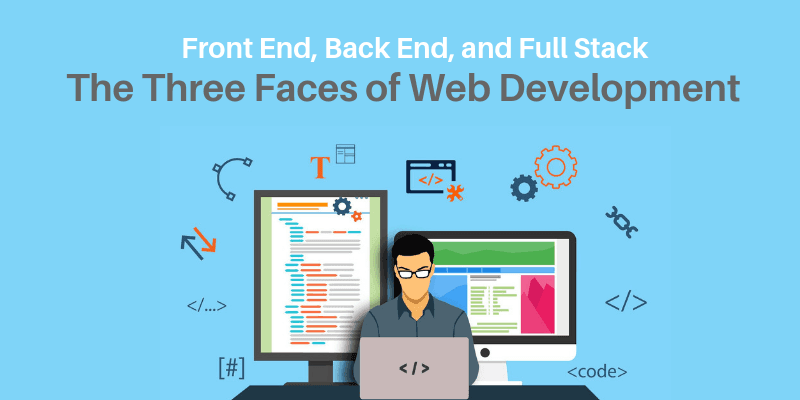 Rollback a few years and you would find that web applications were little more than digital catalogs. For the most part, they were static and as they had fewer footfalls, the risk and repercussions for crashing websites also used to be low. Those days it used to common for a single person to design, develop, and even host their website! But as the scale and complexity grew, web development has gradually moved from a generalist to specialist approach- giving rise to separate domains of frontend, backend full stack developmentBut that isn?t the complete picture. If you have ever scrolled through job portals, you would rarely find job profiles named Backend Developer or Frontend developer. Instead, the developers are generally associated with the technology they work on rather than on which end is it applied. Further, the rise of languages like JavaScript has further complicated the matter by blurring the line between the two, something we would discuss later. To get a clear picture, let?s first probe each of them and then we will try and come up with a generalized conclusion.
