5 Benefits of Personalized Video Marketing for your Business

5 Benefits of Personalized Video Marketing for your Business

Video marketing is always a perfect content material for many consumers online. Different statistics back this up. At least four out of five users on Twitter watch video content posted on their feed. A total of 500 million hours of content watches Youtube every day. Lastly, one out of two online users seeks for video contents of a product before deciding if s/he will purchase one.However, these kinds of videos should be compelling enough for people to leave a lasting effect. Thus, the creation of personalized video contents. These videos are building engagement opportunities to give a memorable experience to your audience. In this article, High Tower Video Production will give you five different advantages and benefits of using personalized video marketing. Sit back and continue reading, you may not know that this innovation might change your business.

1. Boosts Conversion and Sales

Personalized campaigns and contents have a significant impact on the performance of different e-commerce companies. The biggest benefit for personalized contents, especially videos, is boosting of conversions and sales.Both videos and personalized contents have huge impacts on conversions and sales. What will happen if you combine those two into one content? The potential for success is very high. Most marketers noticed a 20% increase in sales when they use personalized contents. Consumers have a 64-84% chance of buying a purchase after watching a video on the shop's site.Personalized video content is a good idea if you need more profit for your business. Also, the potential of having significant influence and higher sales and conversion rates is very likely.

2. Increases People?s Trust

Trustworthy and reliability is one of the many aims of every brand online. If you have achieved that image of your brand to your audience, it can give you a big lead from your competitors. Different contents can help you have a credible and reliable image, but personalized video contents can do the work for you.Personalized videos can give a compelling impression to your audience. With the combination of building a relationship to your audience and creating a memorable content for them, personalized videos can easily increase the trust of your audience to your brand ? not only that benefit but also leaving a lasting memory to them, which will make your content hard to forget and imprinted to them.Focus your video content on your customers' values, needs, and other information about them that should have a connection to your brand or products.

3. Appeals to Mobile Users

Videos appeal to different mobile and smartphone users. Videos are most likely watched through the use of a smartphone or any mobile device. Based on many research and studies over the past years, online users are very comfortable watching video content and longer contents through their mobile phones.With this data and information, you need to take advantage of this phenomenon. Since videos appeal to many users, your personalized video contents are perfect for mobile users. People are watching videos through handheld devices because of the experience brought by videos on mobile. Your brand needs to create a unique experience with the video content you are creating on their smartphones.

4. Converts Well on Facebook

Facebook has updated their rules and policies for having exposure for video contents on news feeds. Videos are perfect for Facebook. There are different ideas on what videos you can create for your Facebook marketing. You can either make paid video ads for your brand to widen the reach of your brand image or create video contents for your customers to build a relationship and strengthen your ties.Another idea is using the Facebook Live feature and create personalized videos with it. You can have real-time experience with your customers, and at the same time, it can be still viewed even after the live streaming. It is also important to make your first seconds of the video compelling and fascinating to sustain the attention of your viewers. Lastly, captions should also be interesting to draw your audience's attention. Facebook is mainly made for relationship-building and connection to people, use that wisely using your personalized video contents.

5. Effective Way of Communication

Videos are a perfect way to convey a message to your audience. Not only it is an interesting way to be a medium of a message, but also it can transmit a message because it is dynamic content and not static. Also, videos can help you angle a message based on its main aim. You can frame your message to be urgent or appealing depending on your video execution.

Final Thoughts

Personalized video contents are still on the rise in this generation of content creation. Its potential is also not measured to its highest point. However, it is sure that personalized video marketing can undoubtedly give you different benefits in your business. After reading these five different benefits, we hope that you will try to create one and have significant advantages to your business.
Best Suited WordPress Themes For Musician

Best Suited WordPress Themes For Musician

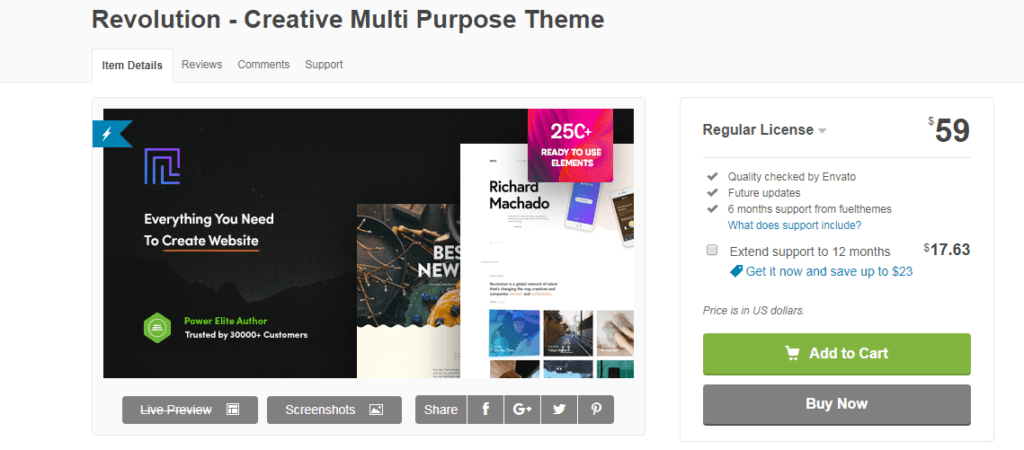
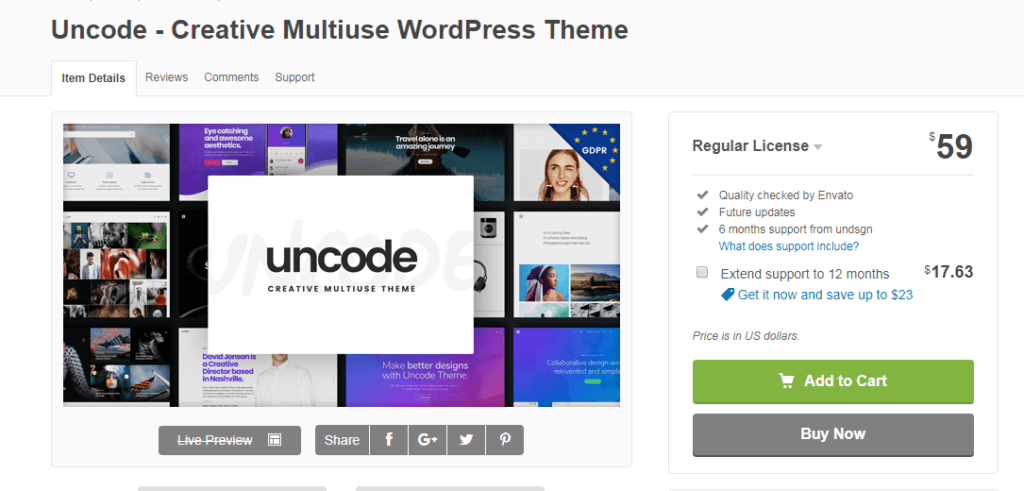
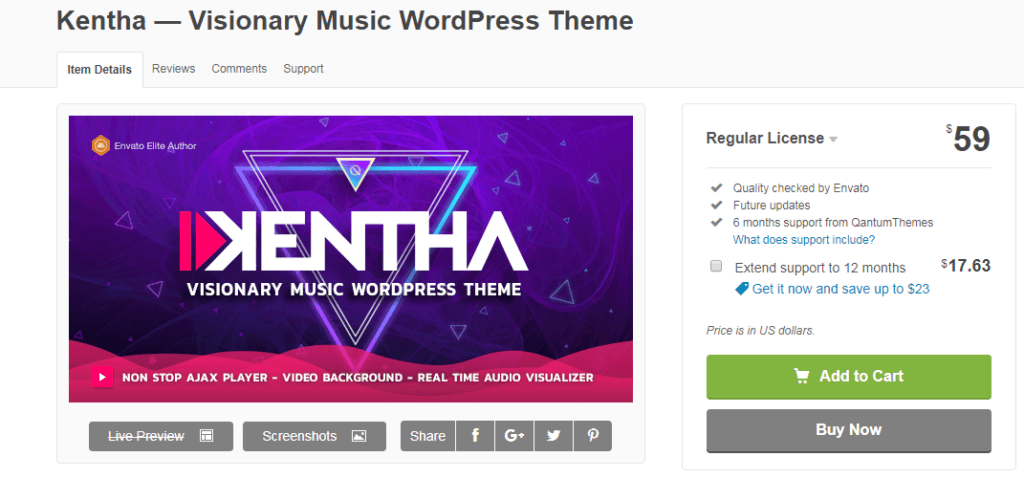
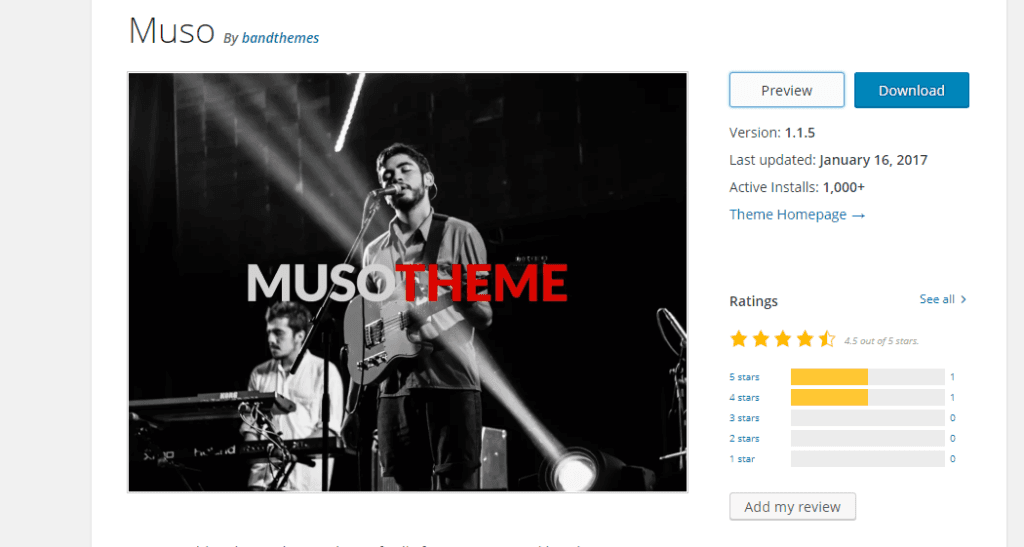
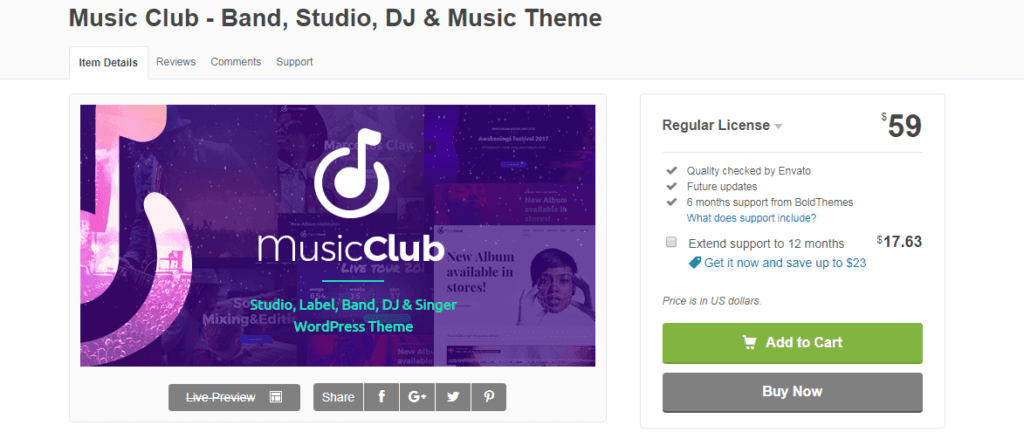
Are you interested to create your own website? Try WordPress because it is the most favored platform for developing a website. It became an effectual platform for young artists and musicians. There are ultimate options for customizing the website according to the requirement. To sustain in the digital world, you should have an online profile. When you will have your own webpage, it can provide you a competitive advantage. Having a personal profile or website can give you chance to interact with interested visitors. A number of WordPress music themes are currently available to use. You should always try to select a musician theme with artistic appeal and better functionality. If you want to maintain a balance between design elements and information which you want to display, let?s have a look at some brilliant WordPress music themes: Vicehttps://themeforest.net/item/vice-music-band-dj-and-radio-wordpress-theme/10067870Those who aspire to have an excellent WordPress music theme, they can select Vice. It has unique features to create an innovative and unique musical website. People who have just started their journey can take the help of video tutorials. It even helps in the creation of custom website landing pages and adds YouTube videos in the back for getting better attention from the viewers. StereoClubhttps://themeforest.net/item/stereoclub-nightclub-html-template/5455575Depending on the requirement of a music website, it can be the perfect choice for you. It saves your time and enhances your visibility among visitors. It makes this easy for you to provide details associated to the tour dates. Even, you can use logos according to your preference. It doesn?t require any coding, you can easily install it. Visitors will get the customized share button which will help them to share content. Amplifyhttps://www.mojomarketplace.com/item/amplifyFor designing an appealing music theme based WordPress website, you can definitely select Amplify. It is feasible enough that you can make changes according to you. Background, color, layouts, and templates can be easily customized depending on the website requirement. Revolutionhttps://themeforest.net/item/revolution-creative-multi-purpose-theme/21758544?ref=cirvitisIt is the most applicable WordPress theme for the musicians. It is suitable for both musicians and for rising talents. You can increase your presence rate whether you are managing everything on your own or you have a band. Revolution theme has everything to promote your music. You can add blogs, upload photo in the gallery and give updates about your tour dates. Obsidian https://wordpress.com/theme/obsidian/Obsidian can be considered as the modernly designed WordPress music theme that is mainly for the musicians. You can get enticing backgrounds that can be modified easily. It is featured with audio and video library sections which will help you upload your latest audios and videos. Uncodehttps://themeforest.net/item/uncode-creative-multiuse-wordpress-theme/13373220?s_rank=1It is a WordPress theme with multiple functionalities and is highly responsive. It is incredible to create a perfect music website because it is embedded in different qualities like revolution slider, layer slider plugins, and visual composer. It has at least thirty homepage demo sites with the amalgamation of a trendy portfolio and blog templates. Uncode enables to design unique statements for the layouts. Also, there is a possibility to add custom elements and shortcodes. Kenthahttps://themeforest.net/item/kentha-visionary-music-wordpress-theme/21148850This WordPress theme can be the ideal choice for music professionals. It is present with pre-built demos which can be modified according to the project requirement. There is no need to use any code during site creation. After you will select and install the desired demo, it is easy for you to implement modifications. Kentha is featured with full-screen video background and drag and drop playlist creator. Musohttps://wordpress.org/themes/muso/Muso is an appealing music theme which is present with a modernly designed logo. It can show the latest track from Soundcloud and have Carousel for the promotion of the tour dates. Music Club https://themeforest.net/item/music-club-musicbandclubparty-wordpress-theme/7017803Music Club is a viable WordPress theme for creating a music based site. It is useful whether you are a solo artist or you have music band. You can get a collection of features in a music club which can be enough to support your passion in all possible manner. There is an option to select from seven hundred Google fonts and icons. It comes with elegant concepts that lets you add headers, menu, and widgets.FWRDhttps://themeforest.net/item/fwrd-music-band-musician-wordpress-theme/12087239FWRD has been designed especially for the music professionals who are self-motivated. Multiple advanced features have been incorporated into it for the user-friendly experience. It facilitates you to play videos in the background. Due to responsive layouts, you may notice nonparallel effects on your website. Remixhttps://themeforest.net/item/remix-professional-music-and-musician-ajax-wp-theme/8473753The remix can be the most important asset for you if you want to have a WordPress music theme website for enhancing visibility among followers. It is capable enough in showing enticing effects that make your site more attractive. This is responsive in nature and allows you to add audio files. The features like the slider and visual composer are also integrated into it. Musisihttps://themeforest.net/item/wordpress-themes-for-musicians-bands-musisi/15492513Music provides you the eye-catching seamless pages that show videos with content. It highlights your current page and helps you to show the event related information. Whenever you want, your gallery can be updated accordingly.Surahttps://themeforest.net/item/sura-a-music-web-app-wordpress-theme/10993630It is a blend of appropriate qualities that make your site captivating enough for compelling the users to visit you. Sura has elegant layouts to design your website. It even has a white space for creating a comfortable music environment. Croma https://themeforest.net/item/croma-responsive-music-wordpress-theme-with-ajax-and-continuous-playback/15182698It is expedient and technically advanced for fulfilling the requirements. An artist who wants to get a better online presence can use it for creating their own online website. Croma has the HTML5 player block to facilitate followers with amazing music tracks. You can keep a record of every single activity such as event updates, location and pricing associated with it. Conclusion The list of different WordPress music themes has been given here so that you can choose the best out of them. By selecting the one that suits your requirement, you can have a better presence on search engines. Author Bio Bryan Lazaris is a WordPress developer working at HireWebDeveloper, a renowned company in India to hire WordPress developer. He holds several years of experience. He has a flare of writing that encourages his to update users with new technologies. Apart from giving technical content, he writes on other associated topics.
How to Integrate WordPress Video Tutorials on WordPress Websites?

How to Integrate WordPress Video Tutorials on WordPress Websites?

This post discusses Best Plugins to Integrate WordPress Video Tutorials on WordPress sites with an easy-to-follow process to make your content more engaging & user-friendly.

A huge number of business are swaging around the internet. It is not only because they have realized the cost-effectiveness of it, but new technologies have also encountered them in every couple of months. So, if you are willing to run a website then let me tell you WordPress is the best open source website creation tool which is written in PHP. It powers 20% of the web.So, now if you have planned to run a website on WordPress, it is great! But are you finding it hard to interface with site management and content creation? Then don?t worry. There are many integrated video tutorials which will help you to learn how to use WordPress in a few minutes. Of course, there are plugins which can simplify your learning experience by providing a video library by providing an easy setup for selecting videos to display to the users.

# Learning with Video is Effective

Using video for learning is practical in many ways. They are easy to create, easy to distribute, and can be re-used. Human brain process visual information in within few milliseconds. So, it is vital for users to create an effective video. The current rate of video use for online corporate training has been reported at 33.5%. The cost savings from video training is implied, and the convenience cannot be matched.Thus, if video training is enabled in WordPress especially for freshers, they will be more clear about how to use it. By integrating video tutorials in WordPress site, we are just meeting our users where they are.Here are some Best Integrated Video Tutorials Plugins for WordPress:-

1. CM Video Lesson Manager

This Plugin quickly manages the video courses and webinars for its users. It offers its administrators and users to leave a comment, track progress, and mark favorites. The plugin also supports pay-per-view channels for a limited period of time.CM Video Lesson supports watching videos generated on Vimeo Private Video Channels and displays videos on any page or post on your WordPress site. The best out of this plugin is that it supports payments, student tracking, personal notes, and bookmarks.Special Features of CM Video Lesson Manager:? Helps in seeking Vimeo channel and private videos? Provides the user to comment on each video description? Offers to bookmark the favorite videos? Allow the admin to edit plugin labels and set a price for watching channels? It provides the room for improvement as it shows progress report according to the user and channels visitors

2. Video User Manual

Video User Manual was built way back in 2008 and gives the end user both a video and online manual. The plugin offers to explain the functionality available to editors in the WordPress. It installs over 80 video tutorials in the client?s WordPress dashboard teaching them everything they need to know. The videos are entirely updated and use non-technical language and clear graphics which helps your clients to understand quickly.Best features of Video User Manual are :-? Easy customization, allows for the integration of your company logo and your videos.? Hide settings from admins which avoid troubles from lost or changed plugins by clients.? Simple and professional helps to paste the title, and the URL of your video into the options page and your video will then display.

3. WP 101

WP101 is amongst the successful WordPress tutorial series. It has been praised as the ?gold standard? for WordPress tutorials. It gives the user a substantial introduction about WordPress within few minutes. WP101 has 101 professionally produced videos and partnered with Yoast SEO.It allows the users to add the custom videos itself. The list appears in the bottom along with WP101 videos. The user can visit the settings panel and add new videos by just pasting the video embed code from the video hosting provider.The best out of WP101 features:-? Install on up to 5000 client sites depending upon the plan? It has 20 WordPress 101 videos.? Offers 13 Yoast SEO videos? It has white-labeled (i.e. no logos or branding, reinforcing your reputation and adding value to your business offering)? Closed-captioned videos which ensure everyone has equal access to our WordPress training.? Videos are automatically updated? Install on all your clients? sites? Fast-loading videos with no impact on your website?s server

4. Integrated Video Tutorial

WordPress Integrated Video Tutorials Plugin provides easy access to the entire WPMU DEV WordPress Video Tutorial library on the website or network. This product is available under the GPL License. The plugin offers to display tutorials network-wide on both the front and back end from the dashboard viewer to individual and group video embed codes.Its distinctive features are:-? Offers the latest information on premium quality? Hosted and Guaranteed: Each video is hosted on our powerful servers and is delivered with unlimited plays, unlimited bandwidth and is SSL compatible.? It is accessible and flexible i.e. it shows the videos from a sleek video player designed to blend with any theme.? It has one API for all your sites? Unlimited bandwidth and Plays? Offers customizable playlists? One-click contextual video access

5. WPLifeGuard+

WpLifeGuard?s is great WordPress video tutorials which help to learn using WordPress. It is simple and covers the WordPress dashboard which is ideal for anyone new to or experienced with WordPress. All you have to do is install LifeGuard+ Assistant on all your new client projects, and users can learn how to use WordPress just by watching the WP Lifeguard videos. The major drawback of WpLifeGuard plugin is that you cannot add your videos into the mix. The best out of it is that every time the user can get new updated videos.

Wrapping Up

All these plugins are of excellent and have some unique features in them. So how do you choose which one to use for your project? You can go through each plugin more in detail further and according to the depth of video coverage you want and customizability you are looking for then, you can go ahead.Author Bio:- Priya is a Technical SEO at Hopinfirst.com : SEO Company. ?She has 3 years experience in SEO, content marketing, and campaign management. she?s devoured every scrap of knowledge about search marketing and applies it daily as Technical SEO at Hopinfirst.
4 Ways To Benefit From Your Video Viewers? Short Attention Span

4 Ways To Benefit From Your Video Viewers? Short Attention Span

Video marketing can be effective and useful, but only if you do it right. This campaign started with long videos and advertisements people used to enjoy, but nowadays, the average viewer?s attention span is too short for them to keep up with a long video. You need to combat this by creating an effective ad which gets straight to the point in a matter of seconds. This can be very challenging and downright impossible, but it?s not all bad. There are still ways you can benefit from your viewer?s short attention span and improve your business.

1. Hook them immediately

In order to have a successful video, you need to pique the viewers? interest in the first few seconds of the video. Fail to do so, and the whole thing will be for nothing. Take cooking videos, for example. In order to keep people watching, they need to show the finished product first and then how to make it. If the video starts with the making process right away, the viewer isn?t likely to stick around and risk wasting a few minutes and not like the finished product.Of course, it?s not always possible to catch the viewer?s attention in the first frame. It all depends on the kind of video you?re making. That being said, a good rule of thumb is the 8-second rule. If you don?t hook them in the first eight seconds, try again.

2. Opt for short videos

Shorter videos go hand in hand with a short attention span. With a short video, you don?t have to focus on the story as much as on the message. It needs to be something meaningful but only lasting a couple of seconds. That allows you to get straight to the point.It?s always a good idea to pique their interest by using emotions.?Companies that specialize in creating short but impactful videos like 1 minute media suggest you make your video emotional, and you?re bound to get a response.?From anger and sadness to love and happiness- it?ll all at your disposal.

3. Create a strong title

The title can set the tone for the whole video. It?s the first thing the viewer will see so it needs to be captivating and engaging. The title is what draws your clients in and makes them want to look at the video. Try to be as creative as possible. The best titles make statements and provoke people. This kick-starts the thinking process and makes your audience unable to resist watching the video.It?s also a good idea to stay away from tacky titles which seem like click-bait since more and more people are appalled with this method and avoid titles like that. That being said, if you want to reach a certain type of audience, your title should be a bit more specific. This way, it?ll be more relevant for your target audience and make them want to engage with the content.

4. Stick to your brand voice

If you make your video align with your brand voice, you?re more likely to get a response. After all, you?ll seem honest and authentic as well as relevant. People like a consistent story, so sticking with your voice will make them trust you more. What?s more, this means you can skip the introductions and the story entirely.People are already familiar with your brand and what it stands for, so it?s redundant to point that out again in your videos. If your brand is all about family values, your shorts should feature families having fun together and enjoying each other?s company, for example. You can even create a series of captivating sequences with the same characters to keep your viewers coming back. Of course, you need to be extra creative to pull this off.

As you can see, the only thing that has to change is your approach to the issue. When you stop looking it at as something impossible and tiring you have to figure out, you?ll start making progress. After all, marketing has always been a puzzle, and this is just a new piece of it. Benefiting from your viewer?s short attention span may seem hard in the beginning, but with the right attitude, you?ll draw them right in.
Tips to Get Right Hosting For WordPress Site

Tips to Get Right Hosting For WordPress Site

The WordPress development company has developed a superb platform for business owners to develop amazing websites for their personal or professional use. Now, for our WordPress website, it is important to select the right hosting provider so that our website can function very well.For selecting the right web hosting provider for your Custom WordPress development site, you should check the below-mentioned criteria which will help you to select the perfect host for your site.
  • Check the Speed and Performance
Good hardware is essential to get great quality of service from the web hosting provider. The overall performance of the website will depend on the memory, processing power and disk space made available to you by your hosting provider. The usage of the CPU and the RAM will depend on the type of content that you have on your website and also on the number of visitors at one time. The hosting plan should be selected properly as we can?t afford the site to go down when a higher number of visitors arrive on your site and the server is not able to handle all the requests simultaneously.Most of the hosting companies provide unlimited disk space so disk space is not an issue. The ability of the host to provide quick information to your visitors, i.e. the transfer speed will be the vital component that will be counted. The best web host will be the one who will be able to keep the data transfer time of your site low even under high load. You can check the load of the server?s CPU, the RAM and how much disk space is allocated to you. You can check it from the dashboard of the host and you can think of upgrading it too if you get low usage.
  • Check the Support they provide to Customers
Customer support is very much beneficial when you are setting up the website and also throughout the plan for maintenance purpose. You will need less support if you know the WordPress installation, security, migration, site backups, caching and restoration.But, even if you know everything, there are chances of messing up everything and it is always advisable to select a host who provides the best support. Most of the web hosting providers provide some degree of support via the telephone, live web chats, emails, support forums, and support ticket system.The best support service is the one that provides quick solutions for our problems and that too in a very lucid way.
  • Check the UpTime
Most of the web hosting providers have uptimes in excess of 99.5%. Most of the web hosting companies have excellent uptimes. But, you should check the uptime for various web hosting providers and select the one having a very good uptime.
  • Offsite BackUp and Recovery Facility
In case, your website gets damaged by the hackers and they try to steal your private information and data of your customers, you should be able to restore all the data back through backups taken on the server.
  • Caching
Some web hosting companies provide caching for increasing the speed. In-house caching includes caching on both the client and the server side. There are various plugins available that can help you with client-side caching. So, caching is also an important element to be checked while selecting the web hosting providers.
  • Other Criteria
Check out the version control repository. This is the element that interests the developers. Check the best CDN service while selecting the web hosting provider. Also, check the security features. You can easily get the idea of how robust their servers are by checking how many times they have been hacked. Also, check the physical location of the data center. The closer the center is to the majority of the visitors to the website, the good it will be.The above criteria will be enough for you to select the right web hosting provider for your Custom WordPress development site. Check the services provided by different hosting providers and select the best which fulfill the above criteria.Now, once you have selected the right host, you can decide what kind of hosting you want. You have to select the right host according to the requirements of your site.There are 4 different types of hosting service provided by the hosting providers. They are different from each other in terms of features and plans. There are free web hosting services also available but they have some limitations too as compared to the paid ones. If you want to create a very good website and serve your customers with it then you shouldn?t include the free hosting plans. ?Select the web hosting provider and make a very professional site for your business with this platform provided by the WordPress development company.Author Bio : Harshal Shah has an countless experience as being a CEO of Elsner Technologies PVT. LTD: WordPress Development Company that offers various web development services to the clients across the globe. Mr. Harshal is an huge tech enthusiastic person who has written major & genuine articles as well as blogs on mostly topics relevant to various CMS platforms. This can guide the readers to acknowledge new practises about web development and also they can learn new ideas to build & optimize a website online using multiple web development tools & techniques.