If you are looking for a post that breaks down how to build a website from scratch in a detailed step by step guide, then you're in the wrong place. However, if you are someone needs a website for their business, and want to know exactly what to ask for when commissioning a site, all you need do is read through the five categories below.
UX
The first thing that you need to ask for and have an understanding of is UX, short for user experience. What this relates to is how the person accessing your website will use it and get the most out of that experience.
What that means is that this part of web design is related to creating the infrastructure of your site, including things like wireframes, user flows, and task flows as practical as possible. This being something that will require extensive research, critical thinking, and testing from your design professional.
In fact, it is a pretty complicated process, but what you need to remember when it comes to UX is that this stage of the design process is all about making sure the people that you want to most use your website are considered and factored into the way it's created. Something that is used to help improve customer engagement and interaction and so can positively affect your business.
UI
UI or user interface is another element of website design that those commissioning a project will need to know about. In fact, you will often hear of UX and UI being talked about in the same breath as they are closely related.
However, UI differs from UX in that it is primarily focused around the visuals of a website, something that means it has a lot in common with graphic design. In fact, the critical areas of UI that those commissioning a website need to be aware of include branding, layout, and even the icon and illustration styles that are used.
Apart from UX and UI, there are other things that those looking to have a website created for their company need to have a good grasp on. One of these things is SEO or search engine optimization.
SEO is the process by which websites are found and displayed by search engines such as Google. Of course, this is a prime concern to all business owners because they will absolutely want their company to be found easily by potential customers.
In fact, research has shown that those businesses that are able to use SEO to get their business displayed on the first page of a search engine will have the higher rate of clicks thoughts than any other page. Put simply, this means if your business shows up first, you are likely to get the lion's share of customers.
Of course, there are some things that aren't directly linked to web design that you can do to improve your search engine ranking, such as use an SEO agency for content marketing. Although, it is also vital that SEO be factored into the design of a website at its creation as well, as this can help to strengthen your rankings and ensure our business always ends up above your closest competition.
Images
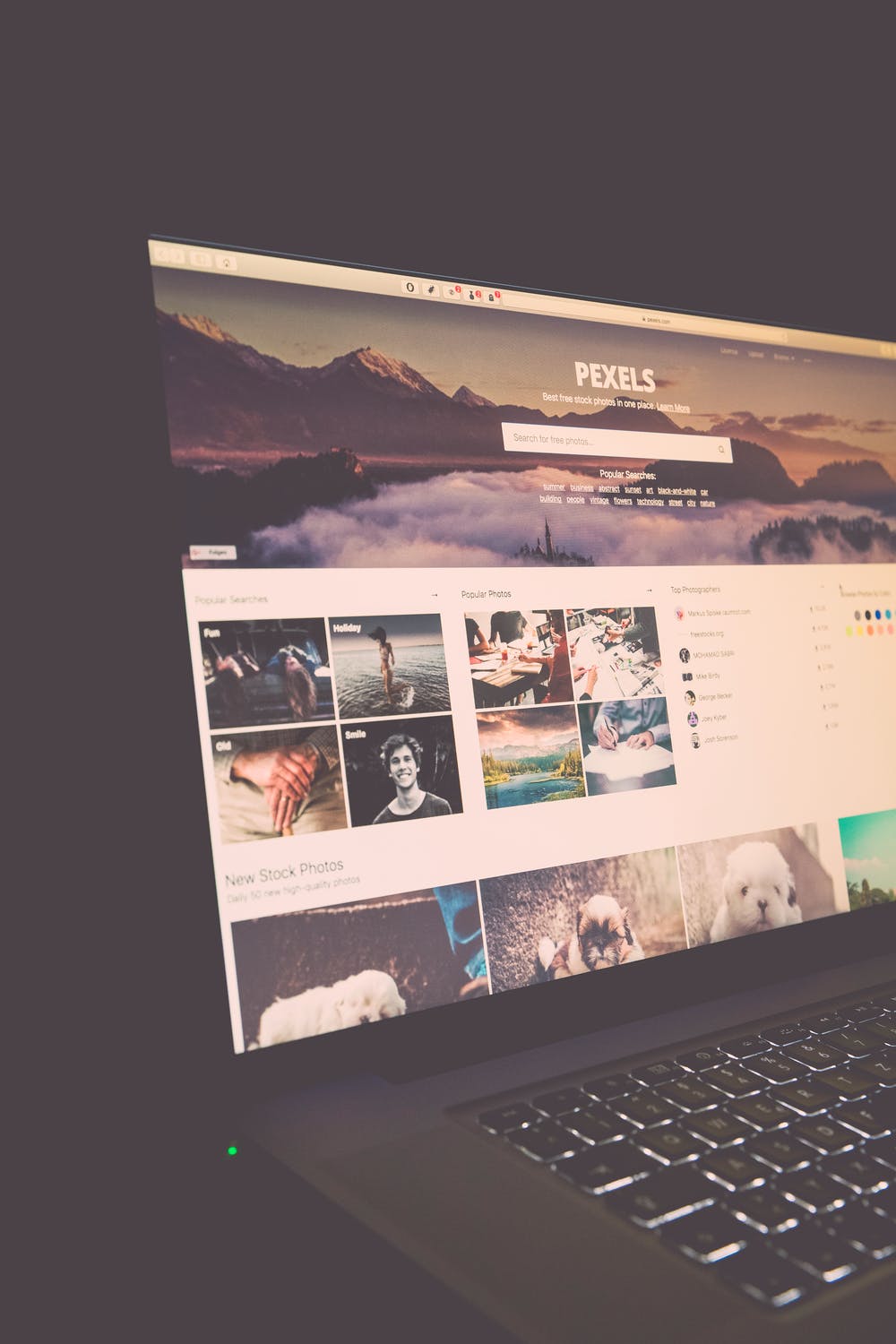
Those commissioning a website will also need to consider what type of images they want to include, something that often sits just outside the realm of UI and in its own domain.
Image here
In fact, it is crucial to carefully consider the use and style of images displayed on your website because not only will they set the tone for what you are trying to convey, but they can also provide an added layer of engagement and interaction as well. Something that once again will have a massive effect on how successful your website is.
Mobile optimization
Finally, if you are looking to get a website created for your business, you must also understand that it will not only be viewed on people's desktop computers. In fact, the vast majority of users will access your business's site on a mobile device such as a tablet or smartphone. What this means is that it's imperative you check that the person that is designing your site will include mobile optimization in the package they are offering.
Image source
In fact, if they don't, then you will need to ensure that you specifically request it. Otherwise, you could have the best looking and performing site, that can easily be found, but that ends up looking awful for most of the people visiting it. Something that certainly won't do your business much good!
The glitz, the glam, the glorious design elements that make your website look like a million bucks. When contemplating a website redesign, it’s easy to focus only on those features that are appealing to the eye.
Unfortunately, redesigning a website isn’t simply an exercise in aesthetics. Sure, the purely visual elements of your newly designed website will likely get the most attention, but remember: a great website redesign also requires that you consider (and improve) what’s under the hood.
A flashy exterior doesn’t help much if the actual machine fails to function. If people can’t find your website via search, or if they can’t intuitively navigate through your site’s pages and easily understand what information those pages contain, it doesn’t really matter how beautiful it looks.
When it comes to your website redesign, form and function need to be a package deal. So while you should absolutely incorporate that new color scheme and add that big beautiful hero image to your homepage, don’t forget about what’s happening behind the scenes.
To ensure your new site will truly resonate with your target audience -- and to save yourself from some major headaches down the road -- you need SEO to be ingrained in your redesign strategy from the very beginning.
"The most common SEO mistake that I see marketers make when redesigning their websites is not involving the SEO team early in the process," says Jeff Ferguson, CEO of Fang Digital Marketing. "All too often, when we’re brought in for SEO work on a redesign, it’s often late in the process, such as when the site is being coded or even totally complete ... The advice that usually needs to be passed on at this point will most likely cost the company much more in design, coding, and more."
Laura Hogan, marketing director at OverGo Studio, takes a similar view. "If you don’t have SEO in mind from the initial strategy session, you’re going to lose what you took so much time and effort to build. Everything from the structure of your website to the meta description of your website pages is important and should be taken into consideration."
So, how exactly do you make sure SEO is incorporated into your redesign strategy from the very beginning? Here are a few items to add to the to-do list:
Do an Audit of Your Existing Site
Before you bust out the wrecking ball and start demolishing your soon-to-be-forgotten site, make sure you take the time to examine and audit your site to determine what’s working and what isn’t. Here are some key metrics you may want to consider:
Number of visits/visitors/unique visitors (monthly average)
Top performing keywords (in terms of rank, traffic, and lead generation)
Number of inbound linking domains
Total number of total pages indexed
Total number of pages that receive traffic
Armed with this knowledge of how your existing site is performing, you'll be able to make informed decisions about which of your pages should stay, which ones should go, and which ones should get revamped or reorganized during your redesign.
Identify (and Include) Commonly Used Keywords
It’s a new era for SEO, an era where you can no longer keyword-stuff your way to search ranking success. Nowadays, if Google finds out that you are blatantly overusing (or hiding) keywords on your site, your credibility (and rankings) could take a serious hit.
However, this doesn’t mean that keywords are totally irrelevant. In fact, if you’re doing what Google wants you to do (creating high-quality content), keywords will work there way naturally into your website’s pages. To quote from Google directly:
“In creating a helpful, information-rich site, write pages that clearly and accurately describe your topic. Think about the words users would type to find your pages and include those words on your site.”
Consider Your URL Structure
If your site is littered with lengthy, indecipherable URLs that don’t align well with the actual content of your site pages, restructuring your URLs should definitely be a priority during your next website redesign.
Wondering where SEO comes into play here? Just like the searchers themselves, search engines prefer URLs that make it easy to understand what your page content is all about.
A general rule to follow when creating your new URLs: use dashes (-) between words instead of underscores (_). Google treats dashes as separators, which means it can return results when you search for a single word that appears in a URL and when you search for a group of words that appears in a URL. This means that Google sees the individual words in the URL inbound-marketing-tips.com, which means the website could show up in searches for terms like "inbound tips," "inbound marketing tips," "marketing tips," etc.
In contrast, Google treats underscore as connectors, which means it will only return results when you search for a group of connected words that appears in a URL. So Google reads the URL inbound_marketing_tips.com as inboundmarketingtips.com, which changes how often the site appears in search results.
The bottom line: Using dashes creates more opportunities for your pages to be discovered.
Opt for a Responsive Solution
As Google’s preferred configuration for mobile-optimized websites, responsive design is your best option for delivering a great search and browsing experience to mobile users.
With responsive design, all of your website’s URLs are the same across all devices, and they all serve up the same HTML code. This isn’t the case with other mobile configurations, like setting up a separate, mobile-only site (which requires a different set of URLs) or implementing dynamic serving (which uses the same URLs but serves up different HTML).
With responsive design, the only thing that changes across devices is the styling (which is controlled by CSS). This configuration makes it easier for Google to crawl your pages and retrieve your content.
Have any website redesign and SEO tips you'd like to share? Sound off in the comments section below!
Erik was a Sr. Content Strategist and launched HubSpot’s first-ever Medium publication, ReadThink (now ThinkGrowth.org). Erik is now taking a break from the tech/marketing world to tackle some passion projects.
There is a great deal of merit that surrounds rebranding. A proper rebranding strategy can reinvigorate a company, it can resurrect it, give it new life. With the appropriate rebranding, you will be able to, in a way, start from the beginning, but a stronger foundation. Logistics, contacts, networks, staff, you will practically keep all, if not most, of everything you have, while still being able to try out new things.
However, there are many instances of a company rebranding too soon, or for no good reason, and then getting into trouble. From BP oil setting up a condescending rebrand and campaign to the money Gap wasted on flip-flopping with their own logo. Rebranding is an expensive and complicated procedure, and if you do it too soon, or too hard, or too often, you will just end up losing money and time. So, below you can find our top tips on how to figure out whether you need a rebrand done or not.
Your mission, and peoples' perceptions
Branding isn’t just about looking cool. It’s also not about trends, about colors, fonts, about an obsession with design. Your brand isn’t even really your logo. What it is, is a message. These are all elements that are supposed to communicate your message, they are channels that remind people that the service they are using, and the product they are buying, is made by you.
Now, the main issue here is figuring out your mission. Namely, in order to have your rebrand be effective, you must at all times be certain what your mission is, what your company stands for. Otherwise, you won’t really achieve much with your branding efforts. So, figure out what you want to communicate through your brand, how you want people to look at you and your company. And if you are unsatisfied with how they perceive you now, then it’s time to change. Now, the reason behind your dissatisfaction can vary. This can be anything from perhaps mistakes that have been made, or perhaps your competitors ruining the entire reputation of the industry, right down to simply propaganda or bad luck. Whatever the reason it happened, it’s now up to you to just change things up.
Now, there is however a slight caveat to this point. Namely, it depends on who has actually started looking at your brand differently. Random tabloid journalists, celebrities without any clout in your market, or your target audience and industry experts? And on that note…
When your target audience changes
You, of course, rely on your target audience, there are no ifs, ands, or buts about that. They are, in fact, the people who buy your products, who pay for your services. So, if your target audience changes in any way, you need to make changes as well. As you evolve, so does your target audience.
Now, the reasons behind the change can vary. Perhaps your original audience just became older. YOU may have targeted teenagers and, as time went on, they grew up. This leaves you with choosing one of two things. You can either focus on teenagers continually, preparing your products and marketing efforts for new generations, or you can change things up and stick to your core audience.
When you change your focus
The second issue is not so much your audience changing, as you yourself wanting to change. This can be anything, from branching out, to changing your own products and services. Perhaps you are not inspired anymore with the line of work you are currently doing. Or maybe you want to dip your toes in other waters. Maybe you want to try targeting a new demographic, like people over 45, for example, instead of just sticking to young adults. Maybe you prefer targeting another country, and so need to tailor your marketing efforts in that direction.
This is much harder than it sounds, though. You need to get the right marketing team, get your research done, and actually do all the logistical work that leads to a rebrand. Of course, you can delegate. So, you can, for example, hire the services of a good company, like getting some Orion Creative graphic designers to help you out, and focus on other things. You will spend less time on trivial things, and more time on leading the company or your team.
The times they are a changing
The entire point of having a brand is to communicate your message, as we’ve mentioned. However, if you want to get your business noticed, in a positive way, you need to do the work and change things up when needed. Perhaps your logo is now considered old fashioned. Perhaps your slogan can now be interpreted as outdated, or even offensive. Whether people are becoming more sensitive, or perhaps more aware, it doesn’t matter. For example, the Washington redskins’ name controversy is an excellent example. People have become more self-aware, and a bit more mindful of how certain words are used nowadays. As the term “redskin” is now considered more universally offensive, the team’s manages now have to deal with this issue.
On a simpler note, perhaps your logo is now ugly. A detailed and artistic representation of your company is now seen as gaudy, and minimalism is taking over. An excellent example is comparing Apple’s old logo, with its modern one. The old logo represented Isaac Newton sitting below a tree. The new one is a simple, 2D apple. And we all know which one reminds us of which.
Conclusion
So, proper rebranding can be a godsend. It can reinvigorate your company, push you forward towards new avenues and markets. It can save a company from the brink of collapse, but also make a successful business even stronger. The point here, however, is that it’s not that easy. It requires a lot of work, time, and dedication. For this reason, you need to think long and hard on whether you need to do a rebrand or not. Figure out if its time for a change, check your market, think about what your new goals are, and act accordingly.
Aspirant Graphic Designers are not required to have a professional degree to create astonishing designs. What matters the most is a great mind to work as a graphic designer and some technical knowledge. Thus, it does not matter whether you have a professional degree or not. Here are some tips if one wishes to work as a graphic designer.
Add Flavour through the Color Palette
Colors have a major role in enhancing the design. Using different color patterns as per the requirement can have a positive impact on the audience. You can choose a color palette of your own choice by using Color Hunt and Colors. They allow you to choose your color palette just by adding the hex code for the colors required. These sites are popular among Graphic Designers in Chennai.
Don't get entangled with the Fonts.
Making a design understandable for the audience is the main objective as a designer. Using various fonts in a single design can extract beauty and aesthetics from it. You can go for one or two typefaces, which makes it pleasing to the eye of the audience and can be understood easily. Messing up with different fonts for different content can pose a threat to the design.
Use Your Creativity
Being a designer requires innate creativity. Thus, bring out all your creativity to your design and at the same time keeping a distance from trending design patterns. Furthermore, explore all the design tools and options available with you at a given time. All of this can be achieved by using good color patterns, having a simple approach to the text and majorly as per your style rather than having a look at others.
The Composition as a Focal Point
Any design or image is created to reveal a story behind it. Arrange your content as well as images used in the graphic design to allow the audience to have a clear look at it. The composition can be altered using different elements of graphic design like the proper placing of text, using colors to add warmth and adding large text.
Stick to simplicity
Simplicity in designing terms means using basic elements and not creating a mess by adding irrelevant matter. Non-designers often fear of leaving blank spaces which forces them to add irrelevant content.
In fact, leaving some white space can enhance the beauty of the design. Mobile companies follow this pattern while crafting banners for advertising. Graphic Designers in Chennai focus on using blank space to enrich their company’s design. Rather, they are specially taught about the worth of having blank space in graphic design. This way, attention is mostly on the generated content.
Contrast: A Key to Every Lock
Contrast is an unavoidable element in graphic design. It creates an indelible impact over the audience for it reflects either positive or negative theme behind the design. Contrasting designs can be generated using filters or following basic color patterns, like a bright background is followed by dark font or using Canva and Moose to add contrast.
Have Symmetry to the Design
Symmetrical work is often pleasing to see and is a great option to adorn your graphic design. You can adjust the elements in the design in a symmetrical pattern. It brings balance to the elements laid out in the design.
Ensure Consistency with the Images
While creating a graphic, it is required to be consistent with the quality frames, colors, and proportions used. It ensures that the theme behind the design is highlighted.
Hermit Chawla is a Marketing Manager at Sprak Design. He would love to share thoughts on Top Graphic Design, Lifestyle Design, Branding Firm, Exhibition design etc..
Deluxe web design is the best way for a small or medium sized company to make a mark online. The large target market can be easily tapped using unique responsive designs that retain attention. These designs have many benefits for businesses and users. Here we discuss the benefits of deluxe responsive designs:
1- Increased Mobile Traffic
More consumers are shopping online. From needles to cars they are buying whatever they need online. This is due to the savings online shopping offers. Besides being more convenient, it offers an easy way to price shop. With deluxe responsive websites, your goods and services can be easily viewed on all size devices. Users will never come across distorted tables or images and will have a good experience with your brand.
2-Quick Development at A Lot Less
Business owners prefer to spend less money on marketing and therefore opt for responsive web designs. This helps them save money for other things. Cost of development is also low as compared to creating two or three versions of a website to fit various screen sizes. Maintaining two separate websites can also be expensive. So, it is best to go with just one. The latest technologies are more preferable, and businesses need to stay with the latest trends and give up the obsolete ways.
3-Decreased Cost of Maintenance
With a single website to look after, business owners have to pay less for website maintenance. The layout will be optimized by web designers and developers who use modern testing methods to ensure you get a high-quality layout. You will be paying fewer labor dollars if you opt for responsive web designs. You will not need two content strategies or two teams to handle the two separate versions. With less time to spend on website maintenance owners can focus on more important aspects of running the online business such as social media marketing or press releases.
4-Less Load Time
If your website takes a long time to load, get it revamped altogether. Get a responsive design developed as it will load faster on both mobile phones and on the desktop. A mobile user gets frustrated if the web pages take longer than a few seconds to load. If you have two separate versions to a website, it is very likely that the web page is not optimized for cell phones or tablets. Instead of losing visitors, get a responsive design so the site loads fast and the guest can see what you have on offer. Designers will use the caching and responsive image display techniques to ensure your website loads fast. This will ensure you do not have any missed business opportunities.
5- Decrease the Bounce Rate
When a guest stays at your website for longer, your bounce rate will be low. A responsive website is easy to load and is easy to navigate. Visitors are able to stay at such sites for longer. With better site engagement your guest can come closer to your goods and services. This will help them come to a buying decision.
6- Conversion Rates Will Improve
Deluxe responsive sites enhance user experience. When guests will have a good experience with your brand they are likely to return back and make purchases. If you have a newsletter subscription form they are more likely to fill it out at a site that is easy for them to use. They will take all the actions on the website you want them to. A single secure professional looking website will bring in better conversions.
7- Easier Monitoring
Users go through various redirects, conversion paths, and funnels. With multiple versions of a website, it is difficult to monitor their movement. If you have a single website, you can use Google analytics to learn what percentage of the total traffic is coming from mobile phones or desktops or tablets. This way it is easy for you to learn how your website is performing on various devices.
8- Users Get A Positive Experience
Your website is your brand ambassador. When all looks good at first glance your impression will be good. This will help build a level of faith in guests and they are likely to trust the brand over others. When users have to zoom and pinch they are sure to never return.
9- Get Better Rankings
Google prefers responsive designs and likes a website that is optimized for mobile phones. Mobile friendly websites can have better rankings as compared to other sites. The load time is quick, and they have better bounce rates. With high-quality content and good backlinks, it is easy for any such website to improve their rankings. There will also be no issue of duplicate content as is the case with having separate websites for desktop and mobiles. This affects rankings in a negative way.
As referred by whatis site, a website is a related collection of World Wide Web (WWW) files that includes a beginning file called a home page. A company or individual tells you how to access your website by providing you with the address of your homepage. From the home page, you get to visit all other pages on their site. Websites help you grow business and is about being digital in this era where everything out there is on digital platforms. It is imperative to learn how to make a responsive website.
Web design is the designing of how your website will look online, and what feelings does it give, is it justifying the product of the website, or is it totally out of context? Having an intelligent design for your website is the essential part of your site because your website is your brand, and that is what gives your business. Web design means having skills, discipline and art of maintaining it. Web designing and Web development are part of one tree; web design is a broader category of web development. There are plenty of web design services available out there giving solutions.
Here are a few helpful web design tools to help you:
Photoshop
Photoshop is a very all-around tool; although it is not free, it does give you an experience of having the whole device by yourself and explore it the way you want it to. Photoshop helps you build customized graphics from scrape. You can mix up multiple images and group them, apply filters in them or convert them, resize or do recolor. Photoshop is a very fantastic tool for making the design for your website attractive, but you need the skills and knowledge for the same.
Sketch
Everyone has almost heard about this, as it is also one the best in the web-designing tool list. Sketch offers a clean and manageable space to create amazing designs for your website. It is much easier compared to other web development tools. Sketch has a feature of small documents, which keeps the documents very much sorted and mess free. There is a built-in grid feature which makes sketch help us create great designs. The plugins that sketch has to offer which make the work fast and easy. It is also said to be the all-round winner for web design.
Wirefy
Wirefy is said to be one of the web design software for building a great responsive website. Creating wireframes without having any worry and without having any issues, it is easy to do it with Wirefy by having minimal knowledge of CSS and HTML. Wirefy has several snippets and templates to offer which are scaled as the browser is rephrased working across multiple devices. If for your content plays a significant role in your web design that Wirefy is the one the best professional web designing software.
Figma is an interface design tool. It gives you the freedom to collaborate in real time with multiple users. Figma has both free, and a paid version depends on what you want to use it for. Both have their benefits. Creating icons for an article for the website is one of the most beautiful features of Figma, and it also offers you collaborating and sharing your design or graphics with others within the app. This app is a user-friendly app and easy to learn. It is a free website builder.
Bootstrap
Bootstrap is a front – end component library to build responsive web design css. Developing CSS, HTML, JS is a difficult task when you do it for the first time, but with bootstrap, it is easy as it is an open source toolkit. Building your web with their sass variables mixins, responsive grid system, extensive pre-built components, and powerful plugins makes it super attractive to even work on this tool, and also the output is excellent. It’s one, the best website development tools, providing a lot of components to build your website.
Squoosh
As innovative as its name, this google web designer free download tool is the most helpful for the web designers to compress or resize their images without the fear of losing on the quality of the image. It is an exciting way of operating this tool you have to drag and drop the image and keep swiping for the exact compression and size that is needed for your website. The best part about this tool is that it is available online and offline too.
Canva
Canva is so far the best free website designing tool, which has impressive features to offer. People who are super keen on using infographics on their website as it attracts the audience much faster, and they can relate to it more. Canva provides the designers and non – designers both a fantastic experience in making a graphic, whether it is for digital or print. Images are like the lifeline for any website, and when you have a boon-full tool like Canva, it’s a win-win situation.
Conclusion
Having a responsive website tool for your website is so much essential to growing in the industry. We are becoming so advanced day by day that there are so many new devices, tools, apps being developed with brand new features, latest technologies that we do face challenges to cope up with these, but being provided by such great tools to help us, it becomes a cake walk.
Author Bio:
Maria Brown is Chief Content Editor, Blogger and maintaining Social Media Optimization for 21Twelve Interactive which is one the top Mobile App Development Companyin India and USA. She believes in sharing her strong knowledge base with a leaned concentration on entrepreneurship and business. She also writes for Top Mobile App Development Companies. Follow her on @Twitter.
Web design is the designing of how your website will look online, and what feelings does it give, is it justifying the product of the website, or is it totally out of context? Having an intelligent design for your website is the essential part of your site because your website is your brand, and that is what gives your business. Web design means having skills, discipline and art of maintaining it. Web designing and Web development are part of one tree; web design is a broader category of web development. There are plenty of web design services available out there giving solutions.
Here are a few helpful web design tools to help you:
Photoshop
Photoshop is a very all-around tool; although it is not free, it does give you an experience of having the whole device by yourself and explore it the way you want it to. Photoshop helps you build customized graphics from scrape. You can mix up multiple images and group them, apply filters in them or convert them, resize or do recolor. Photoshop is a very fantastic tool for making the design for your website attractive, but you need the skills and knowledge for the same.
Sketch
Everyone has almost heard about this, as it is also one the best in the web-designing tool list. Sketch offers a clean and manageable space to create amazing designs for your website. It is much easier compared to other web development tools. Sketch has a feature of small documents, which keeps the documents very much sorted and mess free. There is a built-in grid feature which makes sketch help us create great designs. The plugins that sketch has to offer which make the work fast and easy. It is also said to be the all-round winner for web design.
Wirefy
Wirefy is said to be one of the web design software for building a great responsive website. Creating wireframes without having any worry and without having any issues, it is easy to do it with Wirefy by having minimal knowledge of CSS and HTML. Wirefy has several snippets and templates to offer which are scaled as the browser is rephrased working across multiple devices. If for your content plays a significant role in your web design that Wirefy is the one the best professional web designing software.
Figma is an interface design tool. It gives you the freedom to collaborate in real time with multiple users. Figma has both free, and a paid version depends on what you want to use it for. Both have their benefits. Creating icons for an article for the website is one of the most beautiful features of Figma, and it also offers you collaborating and sharing your design or graphics with others within the app. This app is a user-friendly app and easy to learn. It is a free website builder.
Bootstrap
Bootstrap is a front – end component library to build responsive web design css. Developing CSS, HTML, JS is a difficult task when you do it for the first time, but with bootstrap, it is easy as it is an open source toolkit. Building your web with their sass variables mixins, responsive grid system, extensive pre-built components, and powerful plugins makes it super attractive to even work on this tool, and also the output is excellent. It’s one, the best website development tools, providing a lot of components to build your website.
Squoosh
As innovative as its name, this google web designer free download tool is the most helpful for the web designers to compress or resize their images without the fear of losing on the quality of the image. It is an exciting way of operating this tool you have to drag and drop the image and keep swiping for the exact compression and size that is needed for your website. The best part about this tool is that it is available online and offline too.
Canva
Canva is so far the best free website designing tool, which has impressive features to offer. People who are super keen on using infographics on their website as it attracts the audience much faster, and they can relate to it more. Canva provides the designers and non – designers both a fantastic experience in making a graphic, whether it is for digital or print. Images are like the lifeline for any website, and when you have a boon-full tool like Canva, it’s a win-win situation.
Conclusion
Having a responsive website tool for your website is so much essential to growing in the industry. We are becoming so advanced day by day that there are so many new devices, tools, apps being developed with brand new features, latest technologies that we do face challenges to cope up with these, but being provided by such great tools to help us, it becomes a cake walk.
Author Bio:
Maria Brown is Chief Content Editor, Blogger and maintaining Social Media Optimization for 21Twelve Interactive which is one the top Mobile App Development Companyin India and USA. She believes in sharing her strong knowledge base with a leaned concentration on entrepreneurship and business. She also writes for Top Mobile App Development Companies. Follow her on @Twitter.
We use cookies to improve your experience on our site. By using our site, you consent to cookies.
Cookie Preferences
Manage your cookie preferences below:
Essential cookies enable basic functions and are necessary for the proper function of the website.
Name
Description
Duration
Cookie Preferences
This cookie is used to store the user's cookie consent preferences.
30 days
These cookies are needed for adding comments on this website.
Name
Description
Duration
comment_author
Used to track the user across multiple sessions.
Session
comment_author_email
Used to track the user across multiple sessions.
Session
comment_author_url
Used to track the user across multiple sessions.
Session
Google reCAPTCHA helps protect websites from spam and abuse by verifying user interactions through challenges.
Name
Description
Duration
_GRECAPTCHA
Google reCAPTCHA sets a necessary cookie (_GRECAPTCHA) when executed for the purpose of providing its risk analysis.
179 days
Google Tag Manager simplifies the management of marketing tags on your website without code changes.
Name
Description
Duration
cookiePreferences
Registers cookie preferences of a user
2 years
td
Registers statistical data on users' behaviour on the website. Used for internal analytics by the website operator.
session
Statistics cookies collect information anonymously. This information helps us understand how visitors use our website.
Jetpack's built-in visitor analytics. It records page views, referring sites, search terms, and outbound link clicks, and also carries the shared visitor-tracking library used by Jetpack Instant Search and WooCommerce Analytics.