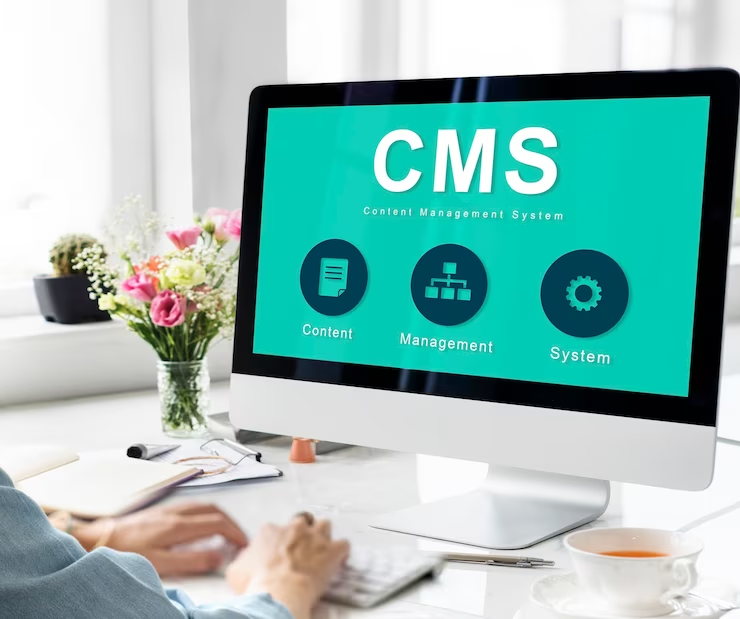
A strong internet presence is not just a luxury but a requirement in today's digital world. Content management systems have become the backbone of web development, allowing users to develop, manage, and customize their websites conveniently.
Choosing the suitable system from various options is challenging, so we have listed the 10 most popular CMS Platforms in 2023 to simplify your website creation options.
WordPress - The Undisputed Champion
It is a fantastic market leader, powering over 43.2% of all websites. WordPress is an open-source software well-known for its user-friendly interface, safety, and scalability. It helps its users to develop websites for different industries.
Pros:
● Access to a variety of free themes and plugins.
● Budget-friendly, with a wide range of prices available.
Cons
● Quality control varies among plugins and themes.
● Limited personalized customer support.
Best for
It is versatile, making it suitable for everyone. It can be used for everything from a personal blog to a sophisticated media hub like the online artist portfolio of Music.
Joomla- The Swiss Army Knife
It is a powerful and flexible system that runs over 2% of all web pages. Joomla has powerful functionality built in from the beginning. It can use multiple languages and powerful site management tools.
Pros
● It is an easy-to-manage platform for large websites with different navigation levels.
● Its two-factor authentication improves safety.
Cons
● The control panel may seem difficult at the start.
● Some of its plugins may not work well together.
Best for
The official Roger Federer website, which features portfolios, news, and a shop, is a prime example of the kinds of complex websites that Joomla excels at management.
Drupal - The Choice for Technical Prowess
It is a content management system that caters to experienced web developers by providing an adaptable API structure. This structure works with many different kinds of digital media. It is a popular option for high-traffic platforms because it prioritizes speed and security.
Pros
● Regular security checks strengthen defenses against vulnerabilities.
● Modules that are pre-installed increase a site's usefulness.
Cons
● Needs expertise in HTML, CSS, and PHP.
● Upgrades to new versions and other management duties can be time-consuming.
Best for
Drupal is best suited for technically savvy users who want to build expansive and intricate websites. The official City of Los Angeles website is a great example.
Magento - The E-commerce Powerhouse
Magento is an e-commerce platform designed specifically for larger websites that offers security, search engine optimization (SEO) friendliness, and extensive design flexibility. It is well-known for its ability to manage a large product catalog and numerous customer orders successfully.
Pros
● Support for several languages and currencies.
● Mobile-friendly content administration systems.
Cons
● The setup is complicated.
● Designing and listing products takes a lot of time.
Best for
Online retailers with moderate to substantial inventories perform best when using Magento. Olympus is a success story of this platform, which sells visual and audio products.
PrestaShop - Empowering Smaller E-commerce
This is an e-commerce CMS platform specially designed for small and medium-sized businesses. However, It also has a remarkable scale for large projects.
Pros
● Suitable for usage by people of varying degrees of expertise.
● There are numerous available plugins and themes for personalization.
Cons
● Scalability issues prevent rapid expansion.
● Expense-heavy reliance on improvements.
Best for
PrestaShop is a fantastic option for smaller and medium-sized online retailers like Harry Fay, a specialized jeweler in the UK.
Concrete5 - User-Friendly Simplicity
Concrete5's drag-and-drop content blocks and intuitive UI make it an excellent option for people who don't have a lot of experience with web development. However, it does not have auto-save features or a large community of developers.
ITV, a media conglomerate, is a good example of a major corporation that would benefit from a straightforward web design process.
Contentful - The Headless CMS for Future-Ready Websites
By isolating content from web pages, Contentful is a headless content management system. A more demanding learning curve and an increased requirement for technical knowledge go hand in hand with this portability between digital platforms.
With Contentful, businesses have understood its importance and have boomed the urge to use Headless CMS. Contentful brings in flexibility to achieve unique and feature-rich solutions with its futuristic development approach.
Pros
● Compatible with any electronic medium.
● Adaptable formats for content.
Cons
● Pay more attention to the app's structure and less to its visual design.
● Cross-platform content development calls for significant technological expertise.
Best for
As demonstrated by the Scandinavian Airlines System, Contentful comes into its own when utilized by businesses or people to build unique websites that share data across numerous digital channels.
Appy Pie Website Builder - Simplified Website Creation
Appy Pie Website Builder is a must-have tool for those just starting out or running a small business. The AI-powered, drag-and-drop interface makes it simple to alter looks and functions.
Pros:
● Web development powered by AI.
● A business email, a custom domain, and a mobile app are all part of a complete package.
Cons
● Not a lot of options for templates.
● Complex projects may have trouble with scalability.
Best for
It is suitable for those new to creating websites or running a business on a smaller scale.
Sitecore - The Enterprise CMS
It is a top enterprise CMS developed in ASP.NET. Its vast marketing tools and proficiency in creating content for many digital channels make it a good fit for enterprises of any size.
Pros
● Simple and straightforward design.
● Privacy regulations such as GDPR should be prioritized.
Cons
● Costlier than competing CMS platforms.
Best for
Huawei, a telecom equipment manufacturer, is a good example of a large organization that might benefit most from this.
Umbraco - The .NET Alternative
Open-source content management system Umbraco, built on Microsoft's. NET framework serves businesses with a wide range of content types. Scalability and security are strong suits, although it lacks a developer community and several plugins.
Pros
● Multi-channel content presentation flexibility.
● Rapidly patching security flaws.
Cons
● There is a scarcity of plugins.
Best for
Ideal for businesses with a wide variety of material, such as the extensive product and marketing information provided by Johnnie Walker.
Conclusion
A successful website structure requires careful consideration when selecting a content management system. These top 10 CMS platforms help everyone, from inexperienced users to seasoned programmers and from startups to multinational corporations.
However, your needs, technical knowledge, and available funds will determine the best course of action. You can confidently start your web development adventure with these robust platforms.
In the ever-evolving world of web design, WordPress page builders have emerged as indispensable tools for creating visually appealing, professional websites with minimal effort and coding expertise. With their simple drag-and-drop functionality, real-time editing, and a plethora of pre-built design elements, these comprehensive tools empower you to take control of every aspect of your website's design and functionality with ease, even if you're a beginner.
In this in-depth guide, we will explore the world of WordPress page builders, delving into the benefits, features, and considerations when selecting the ideal page builder for your needs. From evaluating user-friendliness and extensibility to comparing popular page builders like Elementor, Beaver Builder, and Divi, this article will equip you with the knowledge and confidence needed to unlock the potential of page builders and elevate your web design journey.
In addition to assessing the merits and demerits of various page builders, this guide also offers practical tips and recommendations for effectively utilizing the chosen page builder to create visually striking, highly functional WordPress websites that leave a lasting impression on your audience. Let's get started!
1. Assessing Your Page Builder Requirements
Before diving into page builders, it's crucial to determine your specific needs and requirements, which will ultimately help you select the most suitable tool for your WordPress site.
User-Friendliness: Consider how easy-to-use and intuitive the page builder is, as this can significantly impact your design process and productivity.
Extensibility: Evaluate whether the page builder offers ample customization options, add-ons, and integrations to meet your website's unique requirements.
Responsiveness: Ensure the page builder provides responsive design capabilities, allowing your site to look and function seamlessly across various devices.
2. Comparing Popular WordPress Page Builders
With numerous page builders on the market, examining the key features, pros, and cons of popular options can help you make an informed decision that best suits your website goals.
Elementor: With its user-friendly interface, flexible design options, and extensive library of pre-built elements and templates, Elementor has become a favorite among web designers. The page builder also offers a free version with essential features and a pro version with advanced functionalities.
Beaver Builder: Known for its simplicity and ease of use, Beaver Builder provides many design options, pre-built templates, and compatible add-ons that cater to various website design needs. It also has a free version with limited features and a premium version offering more extensive capabilities.
Divi: As part of the Elegant Themes package, Divi flaunts a sleek interface, real-time editing, and an extensive collection of customizable modules that enable you to build intricate layouts with ease. While it doesn't have a free version, its premium offering grants access to all Elegant Themes products and additional features.
3. Utilizing Page Builders to Enhance Your Website Design
Once you've chosen a suitable page builder, implementing specific strategies and best practices can help you optimize your website design and make the most of your chosen tool.
Embrace Modular Design: Use pre-built design elements, sections, and modules to efficiently create unique, cohesive layouts that are easy to edit and customize.
Create Your Own Templates: Develop custom templates for frequently-used page layouts, such as blog posts or service pages, to streamline your web design and maintain consistency across your site.
Integrate Third-Party Tools: Capitalize on the extensibility of your chosen page builder by integrating useful third-party tools like contact forms, marketing automation software, and social media feeds to deliver increased functionality and enhanced user experiences.
4. Manage Website Performance and Optimization
As you utilize the powerful features of your chosen page builder, it's essential to be mindful of your website's performance and optimization to ensure an optimal browsing experience for your users.
Optimize Images and Media: Compress and optimize images, videos, and other media to reduce file size and improve website load times, ultimately enhancing user experience.
Implement SEO Best Practices: Utilize built-in page builder SEO tools or integrate dedicated SEO plugins like Yoast SEO to optimize your website for search engines and improve its organic rankings.
Monitor Page Speed: Regularly test and assess your website's page speed using tools like Google PageSpeed Insights to identify and resolve potential performance issues.
Conclusion:
Navigating the realm of WordPress page builders can seem overwhelming, but with the right knowledge, tools, and strategies, you can revolutionize your web design process and create visually appealing, functional websites with ease. Determining your specific requirements, assessing the pros and cons of popular page builders, and implementing best practices for design and optimization will enable you to unlock the true potential of these powerful resources.
Don't be afraid to experiment with different options, learn from your experiences, and stay informed about new features and updates. Embracing the power of page builders simplifies your web design journey and empowers you to create engaging, user-friendly, and aesthetically pleasing websites that stand out from the competition and leave a lasting impression on your audience. Happy designing!
Nick Throlson and his team understand the importance of having a beautiful, responsive, and engaging WordPress website that captures your target audience and converts visitors into clients. Our seasoned web designers and developers are dedicated to providing you with the latest insights, tips, and resources to help you create stunning websites that reflect your brand's unique identity and values. If you need WordPress development solutions, get in touch with us today.
Your website's navigation system plays a significant role in determining its usability, user engagement, and overall success. Without an intuitive and easy-to-use navigational structure, visitors may find it difficult to locate the content or information they're seeking, leading to a sub-optimal user experience and potentially impacting your site's conversion rates. Custom WordPress menus empower you to create a seamless, well-organized, and user-friendly navigation system that not only supports your website's goals and objectives but also amplifies your brand's web presence.
In this comprehensive guide, we will explore the importance of custom WordPress menus, outlining their primary components, benefits, and best practices for effective implementation. We will delve into how custom menus can improve your website's navigation and user experience and offer insights into creating, managing, and optimizing these menus for maximum impact. Whether you're a seasoned web designer or a WordPress beginner, this guide will serve as a valuable resource for understanding the principles, techniques, and strategies for creating custom WordPress menus that are tailored to your site's unique needs and objectives.
Let's examine each of these components in detail, enabling you to improve your website's user experience and enhance its web presence.
1. Creating Custom WordPress Menus for Intuitive Navigation
To create a custom menu for your WordPress website, follow these essential steps that accommodate a streamlined navigation system.
Step 1: Access the Menus Dashboard: In your WordPress admin panel, go to Appearance > Menus.
Step 2: Create a New Menu: Click the “create a new menu” link, and then provide a name for your custom menu. After naming, click the “Create Menu” button to initiate building your menu.
Step 3: Adding Items to the Menu: On the left side of the Menus Dashboard, you'll find various items that can be added to your custom menu, including pages, posts, custom links, and categories. To add an item, click the checkbox next to it and click “Add to Menu.”
Step 4: Organizing Menu Items: Drag-and-drop menu items within the structure to order or nest them, creating sub-menu items as needed.
Step 5: Assigning the Menu to a Location: Assign your custom menu to a predefined theme location by scrolling down to the “Menu Settings” section, selecting a location, and clicking “Save Menu.”
2. Editing and Managing Your Custom WordPress Menus with Ease
Once you've created custom menus, you need to understand how to edit and manage them to ensure your website's navigation remains organized and user-friendly.
Step 1: Access the Menus Dashboard: In your WordPress admin panel, go to Appearance > Menus.
Step 2: Select the Menu for Editing: Choose the custom menu you'd like to edit from the drop-down list at the top of the page, and click “Select.”
Step 3: Editing Menu Items: Expand menu items by clicking the drop-down arrow, allowing access to an item's settings. Edit labels, set custom CSS classes, or adjust other options as needed.
Step 4: Deleting Menu Items: To remove an item from the menu, click on the drop-down arrow to expand the menu item's settings, and click “Remove.”
Step 5: Saving Menu Changes: After making your changes, click “Save Menu” to ensure your edits are applied.
3. Best Practices for Crafting Exceptional Custom WordPress Menus
To maximize your website's user experience and boost functionality, employ the following best practices when designing and implementing custom WordPress menus:
Prioritize Intuitive Navigation: Arrange your menus in a way that's logical and easy for your users to follow. Consider categorized drop-down menus to ensure a streamlined and efficient navigation experience.
Eliminate Clutter: A cluttered menu can overwhelm users, so it's crucial to focus on including only the most relevant items. Assess your website's content and determine which pages, categories, or sections are essential to the user experience.
Responsive Design: Make sure your custom menus remain functional across various devices and screen sizes. Themes that are responsive by design ensure your menus are mobile-friendly and easily accessible for all users.
Maintain Consistency: A consistent menu structure reassures users that they can easily find their way around your website. Consistent styles and formats help establish a cohesive visual language and contribute to a professional appearance.
4. Enhancing Your Custom WordPress Menus with Plugins
Plugins can offer additional functionality and customization options when it comes to your custom WordPress menus. Here are a few popular plugins that can elevate your menu creation capabilities:
Max Mega Menu: This plugin enables you to create visually-appealing and responsive mega menus using a built-in visual editor and various customization options.
Conditional Menus: With this plugin, you can create custom menus tailored to different users, locations, or pages, enhancing user experience and delivering relevant content.
WP Mobile Menu: If your theme doesn't have a built-in mobile navigation solution, this plugin will help you create a user-friendly mobile menu for seamless navigation on smaller screens.
Conclusion:
Custom WordPress menus play a pivotal role in providing an intuitive and enjoyable user experience for your website visitors. By understanding how to create, manage, and optimize these menus, you can design a navigational system that caters to your audience's needs and reflects your brand's unique identity.
Ultimately, the key to perfecting custom WordPress menus lies in constant evaluation, adaptation, and improvement. By diligently assessing your website's content, target audience, and changing user patterns, you can ensure that your custom menus remain efficient, user-friendly, and impactful, propelling your website's success and amplifying your brand's web presence.
At Nick Throlson, we specialize in devising and implementing responsive WordPress websites with modern style, functionality, and mobile-friendliness that are designed to convert your target audience into clients. Our team of experts in web design ensures that your WordPress website is optimized for success and delivers a stellar user experience. Ready to take your online presence to the next level? Contact us today to schedule a free consultation and learn how we can help you create a high-performing WordPress website that drives real results for your business!
Partnerships are smart business decisions and are crucial to sustenance and success. They are collaborative actions meant to strengthen business establishments while offering opportunities to improve profit margins. It’s no wonder that 44% of these outfits seek alliances to propel growth and become stronger than their competitors. However, certain considerations must be made before a business enters a partnership. These are the key points to consider before agreeing to a business alliance.
There cannot be two captains of a ship, and this saying also applies to business. Business partners must have a shared vision and goals to avoid conflict. A unified vision will ensure the company is steered in the right direction, with no room for future disputes. The best way to align your vision and goals is to discuss long and short-term aspirations for the business. Once again, laying all strengths and weaknesses on the table will be essential. Since you’re joining forces, truth is a key element you cannot keep away from each other.
Business partnerships often go awry due to opposing priorities, breakdown in trust, financial inequity, and miscommunication. Fortunately, working on these negatives can make implementing shared vision and goals run smoothly. Sometimes, unmanaged power dynamics can stifle shared vision and goals. For example, when a bigger company partners with a smaller establishment, the former may want to exert more control. By doing that, the bigger business wants its priorities to be followed more than anyone else’s. That cannot be good for the partnership, so it pays to be wary of that.
Clear roles and responsibilities
When two or more businesses come together in the marketplace, they must define clear roles and responsibilities. Each partner usually has a distinct set of tasks that align with their business strengths. Three elements that come to the fore are skills, experience, and expertise. By assessing each other’s core competencies, it becomes easier to allocate roles and responsibilities while preventing duplication of duties. Can you imagine what would happen if the company had no distinct roles and responsibilities after a partnership? There will be no clear-cut direction for the business, and the establishment stands a high risk of losing lucrative contracts. The power imbalance can work against roles and responsibilities. One way to avoid role confusion and responsibility duplication is to pay critical attention to the contract. Many business partnerships come into being after signing a binding document, otherwise known as a contract. This legal document contains relevant information on how much of the firm each entity owns. There is also information on how profit and losses would be shared. In the event of a premature death, a well-drafted contract must also contain direction. All these indicate how crucial it is to explore what is contract law and more.
Exit strategy and contingency plans
Sometimes, business partnerships are fraught with challenges that cannot be sidestepped. When that happens, the best way to resolve it is for the entities to go their separate ways. As unpleasant as this may sound, it is a reality you must prepare for if the inevitable happens. That is why a robust exit strategy and contingency plan are useful to the business partnership contract. It is mandatory to discuss this in the early stages of the partnership and, more importantly, to factor it into the contract. All parties must agree on the exit strategy and contingency plans, as it’s the only way to avoid disputes when the partnership is no more. Business partnership experts say it’s necessary to discuss this as something already happening. In other words, state your expectations, dislikes, fears, and anything else worth mentioning if the partnership breaks up. An objective and candid approach to this discussion is the best way to make your thoughts known to each other.
The worst thing you can do in a business partnership is to have a verbal agreement. The danger with these undocumented agreements is the high risk of one party backing out in mid-partnership, leaving you to suffer the financial consequences. That will be an unpleasant issue if it happens to you and your business. A corporate attorney is experienced with drafting legally binding documents regarding business partnerships. They know which legal tools to incorporate into the contract to ensure everybody’s interests are protected. Consulting an attorney also protects all business assets, particularly where future partnerships may be involved. It’s worth pointing out that if one partnership fails, another might be around the corner. The attorney will ensure your business’s reputation is safeguarded for future purposes.
WordPress widgets are versatile, customizable, and user-friendly tools that allow you to add various functionality and features to your website without the need for extensive coding expertise. Be it a simple search bar, a contact form, or intricate social media sharing buttons, widgets offer a multitude of options to make your website more engaging, functional, and effective in achieving your objectives.
In this comprehensive guide, we will delve into the world of WordPress widgets, covering their origin, purpose, and benefits, as well as offering practical recommendations and resources for using them effectively on your website. We will explore the wide array of widget options available, both built-in and third-party, along with tips for choosing the right ones for your specific needs and objectives. Whether you're a seasoned web designer or a WordPress beginner, this guide aims to empower you with valuable insights, tips, and best practices to harness the power of WordPress widgets and take your web design to new heights.
Let's explore them in detail, starting with the diverse widget options, followed by how to add, customize, and manage them effectively.
1. Understanding the Wide Array of WordPress Widget Options
With numerous built-in and third-party widgets available, it's crucial to familiarize yourself with the most popular and useful ones that enhance your website's functionality while achieving your objectives.
Built-in Widgets:
Search: Adds a search bar for users to easily locate content within your website.
Navigation Menu: Enables you to display a customized menu for seamless site navigation.
Categories: Showcases your blog post categories, allowing users to browse content based on their interests.
Tag Cloud: Displays a cloud of your most frequently used tags, highlighting popular topics and enhancing content discoverability.
Third-party Widgets:
Social Media Feeds: Integrate content from your Facebook, Instagram, or Twitter profiles, showcasing your online presence and driving social media engagement.
Contact Form: Embed a user-friendly contact form, making it easier for visitors to get in touch with you.
Google Maps: Insert an interactive map to display your business location, enhancing credibility and user convenience.
2. Adding and Customizing WordPress Widgets to Your Website
Once familiar with various widget options, it's essential to learn the process of adding and customizing widgets to suit your website's specific needs and design preferences.
Step 1: Accessing the Widgets Dashboard: Navigate to your WordPress dashboard, then head to Appearance > Widgets.
Step 2: Adding Widgets: From the available widget options, choose the desired widget, and drag-and-drop it into a widget area like your sidebar, footer, or header.
Step 3: Customizing Widgets: Click on the added widget within the widget area to reveal customization options. Make necessary adjustments to titles, content, or design elements, and save your changes.
3. Managing and Organizing Your WordPress Widgets with Ease
Efficiently managing and organizing your widgets helps maintain a clutter-free and engaging user experience and keeps your website’s content fresh and relevant.
Reordering Widgets: Change the widget's position within a widget area by simply dragging-and-dropping it to your preferred location.
Deactivate Widgets without Losing Settings: In case you wish to remove a widget temporarily, drag it from the widget area to the "Inactive Widgets" section on the Widgets Dashboard. This retains its settings for easy reactivation later.
Utilizing Widget Visibility Plugins: Use plugins like Widget Options or Jetpack to control widget visibility on specific pages, post types, or user roles.
4. Tips for Mastering WordPress Widget Design and Functionality
Applying best practices when designing and utilizing widgets ensures that your website remains functional, user-friendly, and visually appealing.
Prioritize User Experience: Implement only those widgets that supplement and support your site's content, design, and user experience, keeping the interface clean and clutter-free.
Responsiveness: Choose mobile-friendly and responsive widgets to maintain an optimized browsing experience across devices and screen sizes.
Consistency: Pay attention to the design consistency of widgets with your website's overall aesthetic, ensuring harmonious integration and a professional appearance.
Performance: Keep in mind that adding numerous widgets may impact your site's load time. Use performance monitoring tools like GTmetrix or Pingdom to ensure that your website's speed remains manageable.
Conclusion:
WordPress widgets offer an incredible opportunity to enrich your website with added functionality, interactivity, and user engagement, ultimately helping you achieve your desired goals. By understanding various widget options, learning to add, customize, and manage them effectively, and implementing best practices for widget design and functionality, you can harness the power of widgets to create exceptional online experiences for your visitors.
Remember to adapt your widget strategy as your website and audience evolve, keeping your content, appearance, and functionality relevant, engaging, and useful. As you master the art and science of WordPress widgets, your website will undoubtedly become more refined, captivating, and successful in converting your target audience into clients.
Are you ready to explore the potential of WordPress widgets and learn how they can revolutionize your web design process and enhance your website's user experience and functionality? At Nick Throlson Web Design, we specialize in creating beautiful, engaging, responsive WordPress websites that not only amplify your brand's web presence but also convert your target audience into clients. Let us help you create websites with modern style, functionality, and mobile-friendliness. Contact us today to schedule an appointment!
We use cookies to improve your experience on our site. By using our site, you consent to cookies.
Cookie Preferences
Manage your cookie preferences below:
Essential cookies enable basic functions and are necessary for the proper function of the website.
Name
Description
Duration
Cookie Preferences
This cookie is used to store the user's cookie consent preferences.
30 days
These cookies are needed for adding comments on this website.
Name
Description
Duration
comment_author
Used to track the user across multiple sessions.
Session
comment_author_email
Used to track the user across multiple sessions.
Session
comment_author_url
Used to track the user across multiple sessions.
Session
Google reCAPTCHA helps protect websites from spam and abuse by verifying user interactions through challenges.
Name
Description
Duration
_GRECAPTCHA
Google reCAPTCHA sets a necessary cookie (_GRECAPTCHA) when executed for the purpose of providing its risk analysis.
179 days
Google Tag Manager simplifies the management of marketing tags on your website without code changes.
Name
Description
Duration
cookiePreferences
Registers cookie preferences of a user
2 years
td
Registers statistical data on users' behaviour on the website. Used for internal analytics by the website operator.
session
Statistics cookies collect information anonymously. This information helps us understand how visitors use our website.
Jetpack's built-in visitor analytics. It records page views, referring sites, search terms, and outbound link clicks, and also carries the shared visitor-tracking library used by Jetpack Instant Search and WooCommerce Analytics.