by Nick Throlson | Aug 31, 2011 | Guest Post
 Having a laptop computer can be great due to the speed, flexibility and portability it offers and that no doubt explain why more and more people are buying a laptop computer every day.The fun in having a laptop isn't just in having a laptop, it is in making effective use of it, it is in having the right applications installed and it is in doing the best to enjoy your laptop. Based on my research and experience below are 3 great applications every laptop owner must have installed on his/her laptop.PreyWe live in a more advanced world today where a lot of things that could never have been dreamt of decades ago are starting to happen. Our technology keeps on increasing and it becomes easier for us to get things done. The problem with this is that with every new solution comes a new problem and with every development comes a challenge.There are now thieves and looters in today's world especially since technology is making it extremely easy for them to do their evil task.Instead of having to worry about spending your hard earned money on insurance for your laptop you can easily secure it by installing a tracking application on it. One such application is the Prey application that makes it easy to track and locate your laptop wherever it is.With the prey application all you need to do is register an account on the prey website, download and install the prey software on your computer and configure it with your details. If your laptop gets lost or stolen you can easily report it on the prey website and the tracking will be activated.The prey application also has a lot of features including the ability to track the current location of the laptop, the ability to use the webcam of the laptop to take screen-shots around it and the ability to display logs of where your laptop was last used.Open OfficeThe Open Office software is an application I recommend to every laptop owner and it is also a free alternative to Microsoft Office. It has a lot of great features like the Word feature, the spreadsheet feature and many other features you can get with Microsoft Office.Another great thing about Open Office is that it makes formatting your word documents extremely easy and it also has a feature that makes it extremely easy for you to turn any file into a pdf file with the click of a button.WinRarThe final application on this list is the WinRar application. If you use your laptop regularly and you download files and attachments from the internet regularly then there is every probability you will be dealing with zip and rar files. While the default windows operating system can open a zip file it doesn?t have the capability to open rar files and the Winrar application makes this extremely easy. Another thing about winrar is that it presents your files to you in an organized way and it also makes it easy for you to choose where you want your files to be extracted to.This guest post is written by Paul T who helps people find free laptop deals.
 by Nick Throlson | Aug 17, 2011 | Guest Post
 Paying for broadband service and then struggling with a sluggish connection is a very frustrating experience. It?s also a common one, as any broadband expert will tell you. The most common question they field is, how do I increase Internet speed? What?s interesting, however, is that the solutions tend to be local. So before calling your provider for a service call, try these 10 local steps to increasing speed on the Internet.1. Protect against viruses.Install antivirus software. If you own Windows, you can install Microsoft Security Essentials free. Keep it active and updated, and this will prevent sluggishness caused by malicious code.2. Protect against spyware.Spyware isn?t as malicious as viruses are, but it can be just as detrimental to Internet speed and more so in some cases. Microsoft Windows Defender is a free program that monitors your computer, protects against threats and can even remove existing threats. Since browsers are the primary source of spyware, Defender monitors as you surf as well but without interfering with surf speed.3. Increase the browser cache.Whenever a browser fetches a webpage, it stores images and other resources in the cache. If those items are already in the cache, the page loads and displays faster. Most browser caches are small by default, so you can greatly improve speed over a large array of sites by increasing this capacity.4. Disable graphics and other features while browsing.As a temporary solution, disable graphics and other advanced features, including browser plugins. This will reduce necessary bandwidth, so pages will load and perform faster and smoother.5. When sending emails, reduce signature sizes, and use Contact Groups.Most users who experience Internet speed problems experience them worst when sending emails. Keep email sizes as small as possible by avoid images and large signatures. If sending many emails, use Contact Groups or a comparable feature because this reduces bandwidth overhead for each individual email.6. Clear disk space.When hard drives are at or near capacity, they do not perform efficiently. For optimal performance, you should maintain at least 10% free space, but the more the better. Clear disk space in order to get below that threshold. If you struggle to do so, consider upgrading to a larger drive.7. Maintain healthy drives.When using mechanical hard drives, use a CHKDSK utility regularly to find and repair errors. If your HDD is S.M.A.R.T. capable, log into your BIOS regularly and check the status reports.8. Maximize disk access.Regularly uninstall applications you no longer need. Run a disk defragmenter on a regular basis. It is best to use one that runs automatically when it senses that the computer is idle.9. Upgrade your operating system and all drivers.Always upgrade to the newest drivers and versions of applications as they become available. This is especially true when it comes to your OS. Modern apps accessing outdated functions can cause sluggishness across the board.10. Add memory or use ReadyBoost.Along with the upgrade the OS and upgrading/cleaning your hard drives, you may want to upgrade your memory. Opening the case can be a scary proposition for some, so ReadyBoost is an alternative that allows you to use a USB flash card to boost system memory. About Author: This is a guest post by Ralph Johnson, who writes for Broad Band Expert where you can find great deals on internet tv phone.
 by Nick Throlson | Aug 11, 2011 | Web Design
 I currently have 5 websites for sale that end at the beggining of September I Listed all my sites for free using FlipMySites.com Why didn't I use flippa? I wanted to try something new see how it works & hey you cant beat free right it's worth a shot. Please contact me if your interested in any of my websites.FlipMySites Profile 😕http://www.flipmysites.com/author/nickthrolson/Sites For Sale: IsabellaCullen.com, CarShowGuys.com, TwilightCommunity.com, TeaBlog.org, MichaelJacksonsBlog.com
Get a 60 Day Listing for just $9.95!
Launch Special Use our coupon code shown above to get instant $9.95 discount on any listing package.
Coupon code may only be used five times per user.
Other Listing Packages Include:
- 120 Days for $14.95
- 365 Days for $49.95
- Featured Listing for $19.95
by Nick Throlson | Aug 8, 2011 | Off Topic
 I rent movies from redbox because ......1. Freebies "Promo Codes"2.$1 per DVD rental.3 Tons Of Locations.4. No waiting for DVD's to come in the mail.5. Beats buying the newly released movies for $20 a pop.Use my link to get 1 free rental :?https://nickthrolson.com/redboxAlso Android & Iphone app makes it easy to reserve movies you want at a Redbox kiosk. Update: Redbox Offers Discounts for Foursquare Check-ins?August 15 through August 24. Redbox will be giving out codes via checking in with your foursquare acct.
 by Nick Throlson | Aug 4, 2011 | Guest Post, SEO
 If you?re into Search Engine Optimization or Search Engine Marketing, then you should be into SEMrush because it can help you stay ahead of the game.SEMrush is the only tool of its kind currently scraping over 88 million Google SERPs a month for the most popular keywords. It then takes that data and translates it into easy to follow charts, reports, and stat summaries for each keyword, phrase, or domain you plug into the search box.When you open the SEMRush page, you?ll see the search box. Once you type in either a domain name or a keyword, a navigation menu on the left will list out the various reports you can browse through. These reports are based on both Google Organic search results and Google AdWords data.Reports available include:
- Main Report
- Google Keywords
- AdWords Keywords
- Competitors in Google
- Competitors in AdWords
- AdWords Ads Texts
- Potential Ads Buyers
- Potential Ads Sellers
You might begin your analysis by entering your own domain name in the search box. You?ll then be able to see a snapshot of all the reports available.The Google keywords report will give you a list of keywords for which you are currently ranking in the first 20 positions in Google SERP. For each keyword, useful information about it is provided, including: the exact SERP position, percentage of the traffic you are getting from it, total number of Google search results for the keyword, as well as numbers related to monthly search volume (CPC, search trend, and the like). Any AdWords data is also readily available via the AdWords Keywords tab.Perhaps more important than checking data related to your own site, is checking the data relative to your competitors? sites. This is easy with SEMrush. Just enter a domain in the search box, click on the Competitors in Google tab in the Reports Menu, and you?ll see a list of competing domains based on an organic search. Included in this report is data such as: number of common keywords, search engine traffic, search engine traffic price, and total number of AdWords keywords associated with each of the domains. A similar report is also available relative to your AdWords competitors.Keyword data can be attained the same way as domain info. SEMrush gives a complete list of data in its keyword summary, including: the list of sites using the word ranking in the first 20 positions in Google Organic Search, a Related Keywords Report, a Phrase Match Report, and an AdWords Report (list of sites running AdWords campaigns for that keyword).SEMRush can even help identify potential ad buyers or ad sellers for your site based in your keyword searches. It compares the keywords you?re ranking in Google?s first 20 positions for to the list of Google AdWords buyers for those keywords and produces a Potential Ads Buyers report, or Potential Ad Sellers report for each.SEMRush is available for varying levels of access and data. There?s a free, limited access version for those who want to check out how it does what it does, but that will only scratch the surface if you?re a true SEO or SEM professional. Other subscriptions to the service range from ?light? to ?PRO? and even Guru and Enterprise levels for those who need it.Now, for a very limited time, my readers can try a Pro version of SEMrush free for 2-weeks. Simply, go to the SEMrush home page www.semrush.com, create a free account, and use the promo code below try it. This offer is only good through August 20th, so don?t wait! Accounts remain active for 2-weeks after activation.PROMO CODE: V2N7-S650-H358-P30T

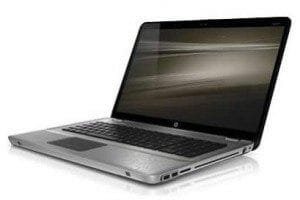 Having a laptop computer can be great due to the speed, flexibility and portability it offers and that no doubt explain why more and more people are buying a laptop computer every day.The fun in having a laptop isn't just in having a laptop, it is in making effective use of it, it is in having the right applications installed and it is in doing the best to enjoy your laptop. Based on my research and experience below are 3 great applications every laptop owner must have installed on his/her laptop.PreyWe live in a more advanced world today where a lot of things that could never have been dreamt of decades ago are starting to happen. Our technology keeps on increasing and it becomes easier for us to get things done. The problem with this is that with every new solution comes a new problem and with every development comes a challenge.There are now thieves and looters in today's world especially since technology is making it extremely easy for them to do their evil task.Instead of having to worry about spending your hard earned money on insurance for your laptop you can easily secure it by installing a tracking application on it. One such application is the Prey application that makes it easy to track and locate your laptop wherever it is.With the prey application all you need to do is register an account on the prey website, download and install the prey software on your computer and configure it with your details. If your laptop gets lost or stolen you can easily report it on the prey website and the tracking will be activated.The prey application also has a lot of features including the ability to track the current location of the laptop, the ability to use the webcam of the laptop to take screen-shots around it and the ability to display logs of where your laptop was last used.Open OfficeThe Open Office software is an application I recommend to every laptop owner and it is also a free alternative to Microsoft Office. It has a lot of great features like the Word feature, the spreadsheet feature and many other features you can get with Microsoft Office.Another great thing about Open Office is that it makes formatting your word documents extremely easy and it also has a feature that makes it extremely easy for you to turn any file into a pdf file with the click of a button.WinRarThe final application on this list is the WinRar application. If you use your laptop regularly and you download files and attachments from the internet regularly then there is every probability you will be dealing with zip and rar files. While the default windows operating system can open a zip file it doesn?t have the capability to open rar files and the Winrar application makes this extremely easy. Another thing about winrar is that it presents your files to you in an organized way and it also makes it easy for you to choose where you want your files to be extracted to.This guest post is written by Paul T who helps people find free laptop deals.
 I currently have 5 websites for sale that end at the beggining of September I Listed all my sites for free using FlipMySites.com Why didn't I use flippa? I wanted to try something new see how it works & hey you cant beat free right it's worth a shot. Please contact me if your interested in any of my websites.FlipMySites Profile 😕
 I rent movies from redbox because ......1. Freebies "Promo Codes"2.$1 per DVD rental.3 Tons Of Locations.4. No waiting for DVD's to come in the mail.5. Beats buying the newly released movies for $20 a pop.Use my link to get 1 free rental :?https://nickthrolson.com/redboxAlso Android & Iphone app makes it easy to reserve movies you want at a Redbox kiosk. Update: Redbox Offers Discounts for Foursquare Check-ins?August 15 through August 24. Redbox will be giving out codes via checking in with your foursquare acct.
 If you?re into
